
Download the free Spotilol APK (Spotify client) app. This Spotify music player offers unlimited music streaming with a built-in ad blocker. Enjoy your favorite music without interruptions from audio ads. It's open-source and free, and works with your existing Spotify account without rooting your device.
What is Spotilol?
Spotilol Spotifuck is a music player app that wraps around the entire Spotify web player, complete with a built-in ad blocker. Developed by lyssadev, it's entirely open-source and free, building upon deviato's Spotifuck and rewritten in clean Kotlin. You can log in with your existing Spotify account, whether free or premium, without rooting your device or installing any unusual mods. The problem it solves is that free Spotify accounts are often filled with audio ads interrupting songs; this app removes those ads at the source. All of this is free, with no hidden costs, because the project is open-source, allowing anyone to view the code and contribute to its development.
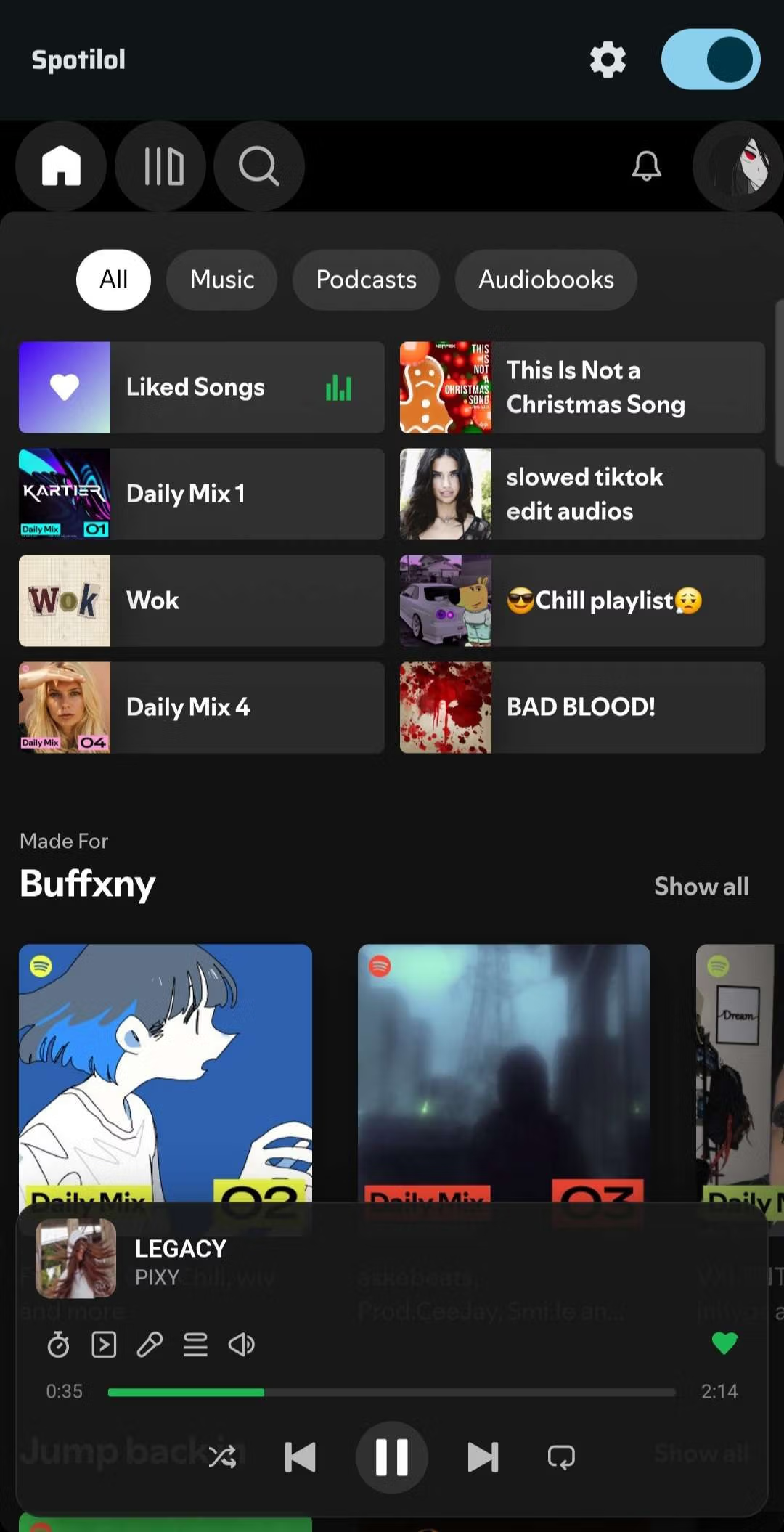
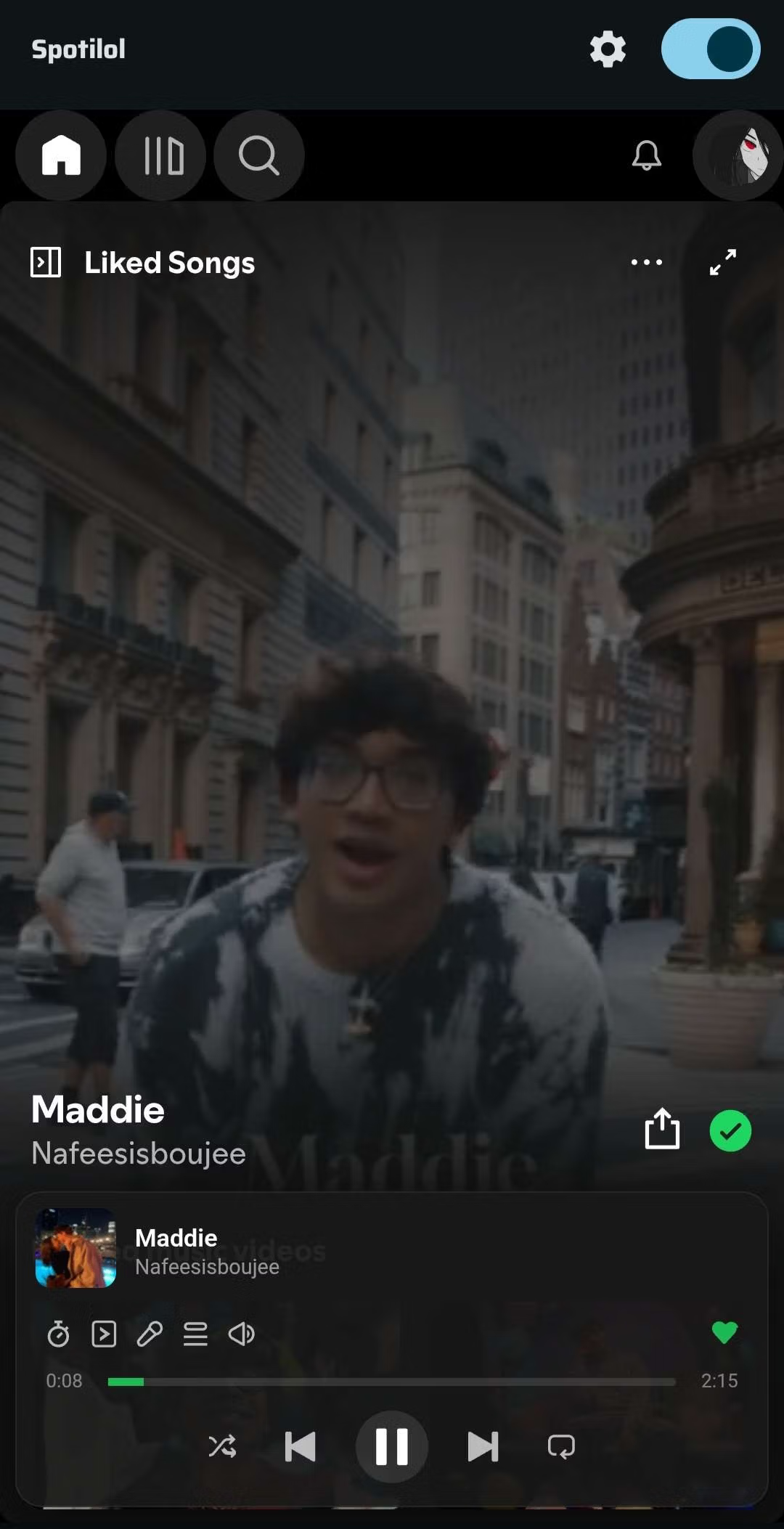
Its operation involves opening Spotify in web view on a mobile device and injecting custom scripts for user-friendliness. There are two connection modes: a standard mode that works immediately without any configuration, and a MITM proxy mode that generates a local certificate to prevent Spotify from detecting that you're using the web view. The web view is optimized for mobile screens with larger buttons and easier playlist scrolling. Another difference is its integration with the mobile system, including a customizable notification panel with buttons that you can choose to prioritize skipping songs or liking tracks. It can also be controlled from the lock screen, Bluetooth headphones, WearOS smartwatches, or car displays via Android Auto.
This app is ideal for daily Spotify listeners who are tired of ads but don't want to pay for premium, or those who want a lightweight music player with more customization options than the official version. Included extras are a download mode for offline listening, an AMOLED night mode for deep blacks, a music timer, multiple account profiles, and a built-in update checker.
Things to know before use.
Spotilol is just a web player wrapper; it doesn't directly access Spotify's audio files. Therefore, some features are tied to changes made by Spotify, which can occur at any time. If the web player restructures, Spotilol may need to be updated accordingly.
Key features of Spotilol
- Block audio ads. Eliminate Spotify's audio ads at the source, allowing for uninterrupted listening to long playlists, and also blocking the sending of tracking information.
- Download music offline. Save songs to listen to offline. Audio is downloaded through InnerTube. There is a delete all button and live download status in the notification panel.
- Customizable media notifications. You can customize play, pause, skip, rewind, like, shuffle, and repeat buttons, controlling them from the lock screen, Bluetooth headphones, and Wear OS.
- Supports Android Auto. Open playlists, albums, artists, and podcasts; search for and play music directly from your car's screen.
- AMOLED night mode. The all-black theme is easy on the eyes and saves battery on OLED screens. It also offers Material Technology color options based on the system.
- Two connection modes. Normal mode can be enabled without any configuration, or MITM proxy mode which generates certificates on your own machine.
- Automatic playback mode. You can choose whether to have the music continue playing, turn it off, play it once when started, or play it continuously.
- Multiple account profiles. Switch Spotify accounts without logging in every time.
- Music timer. Set the music to stop automatically when you fall asleep. Ideal for people who listen to music before bed.
- Picture in picture. You can minimize the video to a floating window that overlays other apps.
- Battery saver mode. Lock playback to audio only, reduce background data usage, and extend music listening time.
- Check for updates built-in. Receive notifications when a new version is available for download.
What's new?
Version 1.1.6 – 09.26.2026
- The app's log system. Single on/off switch, logcat level, stores 2,000 entries, with filtering syntax.
- A logcat-type logger panel. There's a level selection chip, a live filter channel, tap a line to view the stack trace, and buttons for clearing and copying.
- The screen displays a crash message. Catch errors before the app crashes. Displays a complete report of the entire device and logs. Includes copy and restart buttons.
- First introductory page. Specify the required permissions and choose Normal or Certificate mode when first enabling it.
- PiP displays real video. When the video is minimized, you should see the animation, not just the thumbnail, and the screen shouldn't go black when held vertically.
- Organize the playlist. You can sort by addition date, and the album column can be sorted in the same way.
- Delete all button. Clear offline songs all at once on the offline page, with live download status in notifications.
- Change the font to Raleway. The redesigned settings page features a Material 3 tabbed layout, and the splash screen has also been redesigned.
- Fix bugs. The search bar no longer freezes after returning from background music, and Bluetooth's automatic music pause is back to being accurate.
How to install Spotilol
- Download the .apk file from the button below (check that the file size matches the specifications in this article).
- Opening the installation file may require enabling "Install unknown apps" permissions in your device settings first.
- Open the app, log in with your Spotify account, and select your desired mode.

File Information
- Operating system: Android 8.0+
- Developer: lyssadev
- Size: 15.59 MB
- File type: apk
- Version: 1.1.6
- Updated: 30/9/2026
- Required Reading: Download Guide
You can still download SoundCloud Go New and free!