
Download GPS Emulator Pro (MOD APK) for free, a GPS location spoofing app on Android without root. Choose locations on the map or simulate walking and driving along routes, with support for saving favorites and routes for repeated testing.
What is GPS Emulator APK?
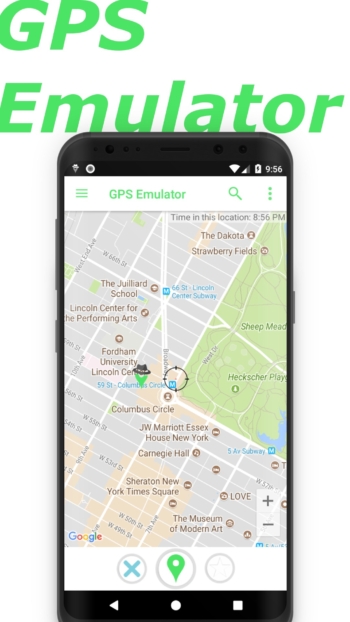
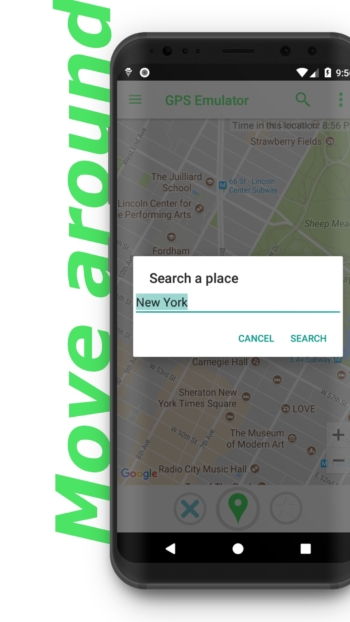
GPS Emulator APK is a GPS location spoofing app that allows you to tap a point on the map and start mocking to send that coordinate to the device's location system. Apps that read coordinates from the system can display the simulated value on the map or calculate distances from the specified point, such as setting the coordinates to a train station and opening the map app under test to check whether the current location pin matches the selected spot and if the nearby places list corresponds to the area.
If you need to check how the screen responds during movement, add waypoints on the map in the desired order, or let the app generate a route along roads in walking or driving mode. When simulation starts, coordinates will change along the route. Try using a route that passes service area boundaries to see if the screen changes status at the specified point or still displays data for the previous area after crossing the boundary.
In the settings page, you can adjust accuracy, altitude, and timestamps attached to the simulated location. If you need to test how the destination app handles low-accuracy coordinates, keep the same point and change only the accuracy value, then check the accuracy radius around the pin or see if the app requests new coordinates. Options for sending simulated coordinates via Google Play location services can be toggled from the same settings page.
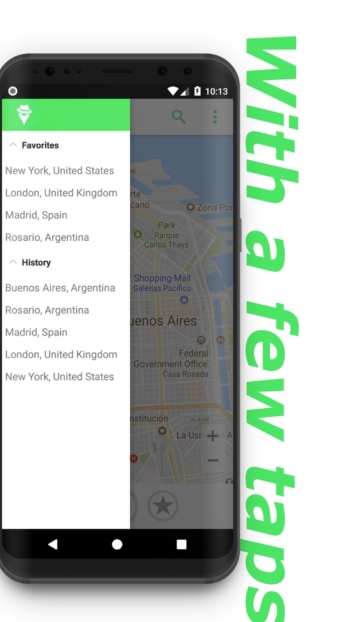
Favorites save both points and routes that need to be retested, while history automatically records previously simulated locations and routes. When checking how bug fixes change results, open the previous route from the saved list and observe the results at the same set of waypoints. If you are collecting coordinates from actual field surveys, Handy GPS features field point and route recording tools.
Before starting the first simulation, enable developer options in Android settings and select GPS Emulator as the mock location app. Then return to select a point or route and press start. When testing is complete, press stop simulation and reopen the map screen to verify that the pin returns to displaying the real location. Ideal for app developers and location-based testing teams.
Features:
- Tap a point on the map once to set the simulated coordinates.
- Add waypoints one by one to plot a simulated route in the specified order.
- Walking and driving modes automatically generate routes along actual roads. Choose the mode according to the travel style you want to simulate.
- Save coordinates and routes in Favorites
- Simulation History Automatically save coordinates and routes. Open previous items to re-simulate.
- Independently adjust coordinate accuracy and altitude.
- Timestamps for simulated locations can be configured in the settings page.
- Choose whether to send mock locations via Google Play location services or not
- Maps with normal, satellite, and terrain views
❏ Mod Info:
◉ Pro Unlocked
◉ Analytics and metrics disabled
➡ Architectures: arm64-v8a, armeabi-v7a
► Credit: vadj
⚠️This app has credits advertisements
How to install GPS Emulator
- Download the APK file from the button below and check the file size against the one specified in the file information
- Open the APK file to install without rooting the device
- Open GPS Emulator after installation is complete
file information
- Operating System: Android 12.1+
- Developer: Digitools UY
- Language: Multilingual
- Size: 23 MB
- File type: APK
- Version : 3.40
- Updated on: 22/11/2026
- Need to read: Download Guide