Download the latest version of Speedtest by Ookla APK [Premium] [Mod Extra] to check internet speed on Android, installable without root. Measure download, upload, and ping for both Wi-Fi and mobile data, complete with a 5G map and test history.
Overview of Speedtest APK
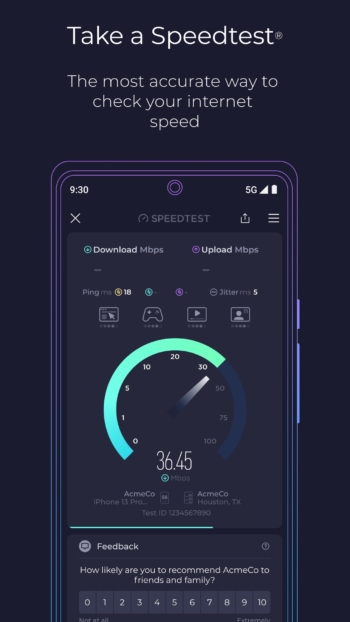
Speedtest SPK is an app from Ookla for measuring internet speed via Wi-Fi or mobile networks. Open the app and tap the start button. The download result shows the data reception rate, such as when downloading files or watching videos, while the upload result shows the data transmission rate, such as when uploading files to the cloud. Both values are displayed in Mbps. During the test, a graph shows whether the speed is stable or fluctuating throughout the measurement period.
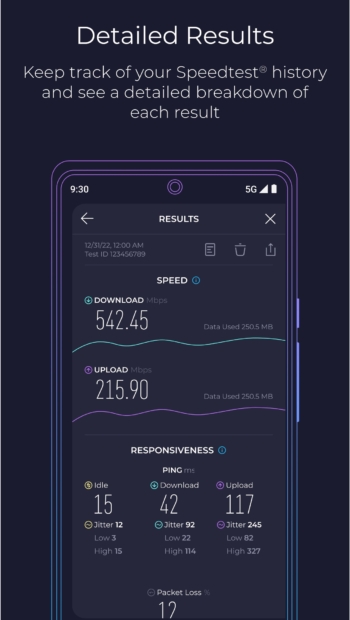
Ping is displayed in milliseconds, separated into idle, download, and upload phases. If the ping is normal when the network is idle but spikes during uploads, audio stuttering or game lag may occur when files are being sent simultaneously. Check the jitter to see how much the ping fluctuates, and look at the packet loss ratio. If you notice issues specifically when your computer is sending files, try reading about traffic prioritization. cFosSpeed
The app automatically selects a test server and allows you to choose other locations from Ookla's network. To compare Wi-Fi near the router with a room where the signal is weak, use the same phone and the same server for both rounds. Open your history to compare results from each test, or share the results from periods when the network drops along with the test time for your provider to investigate.
If videos stutter because they fail to load in time, try testing from the video tab at the spot where you actually sit to watch them. The app will play a test clip and display the maximum resolution supported by the network in that round, along with load time and buffering data. Try re-measuring during the evening when many people are using the internet simultaneously, and compare the resulting resolution with results from times when the network is idle.
Speedtest Maps show mobile network coverage broken down by carrier, based on real connection data. Open the map to check for 5G signal locations around your house or along frequently traveled routes. Indoor signals may differ from the points shown on the map, so to compare networks for the room you regularly use, test from inside that room.
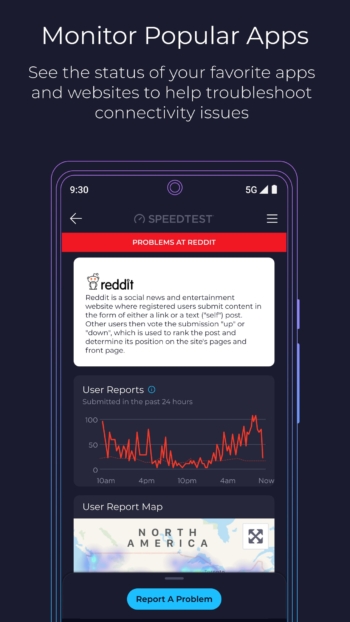
If other websites load normally but a specific app won't open, try checking Downdetector to see if reports of service outages for that app have increased during the same timeframe. The reports come from people experiencing issues and can be used to compare the time symptoms first appeared. Add frequently used services to your favorites to easily check their status from the same tab.
Features:
- One-tap measurement for downloads and uploads on Wi-Fi or mobile data, complete with real-time speed graphs during the test.
- 3-phase ping including idle, downloading, and uploading stages, along with jitter and packet loss statistics.
- Choose test servers from Ookla's worldwide network.
- Downdetector Real-time outage reporting for apps and online services, with the ability to submit reports when encountering issues.
- Save frequently used services to your Downdetector favorites.
- Maps Speedtest Maps Display coverage areas for each carrier and locations with 5G signals based on real data.
- Test video streaming to check maximum resolution, load times, and buffering.
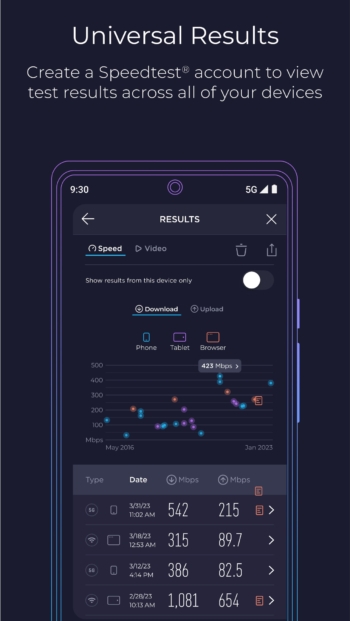
- Open your history to view past test results and share results directly from the app.
- Has an option to remove ads from the app
Mod Info:
- Premium / Paid features unlocked;
- Disabled / Removed unwanted Permissions + Receivers + Providers + Services;
- Optimized and zipaligned graphics and cleaned resources for fast load;
- Ads Permissions / Services / Providers removed from AndroidManifest;
- Ads links removed and invokes methods nullified;
- Ads layouts visibility disabled;
- Google Play Store install package check disabled;
- Debug code removed;
- Remove default .source tags name of the corresponding java files;
- Analytics / Crashlytics / Firebase disabled;
- Native comscore analytics completely;
- No active trackers or advertisements;
- Languages: Full Multi Languages;
- CPUs: armeabi-v7a, arm64-v8a, x86, x86_64;
- Screen DPIs: 120dpi, 160dpi, 240dpi, 320dpi, 480dpi, 640dpi;
- Original package signature changed;
- Released by Balatan.
How to install Speedtest
- Download the APK file from the link below
- Open the APK file and tap install, no root required
- Open Speedtest and tap start test
file information
- Operating system: Android 7.0+
- Developer: Ookla
- Language: Multilingual
- Size : 28.38 MB / 26.53 MB
- File type: apk
- Version : 7.1.5
- Updated on: 22/11/2026
- Need to read: Download Guide
==== v7.1.5 (arm64-v8a) ====
==== v7.1.5 (armeabi-v7a) ====