Download YouTube Morphe 2026 APK (MOD, Premium Unlocked) Latest Free Version, Background Play with Screen Off, Ad-Free, No Root Required [NonRoot], New Version.
What is YouTube Morphe?
YouTube Morphe is a new app stepping up to replace ReVanced (the older ad-free YouTube alternative) which held the throne as the best modified YouTube client for a long time. Recently, several developers split from the original project to build something fresh called Morphe ,It functions as an open-source patcher tool, taking over the torch from its predecessor to eliminate the annoying and counterintuitive elements of the official YouTube platform.
Morphe's concept differs from typical video playback apps because it requires selecting compatible patches and versions. The result can change the player's appearance, Shorts controls, background processes, and how information is displayed during video playback. It's suitable for those who want a step-by-step customization process and are willing to read the instructions for each version.
When YouTube releases a new version, patch compatibility may change as well. If you experience issues such as video playback problems or app crashes, you should check supported versions and settings such as client or spoofing before reinstalling to determine if the problem is with the app, the patch version, or the device.
Why are users switching to this?
- No more ads. Watch videos from start to finish without a single interruption.
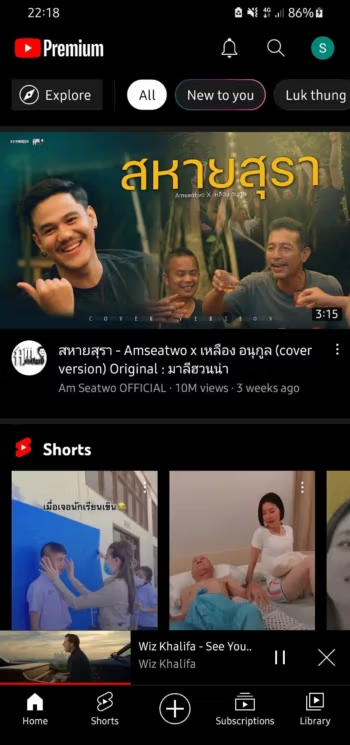
- It can play in the background with the screen off. It allows you to watch YouTube videos in Picture-in-Picture mode.
- SponsorBlock. A crowd-favorite feature that automatically skips embedded sponsor segments within videos.
- Goodbye Shorts (Bye-Bye Shorts). If short-form videos disrupt your focus, Morphe allows you to hide the Shorts tab and completely remove them from your main home feed.
- Bring back the Dislike button. Ever since Google hid the dislike count, evaluating the usefulness of tutorial videos has been difficult. Morphe restores the public dislike counter for you.
- Customize your appearance (Custom Look). You canchange the app icon or evenrename the applicationto something other than just "YouTube".
- Many more!
How to Install YouTube Morphe Morphe
- Download the .apk file from the link below (check that the file size matches the one specified in this article).
- Install the downloaded MicroG RE file.
- Install the YouTube Morphe file.
- Open the app to use.
- Log in with your Google account (if required) (We recommend creating a new account or using an account that is not important for logging in)
File Information
- Operating System Android 6.0+
- Developer : com.google.android.youtube
- Language : Multilanguage / Thai
- Size 132 MB
- File type *.apk
- Version : 21.38.130
- Status : Tested
- Updated on : 25/09/2026
- Required Reading: Download Guide
⚠️To prevent playback issues go to Settings ➤ Morphe ➤ Settings ➤ Miscellaneous and Switch on / enable “Spoof video streams”; press on “Default client” if you want to select from the list a different default client for spoofing.
💡To change “App Icon” and “App name” ( from Original to Morphe ) and “Header logo” ( Default / Regular / Premium / Morphe ) go to Settings ➤ Morphe ➤ Settings ➤ General
=== MicroG RE 7.1.1 (Direct GitHub link) (You must uninstall v5 and v6 before installing v7) ===
=== YouTube Morphe 21.16.256 (Direct GitHub link is safer) ===
=== YouTube Morphe 21.38.130 (Relatively Safe) ===