Download Microsoft Excel 2024/2021/2019/2016 (x64) for free in a single file (Google Drive). Choose between Thai or English language. Full, permanent version. Last updated September 2026.
About Microsoft Excel
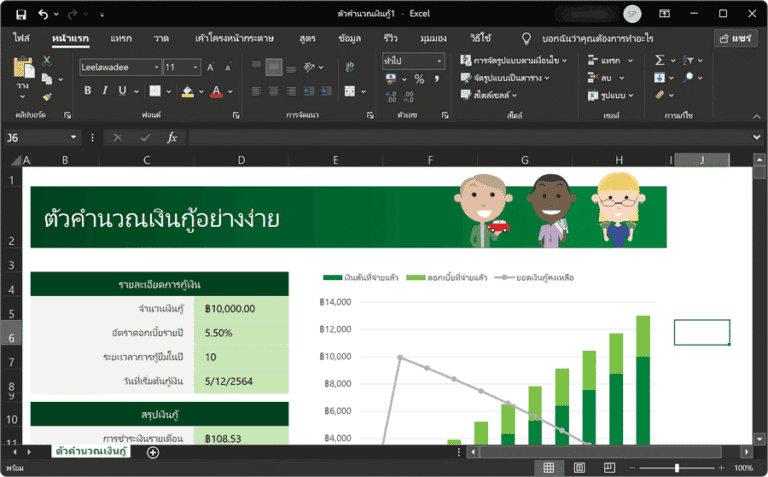
Microsoft Excel is the most widely used spreadsheet program in the world, developed by Microsoft and included as part of the Microsoft Office Suite. Excel is a versatile tool capable of handling a wide range of tasks, from basic mathematical calculations and data tabulation to data analysis, and even creating complex graphs and charts.
Key Features
- Calculations and FormulasExcel has numerous formulas and functions that enable quick calculations, including addition, subtraction, multiplication, division, percentage calculations, and statistical functions such as SUM, AVERAGE, COUNT, IF, VLOOKUP, and many more.
- Data Management: Helps manage data efficiently, such as sorting, filtering, and using PivotTable tools for summarizing and analyzing data.
- Creating Graphs and Charts: Can create various types of graphs, including line graphs, bar graphs, pie charts, and more, to help make data easier to understand.
- CollaborationExcel facilitates seamless collaboration with its file-sharing and real-time collaboration features through the cloud. These features allow users to edit data simultaneously and see changes instantly.
- Data AnalysisThere are powerful analytical tools, such as Solver, Data Analysis ToolPak, and forecasting functions, that enable users to analyze data in depth and make well-informed decisions.
- Macro and VBA ProgrammingUsers can create macros and use Visual Basic for Applications (VBA) to automate complex processes, reduce work time, and enhance efficiency.
Excel is therefore an essential and widely used tool among users across various sectors, such as business, finance, education, and others, that require efficient data management and analysis. The Microsoft Excel program provided for download is the same file as the original. Microsoft Office 2024 Pro Plus However, you can choose to enroll only in the programs you want.
What's included:
- Microsoft Excel 2024/2021/2019/2016 Thai Language (x86/x64)
- Microsoft Excel 2024/2021/2019/2016 English (x86/x64)
- There are many other options.
Installation Method:
1) Extract the RAR file to obtain the “Office_64bit-xxxxx.iso” file.
2) Right-click on the ISO file and select “Mount.”
3) Run the file “Office Tool Plus.exe”
4) Follow the steps in the file “How to Install Office.pdf”
Note:
The installation file from this article is an offline installation file for Office. If you want to download the online installer, you can download it. Office Tool Plus (Recommended) or Office Installer Plus
File Information
- Operating System: Windows 11 /10 (x64)
- Risk Level: 🟡 Low Risk
- License: Full
- Language: English, Thai
- File size: 2.97 GB
- File type: *rar
- Password: mawto
- Installation Method: Available
- Updated on: 20/9/2026
- Required Reading: Download Guide
==== Main Download Link ====
==== Backup Link ====