
Download Microsoft Edge 154 for free via offline installer in Thai. This Chromium-based browser offers fast web browsing, excellent tab management, anti-tracking protection, and built-in tools for everyday tasks. This is the latest version.
About Microsoft Edge
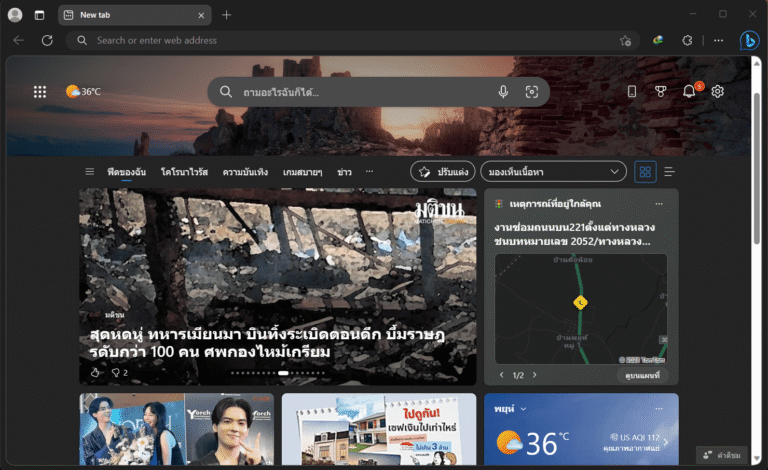
Microsoft Edge Chrome is Microsoft's web browser built on the Chromium engine, the same open-source foundation used by Google Chrome. Its origins stem from the problems with previous versions of Microsoft's browsers; they loaded slowly, displayed incorrectly, and lacked extension support because most developers already wrote websites for the Chromium engine. Microsoft's choice was to abandon the old code and rebuild using technology widely used in the web industry. The result is a web browser that loads pages quickly, displays them correctly, and allows for direct extension installation from the Chrome Store, without needing to wait for a version specifically developed for Edge. Importantly, it comes pre-installed on every Windows computer as the default browser, is free forever, updates silently in the background without manual activation, and syncs everything instantly via a Microsoft account.
What sets Edge apart from competitors using the same engine is the included extras: a tracking prevention system that blocks crawlers from external websites and a reading mode that removes distractions from long articles. It also features built-in drawing and writing tools for PDFs without needing to open another app. Even more interesting is the tab sleep feature, which pauses tabs that have been open for a long time to free up memory and extend battery life on laptops. For security, it has Microsoft Defender SmartScreen to silently screen out phishing websites and dangerous files. The level of privacy can be adjusted from balanced to strong tracking protection. Those familiar with... Google Chrome You can switch over immediately because the interface and basic usage are almost identical. Those who already have a Microsoft account will benefit even more from syncing passwords and bookmarks across devices, allowing you to open it on your home computer and continue seamlessly on your mobile device.
Update version 154: Who should pay special attention?
For the general public, version 154 is a readily accessible routine update, including Google account login and the ability to add password notes to each account. Two other groups should read the details more deeply. The first group is web developers, because Edge 154 no longer runs the unload handler in 80% page loading, and version 155 will completely disable 100%. Websites that still rely on unload have one more cycle to migrate to lifecycle events or APIs designed specifically for this purpose. The second group is organizations on Windows 10 that still enable WIP or MDAG, as the codepaths for both have been removed from Edge. Users who have never enabled these features are unaffected.
Interesting features
- Log in with your Google account. You can now log in to Edge with your Google Account from the profile menu and sign-in page on both Windows and macOS. Administrators can control this feature using the "NonMicrosoftAccountSignInEnabled" policy.
- A new password panel with a key icon. Tap the padlock icon in the address bar to open the saved password details panel. Copy the username, view and copy the password, or make notes for each account, such as security questions, account purpose, and recovery information, without opening the settings page.
- Setting up a profile for the first time is easier than undoing it. The new profile settings page has a close button (X) in the upper right corner. Pressing it will automatically delete the previously created profile, leaving no accumulated junk files.
- Stop using `unload event step by step`. In Edge 154, the browser does not run the unload handler in 80% page loading unless the website explicitly allows it through its Permissions Policy. Version 155 extends this to 100%.
- Remove WIP and MDAG from Edge. The code paths for Windows Information Protection and Microsoft Defender Application Guard have been removed, consistent with Windows 11 24H2 which discontinues both technologies. Organizations still using them should migrate to Microsoft Purview or the Edge for Business security features instead.
- Autofill Settings policy. The administrator can block certain types of AutoFill data on a specified website.
What's new?
Version 154.0.4258.37 – September 24, 2026
- Chromium security patch. This includes the latest security updates for the Chromium project that Microsoft has implemented in this version of Edge.
- Stop using `unload event step by step`. Edge 154 does not run the unload handler in 80% page loading unless the website explicitly allows it through its Permissions Policy. The next version, Edge 155, will completely disable 100%.
- Remove WIP and MDAG from Edge. The code paths for Windows Information Protection and Microsoft Defender Application Guard have been removed, consistent with Windows 11 24H2 which discontinues both technologies. Organizations that never enabled them are not affected.
- Log in with your Google account. You can now log in to Edge with your Google account from the profile menu and sign-in page on both Windows and macOS.
- New password panel. The padlock icon in the address bar opens the details panel for saved usernames. You can copy usernames, view and copy passwords, and add notes to each account without opening the settings page.
- Setting up a profile for the first time is easier than undoing it. The new profile settings page has a close (X) button in the upper right corner. Press cancel, and Edge will automatically delete the previously created profile.
- Autofill Settings policy. The new policy allows administrators to block certain types of AutoFill data on specified websites.
File Information
- Operating System: Windows 11/10
- Developer: Microsoft
- License: Freeware
- Size: 1 / 203 / 180 MB
- File type: EXE
- Updated: September 28, 2026
- Required Reading: Download Guide