
How to block programs in a firewall from connecting to the internet.
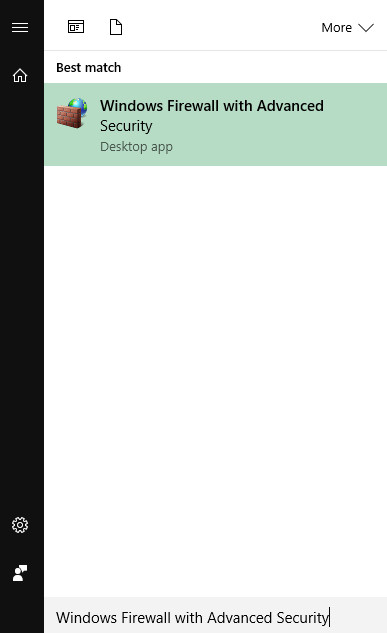
- Find Windows firewall with Advanced Security by typing "Firewall" in the search box.
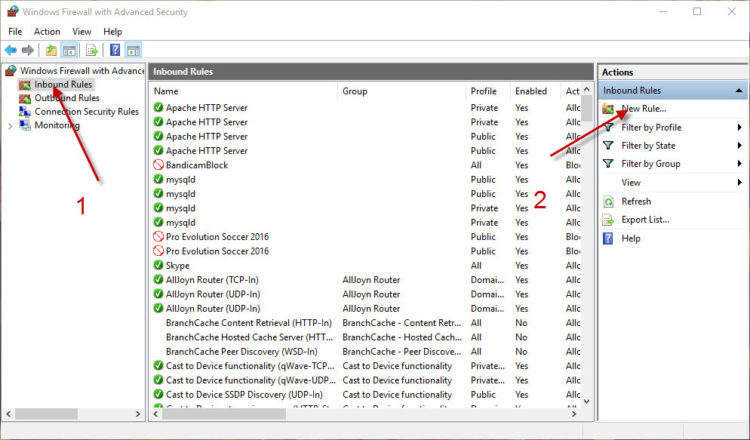
- Click on the image to add a new firewall rule.
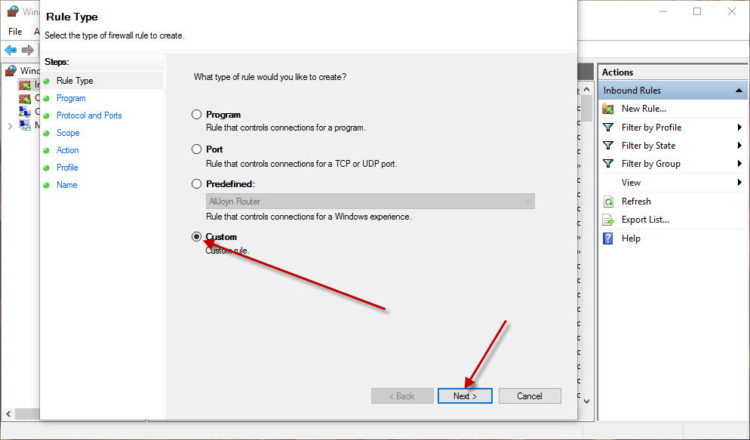
3. Select Custom.
4. Press the numbers in sequence to select the program you want to block.

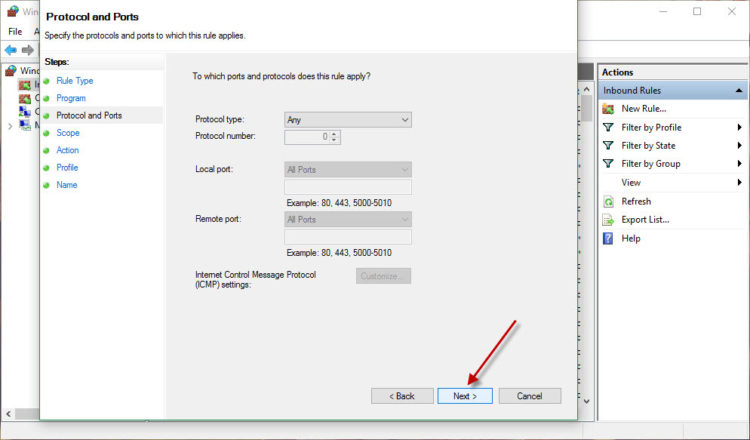
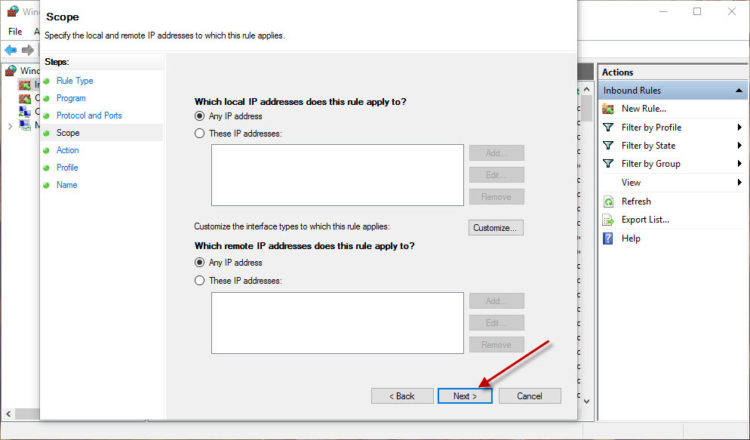
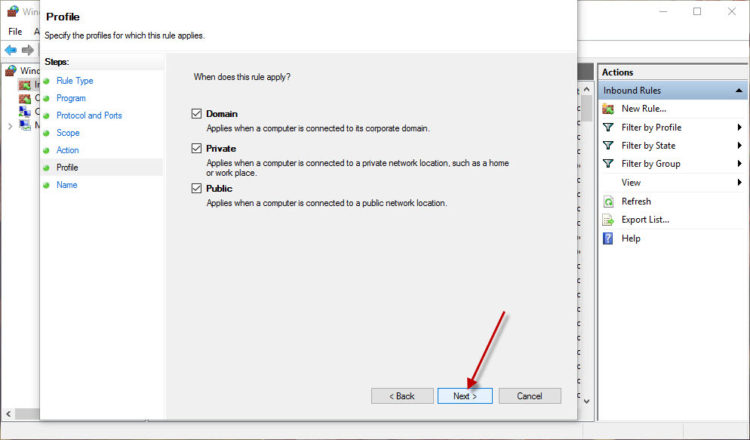
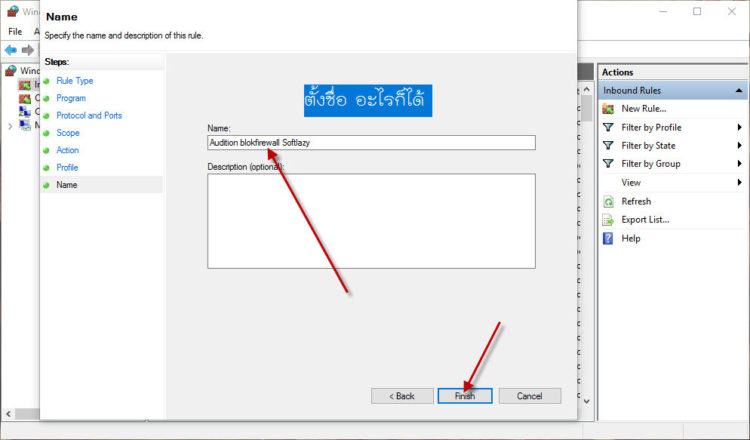
5. Press as shown in the image.

Okay, done.