

Download DiskMax 7 for free. This is the ultimate Windows 11/10 deep cleanup program for removing junk files, reclaiming space, and optimizing your hard drive/SSD. (Latest version).
What is DiskMax?
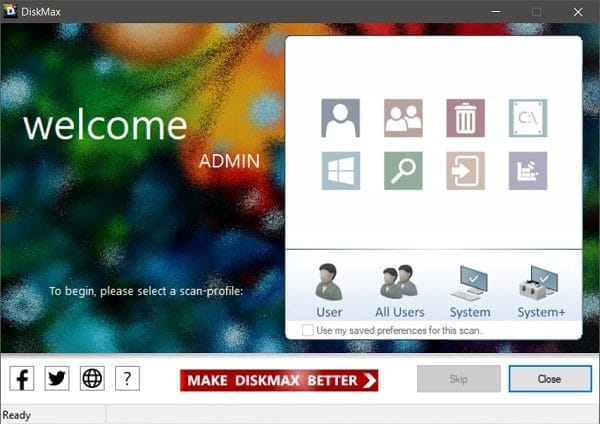
DiskMax This is a free Windows disk cleaning and optimization program developed by Koshy John. The program is designed to be as easy to use as possible; with just one click, it scans and removes accumulated junk files from the system. These include temporary files, Windows cache, log files, usage history, and leftover files from system updates. These are the main reasons why a once-fast computer gradually slows down, often without the user realizing it.
In addition to deleting junk files, DiskMax rearranges files on the disk to speed up system access to data. It also removes unused registry entries that have accumulated from installing and uninstalling various programs. The result is a smoother system, faster program launches, and noticeably faster file opening—like using a brand new computer.
DiskMax has over 24 million cumulative downloads worldwide and has been reviewed by over 140 leading software publications. It's suitable for both casual users who want a quick and easy way to delete files and advanced users who want to customize which file types to delete.
Features:
- Clean up system files: Delete temporary files, unused Windows DLL cache, debugging information, and leftover files from automatic Windows Update installations.
- Clear user data: Delete browsing history, temporary files, temporary internet files, thumbnail cache, recently opened documents, and Windows error reporting logs for all user accounts on the machine.
- Clean up the Registry: Delete leftover Registry entries from the Most Recently Used (MRU) list, including unnecessary Windows Event Logs.
- Rearrange files: Organize file placement on disk to improve system access speed and reduce program and file loading times.
- Standard Mode & Turbo Mode: Choose the cleaning mode that suits your needs. Standard Mode is suitable for general maintenance, while Turbo Mode is for deep cleaning when you want to restore the maximum area.
- Deep Scan: A deep disk scan to find and delete commonly overlooked file types such as .log, .tmp, .bak, .chk, .dmp, and others. Ideal for advanced users who demand the highest level of clean disk performance.
- Multi-User Support: Clean up data from all user accounts on the same device simultaneously in one go.
- Easy to use, no installation or technical knowledge required: The interface is simple; you can follow the steps without needing any IT knowledge.
- Small size, quick installation: The installation file is approximately 2 MB and downloads and runs within seconds.
File Information
- Operating System: Windows 11 / 10 / 8 / 7 / Vista
- Developer: koshyjohn
- License: Freeware
- Language: Multilingual
- Size: 2 MB
- File type: .exe
- Updated: 29/6/2026





