This article is for informational purposes only.
What is Adobe FrameMaker?
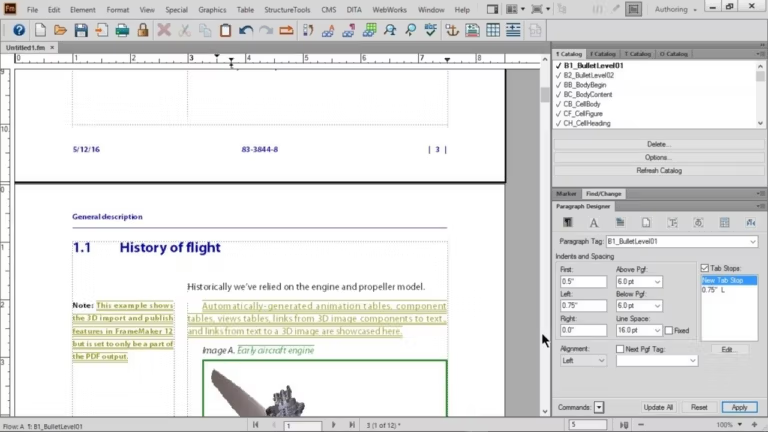
Adobe FrameMaker 2022 FrameMaker is document preparation software used for creating and editing technical documents. It's designed for writing and editing large or complex documents, such as user manuals and guides, in various formats including PDF and HTML. It offers numerous features and tools for creating and formatting text, tables, graphics, and other elements, as well as managing and publishing large documents. FrameMaker is commonly used in industries such as technical writing, engineering, and finance.
Adobe FrameMaker now features an all-new 64-bit architecture, meaning you can significantly boost productivity with more memory for long and complex documents. Open files faster, up to 40%. Work with images like never before with support for transparency, high-quality import, and other outstanding enhancements. Unlock a world of possibilities with the latest technologies, modern libraries, Duden hyphenation and spell checking, and more.
Publish faster, up to 65%, with the all-new PDF engine. Secure PDFs with passwords. Precisely control print settings such as marks and darts, and other output settings, including DITA templates. Exceed customer expectations at every touchpoint with on-demand publishing – to PDF, responsive HTML5, mobile apps, EPUB, and more.
Leverage XML/DITA with a workspace designed for both beginners and experts. Manage XML files quickly and smoothly with a completely new file opening and parsing engine. Enhance productivity with several improvements in the XML workspace, including structure view, breadcrumbs, and more. Specify DITA constraints when creating EDDs.
Features of Adobe FrameMaker 2022
- Drive your content creation.
- New! Powerful 64-bit architecture. Significantly improved performance with the all-new 64-bit architecture. Publish faster, up to 65% to PDF and Responsive HTML5.
- New! Interactive real-time progress bar. Now know the status of tasks such as book updates and PDF creation with rich, easy-to-understand progress indicators at every stage.
- New! Image transparency support. Publish beautiful and clean documents with image transparency support, for seamlessly blending text and images.
- New! Built-in SharePoint 2016 support. Connect instantly to Microsoft SharePoint Online or SharePoint 2016 CMS.
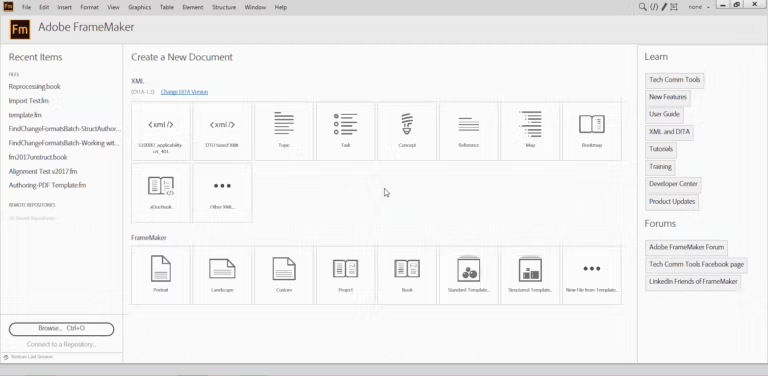
- New! Quick access to the welcome screen. Open the welcome screen in a new tab via the workspace drop-down menu for easy access to templates, plugins, customizations, and more.
- New! New support for Duden dictionary. Get ready-to-use help for Duden, the reliable German dictionary, for more accurate spelling and hyphenation.
- New! Interactive HTML5 dialog boxes for plugins. Enhance the customer experience by using HTML5, CSS3, and JavaScript to create interactive plugin dialog boxes.
- New! Resize images with one click. Adjust images to fit a frame or vice versa by right-clicking on the image or frame.
- New! WebP image support. Take advantage of Google's cutting-edge WebP image format to enjoy higher quality images that load faster with smaller file sizes (compared to JPEG or PNG).
- Improved! Faster file performance, up to 65%.
- Updated! Improved image management.
- Improved! High-quality images.
- Improved! Supports colored icons.
- Improved! A smooth and powerful welcome screen.
- Updated! A completely new platform.
- Improved! A new Windows file opening dialog box has been created.
- Improved! Faster and lighter settings.
System Requirements
- OS: Microsoft Windows 10, 11
- CPU:Core i5 or faster processor
- Memory:4 GB or more recommended
- Space:5 GB of available hard-disk space for installation; additional free space required during installation (cannot install on a volume that uses a case-sensitive file system or on removable flash storage devices)
- JRE 8
- Display:Maximum supported screen resolution – 4K (3480 x 2160, 8.3 megapixel, aspect ratio 16:9)
This article is for informational purposes only.