
Download WinToUSB Technician 10 Full version for free. This program creates Windows To Go, allowing you to install or clone Windows to USB, SSD, and Thunderbolt drives. It also creates portable Windows and WinPE installation USBs for system recovery.
What is WinToUSB?
WinToUSB Windows To Go is a program that creates a full Windows operating system onto an external SSD hard drive, USB flash drive, or Thunderbolt drive, allowing you to boot and use it on another computer. This is ideal for those who need a portable workspace or a backup system drive for emergencies, without having to reinstall Windows on the target machine every time.
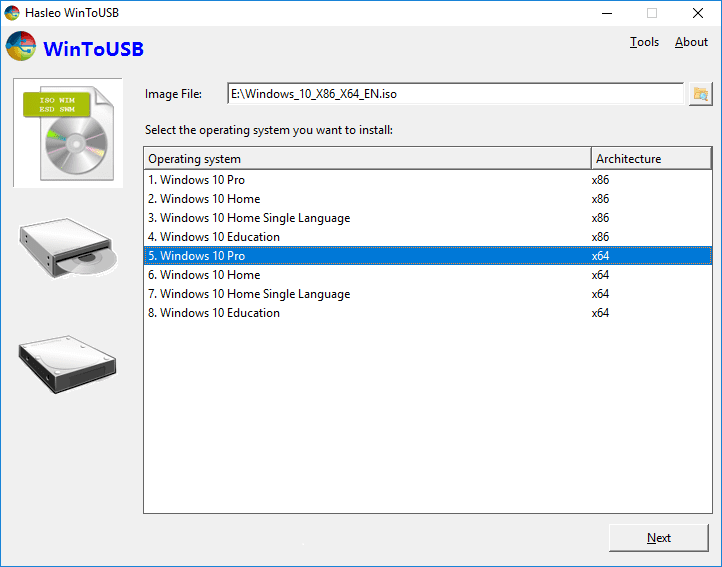
The process begins by selecting an installation source, such as ISO, WIM, ESD, SWM, VHD, VHDX, DBI, or CD/DVD. Then, choose the system edition, select the destination drive, and configure the partition format to suit the booting machine. The program provides a step-by-step guide wizard and supports both creating new workspaces and cloning existing Windows to a USB or Thunderbolt drive, as well as updating existing workspaces with Delta Clone when system data changes.
In addition to Windows To Go, WinToUSB also creates Windows installation USB drives and WinPE drives for system recovery, data backup, or troubleshooting boot problems. Supported versions are compatible with various versions of Windows 11, Windows 10, Windows 8, Windows 7, and Windows Server, with BitLocker options for drive encryption and local account, time zone, or region settings during installation. For partition preparation before creating the drive, see... EaseUS Partition Master This allows you to manage additional disk space, making it ideal for preparing bootable media, backing up the system, and carrying out a portable working environment for use in multiple situations.
Key Features
- You can create Windows To Go from ISO, WIM, ESD, SWM, VHD, VHDX, and DBI files.
- You can select CD/DVD as the direct installation source.
- Clone your currently running Windows to a USB or Thunderbolt drive.
- Create a Windows installation USB from Windows and Windows Server ISO files.
- Create a bootable WinPE drive for system recovery and troubleshooting.
- Supports booting in both Legacy BIOS and UEFI modes, depending on the partition format.
- Supports GPT and MBR partitions for various computer models.
- You can encrypt your Windows To Go workspace using BitLocker.
- Use Delta Clone to update your existing workspace faster.
- Create a workspace from a VHD or VHDX hard drive and select the destination drive.
- You can set the local account, time zone, and region during the installer build process.
- Compatible with Windows 11/10/8/7, Windows Server, and x64, x86, and ARM64 architectures.
What's new?
v10.9.0.2
- Fixes issues that cause Windows cloning to fail.
- Resolve issues that cause the creation of a Windows installation USB or WinPE drive to fail.
- Resolve username verification issues during installation.
- Updated the Italian translation and improved overall stability.
File Information
- Operating System: Windows 7 / 8.1 / Windows 10 / Windows 11 (x64)
- Risk Level: 🟡 Low Risk
- Developer: Hasleo WinToUSB
- Language: English
- Size: 70.79 MB
- File type: *.rar
- Password: mawto
- Updated: 13/9/2026
- Required Reading: Download Guide