
Download UEStudio 26.0.0.23 (x64) for free, full version, permanent license. This coding software combines a text editor, Git tools, debugging, and project management in one interface. Ideal for development and team work on Windows.
What is UEStudio?
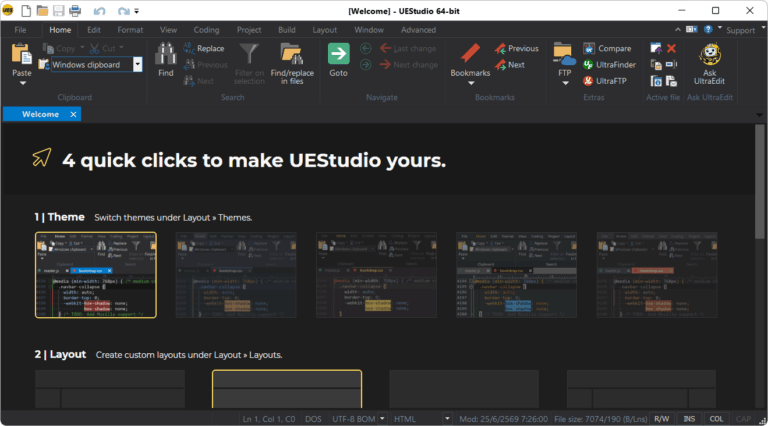
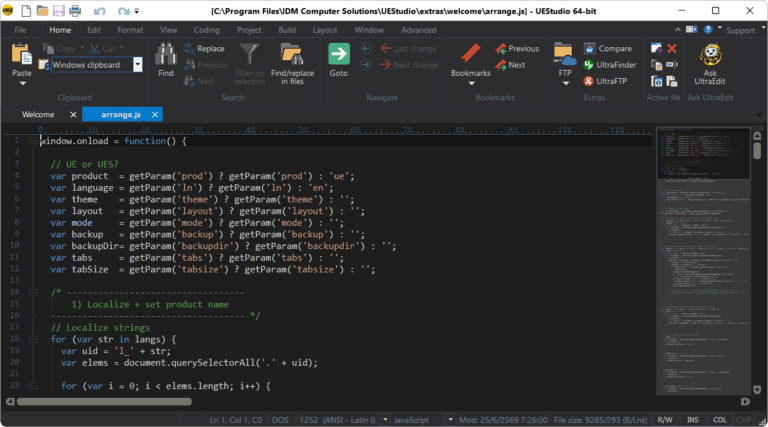
UEStudio It's a development environment that builds upon UltraEdit and adds coding tools with Git into a single program. We use it to edit text files and source code, open projects, search and replace text, and manage multiple files from a customizable window. Its key feature is the integration of a code editor, version control, and developer tools, reducing the need to switch between programs when working on real projects.
UEStudio includes built-in Git connectivity for cloning, updating, committing, pushing, and pulling, along with a branch manager to view branches and manage pending tasks. It also features a Git shell, file comparison tools, code differentiation tools, and IntelliTips for illustrative code writing. These functions are ideal for web, application, and project development with many file types, as they allow for change monitoring and file organization from a single workspace.
The program also supports FTP, SFTP, and FTPS, as well as scripting, debugging, and build tool management tailored to project type. It's ideal for developers, IT teams, and anyone frequently modifying large files or complex code. When collaboratively managing projects, it allows for continuous branch monitoring, code correction, and change submission. If you need a text editor focused on opening large files and general editing tasks, this is a suitable option. EmEditor This is another option with a different approach. UEStudio excels when you need Git and development tools combined into a single package.
Key Features
- The UltraEdit code and text editor is included in the UEStudio suite.
- Connect to Git and manage branches from the Git branch manager.
- You can clone, update, commit, push, and pull the repository from your workspace.
- Check for and resolve merge conflicts using the file comparison tool.
- Open the Git diff to compare the files in the working directory with their stored versions.
- There is a Git shell for executing commands from within the program.
- Display code tips and function information with IntelliTips.
- Supports syntax highlighting and compatibility with multiple programming languages.
- There is a tool for finding and replacing files with projects.
- Supports FTP, SFTP, and FTPS.
- It includes a resource editor, class viewer, and project conversion.
- Supports scripting, building tools, and debugging according to project structure.
What's new?
UEStudio 2026.0 Update 1 (2026.0.0.23 released on 2026-07-09) * Fixed: Non-reproducible crash in UE while editing * Fixed: Command palette navigation is incorrect * Fixed: Quick Find for “**” fails * Fixed: Toolbar corrupted after upgrading * Fixed: “Select all” only selects a subset of visible lines
File Information
- Operating System: Windows 11 / 10 (x64)
- License: Shareware
- Developer: IDM Computer Solutions, Inc.
- Version: 26.0.0.23 x64
- Language: English / Multilingual
- Size: 498.13 MB
- File type: *.rar
- Password: mawto
- Installation Method: Available
- Updated: 23/8/2026
- Required Reading: Download Guide