

Download Telegram Desktop + Portable for free. This computer chat program quickly syncs messages, calls, video calls, screen sharing, file sharing, and group management. It supports the Thai language and works on multiple devices.
What is Telegram Desktop?
Telegram Desktop Telegram is a chat program for computers that connects to the same Telegram account as your phone. Messages, photos, videos, documents, and general conversation history are synced via the cloud, allowing for seamless switching between mobile phones, laptops, and PCs. The program interface is designed to allow for opening multiple chats, searching past messages, pinning chat rooms, and organizing chat folders conveniently. It supports private conversations, large groups, announcements, and bots, and allows for sending original files or compressed media depending on the task.
In terms of communication, the program supports voice calls, video calls, screen sharing, voice messages, stickers, GIFs, animated emojis, and text-only replies. Notifications can be customized per chat, and users can temporarily or permanently mute sounds to avoid disturbances. Group administrators can use member permissions, pinned messages, discussion topics, and community management tools to manage large groups. The announcement section is suitable for disseminating information to a large number of members without disrupting the main conversation.
The program comes in both installable and portable versions, with daytime themes, dark mode, font size adjustment, and keyboard shortcuts for convenient operation. Searching and filtering by sender, date, and file type helps quickly find older documents. If you need to manage messages from multiple services simultaneously, you can open... Line Telegram Desktop, which can be kept separate for another system, is ideal for team collaboration, community management, file sharing, and daily conversations. Regular chat data is available on the logged-in device, while Secret Chat is a limited feature on the mobile app.
Key Features
- Simple interface; start chatting, search, and send files without complicated settings.
- The message is heavily encrypted and self-destructing.
- Access synced chats from multiple devices.
- Sending messages is faster than with other applications.
- Store your chat history and media on the cloud for easy access across devices.
- There is an open API and free source code available for everyone.
- Data transmission is encrypted, and account privacy settings are available.
- A telegraph group can accommodate up to 200,000 members.
- You can customize the theme, font size, notifications, and chat background.
- Supports voice calls, video calls, and screen sharing from a computer.
- You can search for past messages, images, links, and files within a chat.
- You can organize chat rooms into chat folders and pin important items.
- There are both installable and portable versions available for use on computers.
How to make Telegram in Thai.
- Install the program, then open it.
- Go to https://t.me/setlanguage/thaith Click "Open Telegram Desktop".“
- The program will display a confirmation question for changing the language. Press CHANGE.
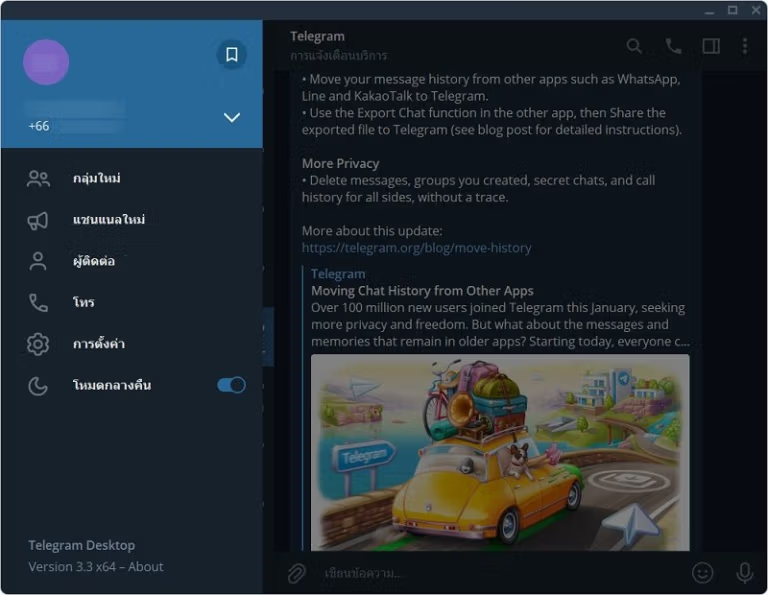
- The program menu will be changed to Thai.
What's new?
Telegram Desktop 7.2.9 — 2026-09-16 - Fix some tlottie incorrect renderings.
File Information
- Operating System: Windows 11/10/8.1/7
- License: Freeware
- Language: Multilingual / Thai
- Size: 48 MB
- File type: *.exe/zip
- Updated: 18/9/2026
- Required Reading: Download Guide
==== Installable version (.exe) ====
==== Portable Version (.zip) ====





