Download the free PowerDirector Pro 2026 (MOD, Premium Unlocked) video editing app. It's watermark-free, in Thai, and unlocks all premium features. Manage multiple layers and add the latest beautiful effects.
What is PowerDirector?
PowerDirector This is a mobile video editing app from CyberLink that brings a multi-layered timeline editing room right to your smartphone. A classic problem for mobile video creators is that most free tools limit functionality to basic editing. To achieve a more professional look, you usually have to move to a computer. This app is designed to allow you to layer clips, images, text, and audio in multiple layers on your touchscreen without needing a computer. Whether it's travel videos, daily vlogs, or short social media clips, you can arrange elements and sequence the story smoothly. You can zoom in on the timeline with frame-by-frame detail, just like using a desktop editing program.
What sets this one apart from others is its ability to use AI to handle demanding tasks. For example, the Motion Swap feature lets you create trendy dance videos with a single tap by simply uploading a photo of a person and a reference clip. You can even instruct the AI to create videos from text and still images without needing to film anything extra. It also automatically converts spoken audio to subtitles and finds suitable background music for the video. The detail capabilities are on par with desktop programs, featuring keyframes for adjusting position, size, and rotation of every frame, automatic background removal without a green screen, double exposure effects, smooth slow-and-fast animations, and a noise remover to leave only clear speech.
This is perfect for those who want to do serious video editing on their mobile phone without needing a computer. Whether you're a YouTuber, a short video creator for TikTok, or a teacher creating teaching materials, it offers a library of music, effects, filters, and templates that are updated monthly. Projects can also sync to the cloud for continuation on other devices, and once finished, you can share directly to YouTube or social media from within the app. If you want to try something similar that prioritizes ease of use, give it a try. CapCut As we have written about before.
Features:
- Instruct AI to create a video clip from a single text or image. Choose from top models like Veo, Luma Dream Machine, or Kling for cinematic-quality visuals, complete with matching music and voiceovers.
- Motion Swap lets you transfer movements from a reference clip to a person's image with a single tap, creating trendy dance videos without having to dance yourself.
- Multi-layered timelines allow you to stack multiple clips, images, audio, and text simultaneously, creating professional layouts on the touchscreen.
- Keyframes allow you to control every frame, adjusting the position, size, rotation, and transparency of objects for customized movement.
- Automatically remove backgrounds with AI without needing a green screen, or use Chroma Key to seamlessly remove backgrounds from green screens.
- Dynamic speed adjustment allows for smooth, jerk-free acceleration or slow motion.
- AI Stabilizer reduces camera shake when shooting handheld, resulting in steadier footage.
- AI-powered voice removes wind noise and other ambient noise, leaving only clear speech. It also automatically converts the audio to subtitles and features a hilarious voice changer.
- Find sound effects with AI. Just type in the emotion you want, and the system will find matching sounds for you.
- Getty Images' premium stock library includes royalty-free music, photos, videos, and stickers, suitable for commercial use.
- Templates, effects, filters, animated titles, and transitions are updated monthly with new content.
- This MOD version unlocks Premium, exports in 4K with no watermark, allows the use of all Premium effects and packs, supports up to 9 tracks, and is ad-free.
- Important Note: Some AI features are processed on a server and therefore require an internet connection, and may not work if the app is updated to a newer version.
Installation Instructions
- Download the .apk file from the link below (check that the file size matches the one specified in this article).
- Go to Settings > Security and turn on "Allow installation of applications from unknown sources".“
- Install the downloaded .apk file as usual without needing to root your device.
- Open the app to use.
What's new?
Version 16.7.0
- Motion Swap. A new AI feature that taps into the trend of short videos: simply upload a photo of a person and a reference video clip, and with a single tap, the AI will instantly transfer the movement from the clip onto the character in the photo.
- There are two options: either keep the original image background and have the people in the image move according to the poses in the video, or keep the video background and replace the characters' faces in the scene with those of the people in the image. This can be used for creating trendy dance videos or bringing 2D cartoon characters to life.
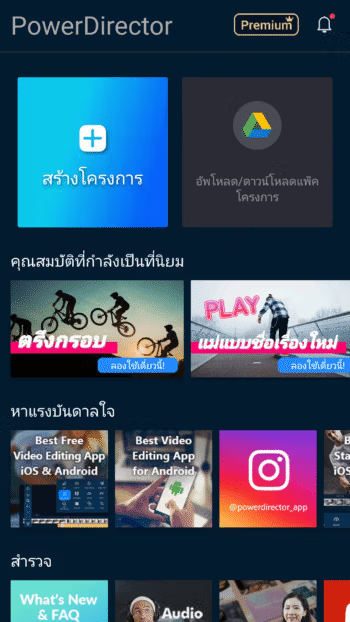
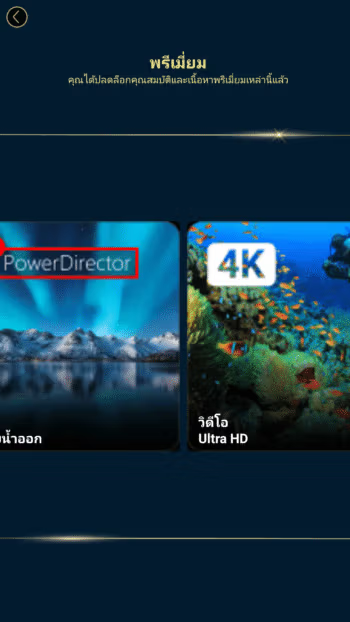
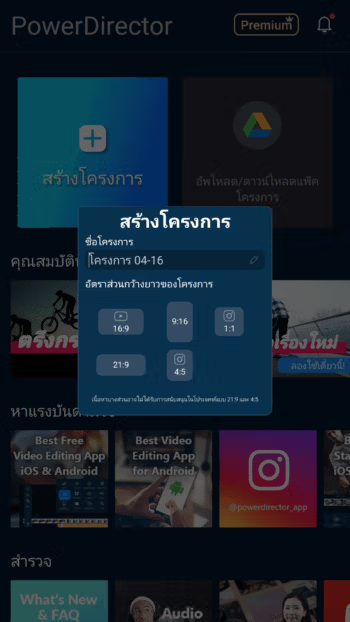
File Information
- Operating System: Android 6.0+
- Developer: Cyberlink Corp
- Language: Multilanguage/Thai
- Size: 310.41 MB
- File type: apk
- Version: 16.7.0
- Updated: 26/09/2026
- Required Reading: Download Guide