Download PassMark MemTest86 Pro 11.7 Build 1000 (ISO), the ultimate memory diagnostic tool for checking RAM problems and testing RAM functionality, all for free.
What is MemTest86?
PassMark MemTest86 Pro This is a computer memory analysis tool that helps check and diagnose RAM (Random Access Memory) to test its integrity, find the root cause of problems, and revive your computer. Many laptops experience RAM issues, which can lead to blue screen errors, beeping sounds, and inability to boot into Windows. This tool is specifically designed to check RAM performance and, if any discrepancies are found, can help identify the cause of the problem, such as faulty RAM modules or motherboard issues.
It is designed to be run from a bootable USB drive or bootable CD, meaning it can be used to test system memory even if the operating system is not functioning correctly.
In addition to testing system RAM, it can perform many other tests, including testing the system CPU, hard drive, and motherboard. It can be an invaluable tool for troubleshooting and diagnosing computer system problems. It's a comprehensive memory testing tool widely used by IT professionals, system administrators, and computer enthusiasts to diagnose and resolve memory-related issues in their systems. Designed for ease of use and providing detailed test reports, it makes it easy to identify potential problems.
Overall, MemTest86 Pro is a reliable and powerful tool for diagnosing and resolving memory-related problems in computer systems. It is widely used by IT professionals and computer enthusiasts worldwide and is an essential tool for anyone wanting to ensure system stability and reliability.
Supported features
– 13 different RAM testing algorithms – including row hammer fault detection*
– All RAM types supported (DDR2, DDR3, DDR4, SODIMM, XMP, ECC)
– Self-booting off USB or Network (PXE)* boot, without needing DOS, Linux nor Windows
– Optimized for UEFI-based x86/ARM systems
– Native 64-bit code (since version 5)
– ECC error detection & injection*
– Secure Boot verified – Code signed by Microsoft
– Graphical interface with mouse input
– Save logs and create customizable HTML reports
– Full test automation via configuration file
– Support for memory blacklisting in Windows (badmemorylist) and Linux (BADRAM)
– Multi-language support (Chinese, German, Russian, Spanish & more)
How to use MemTest86 Pro
- You will need to create a bootable USB drive or CD using the files downloaded from our website, using a program like Rufus to create the bootable USB.
- Once you've created a bootable USB, you'll need to boot your system from it. This is usually done by setting the system's boot order in the BIOS or UEFI to boot from the USB. Alternatively, you may need to press a key (such as F12 or Esc) during the boot process to open the boot menu, and then select the USB drive you created.
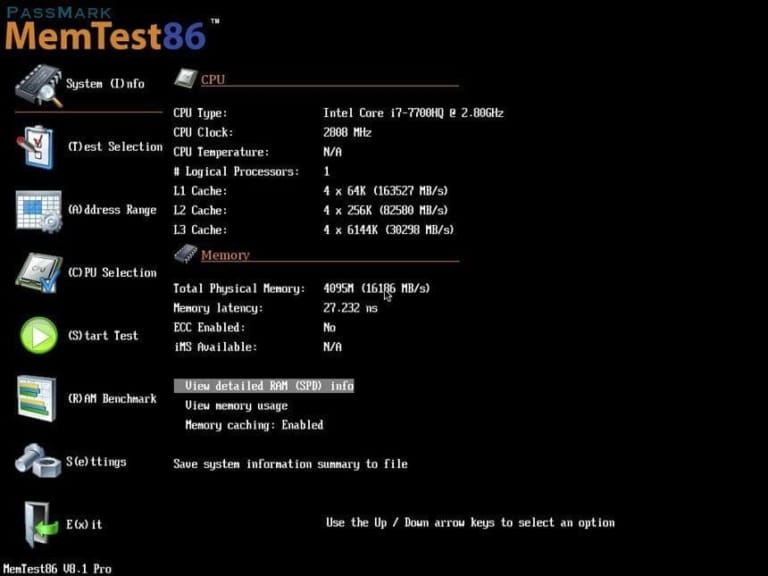
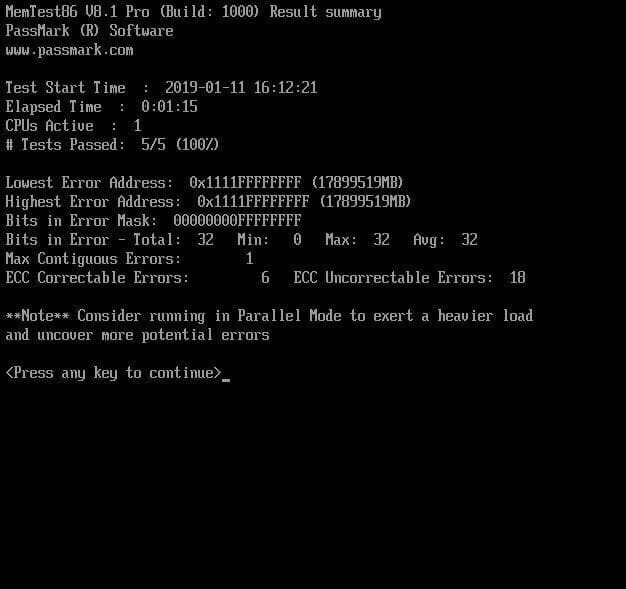
- Once the system has finished booting, you will see the program menu. You can select the option you want to use and start the memory test. The test will run automatically, and the results will be displayed on the screen when complete.
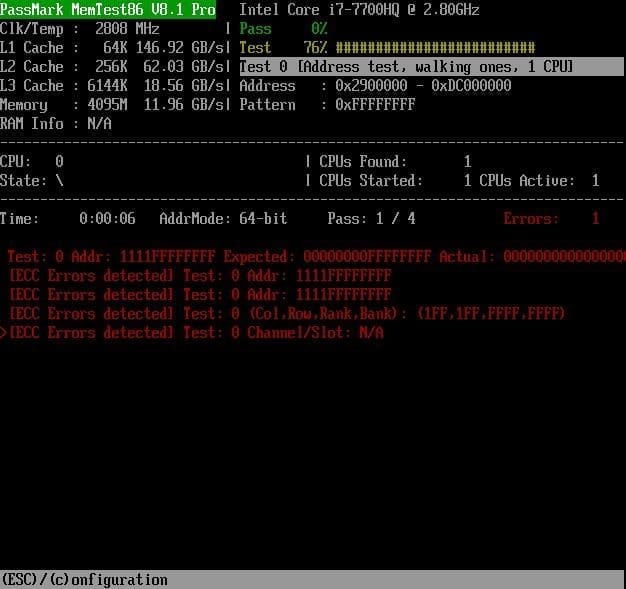
Please note that this may take some time to complete, depending on the size and speed of your system's RAM and the number of cycles you choose. It is important to ensure the system is properly cooled and that the test is not interrupted while it is running. Interrupting the test may lead to inaccurate results and could potentially damage the system.
How to check for damaged memory modules.
- If you only have one memory module in your computer, replace it with a new one and try running the program again.
- If you have multiple RAM modules, remove them all until only one remains. Run the diagnostic program one module at a time until you find the faulty memory module.
- When you find a faulty RAM module, remove it and replace it with a new, good one. This should get your computer working properly again.
File Information
- Operating System: Windows 11 / Windows 10 / 8.1 / 7 / Vista / XP
- Developer: PassMark
- License: Full
- Language: English
- Size: 18 MB
- File type: *.rar
- Password: mawto
- Installation Method: Available
- Updated: 10/5/2026
- Required Reading: Download Guide