Download Lossless Scaling 3 (Steam) for free, full version, in Thai. This program helps increase game frame rates, boosting FPS for smoother gameplay. Latest version, easy installation.
What is Lossless Scaling?
Lossless Scaling This is a utility program designed to enhance the gaming experience by focusing on improving display performance and image smoothness. Its key features include upscaling and frame generation, allowing players to open games in windowed mode and expand them to full screen while maintaining sharp image quality through modern scaling algorithms, reducing blurring often associated with traditional scaling.
The program supports various scaling algorithms, such as AMD FSR, LS1, and Integer Scaling, which is ideal for pixel-art games, older games, or games that don't support modern display resolutions.
One of the key advantages of Lossless Scaling is its Frame Generation feature. Technologies like LSFG create virtual frames that are inserted between real frames, improving game fluidity and increasing frame rates (FPS), especially in games that don't support traditional graphics card frame generation technologies like Nvidia's DLSS or AMD's FSR. While Lossless Scaling can't fully match high-end frame generation systems, it's a worthwhile option for those looking to improve FPS without upgrading their hardware.
Key Features
Image upscaling
- Supports various scaling algorithms: This program offers a variety of scaling algorithms to choose from, to suit different game types and graphics, such as:
- LS1 (Lossless Scaling 1): It is a proprietary lossless scaling algorithm developed for optimal quality in most cases, focusing on preserving the sharpness of even the smallest details.
- AMD FSR (FidelityFX Super Resolution): AMD's upscaling technology helps increase FPS while maintaining good image quality.
- Integer Scaling: Ideal for older games or pixel art games that require preserving pixel sharpness and preventing blurring from scaling.
- xBR: Ideal for older games or images with sharp edges, using Super-sampling techniques to make enlarged images appear more detailed.
- Anime4K: Specifically designed for anime or cartoon images with clear borders.
- Bicubic CAS, Nearest Neighbor, Sharp Bilinear: Other basic algorithms for scaling.
- Automatic and custom scaling: Users can choose to have the program automatically scale according to the game window size, or manually define a scaling factor (e.g., 1.0, 1.3, 1.5, 1.7, 2.0).
- Reduce image blur: It helps solve the blurry image problem that often occurs from traditional image scaling.
Frame Generation
- Increase the frame rate in any game: LSFG is a key feature that helps create additional frames, significantly increasing the frame rate (FPS) in games, even those that don't support major frame generation technologies like DLSS or FSR.
- Compatible with all graphics cards: A key advantage is that LSFG is compatible with all brands and models of graphics cards (Nvidia, AMD, Intel), making it a good alternative for users who cannot access Nvidia's DLSS 3.
- Multiple Frame Generation Modes: There are different frame rate generation modes, such as 2x, 3x, and 4x, which can increase the FPS by 2, 3, or 4 times the game's original frame rate.
- Adaptive Frame Generation (AFG): A new feature that dynamically adjusts the frame multiplier to maintain the desired frame rate without needing to lock the game's frame rate to a fixed number.
- Compatible with Windowed/Borderless Mode: This program works by overlaying it onto games running in Windowed or Borderless Fullscreen mode, making it compatible with most games.
Other settings and functions.
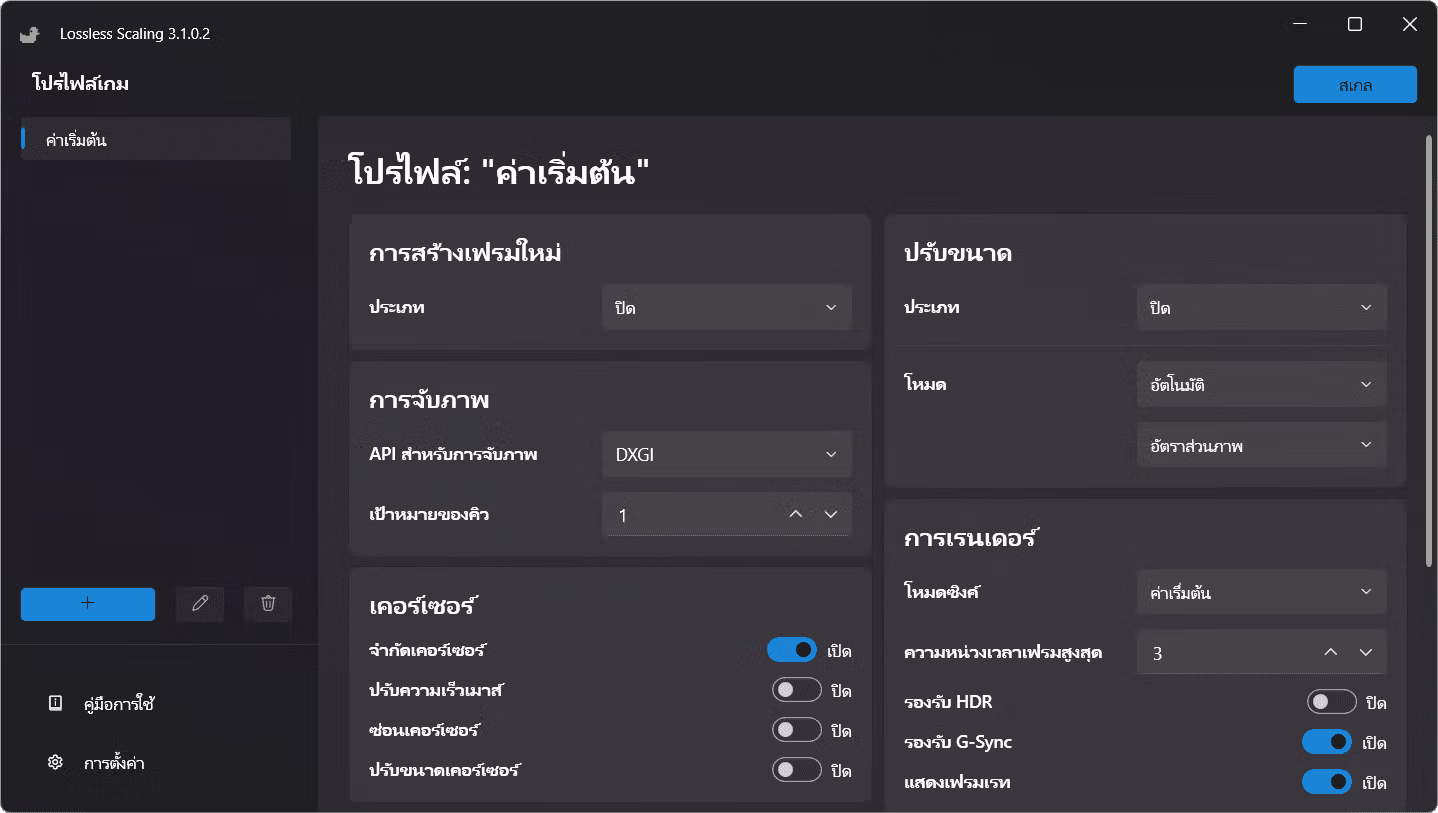
- Cursor control: Cursor settings are available, such as locking the cursor in the program window, adjusting cursor speed, and hiding the cursor.
- Rendering settings: There are options to adjust Sync Mode to control screen tearing and input latency, as well as HDR support (possibly requiring increased VRAM usage).
- Supports other programs: Lossless scaling isn't limited to games; it can also be used to improve the quality and frame rate of videos in media players or web browsers.
- Game Profile: Users can create specific settings profiles for each game for ease of use.
- Display FPS: It has a built-in FPS counter to display the frame rate after the program is running.
System requirements
- Minimum:
- A 64-bit processor and operating system are required.
- Operating system: Windows 10 version 2004
- Graphics: Modern integrated graphics
- DirectX: Version 11
- recommend:
- A 64-bit processor and operating system are required.
- Operating system: Windows 11 version 24H2
- Graphics: GeForce RTX 30 series / Radeon RX 6000 series / Arc series
- DirectX: Version 11
File Information
- Operating System: Windows 11 / 10 (x64)
- Risk Level: 🟢 Safe
- Developer: THS
- Language: English / Thai
- Size: 58 MB
- File type: *rar
- Password: mawto
- Updated: 11/12/2025
- Required Reading: How to Download
==== v3.2.2 ====
==== v3.1.0.2 ====