

Download FurMark 2 (64-bit / 32-bit) for free. This graphics card performance testing program checks the strength and stability of your GPU and provides benchmark testing results. Latest version.
What is FurMark?
FurMark is a graphics card (GPU) performance testing program developed by Geeks3D. It is a widely used tool in the computer industry for testing and measuring the performance of graphics cards, such as testing performance in games and testing the durability of graphics cards when performing graphics-intensive tasks.
This program works by creating high-level graphics performance tests that help test the stability of graphics cards under maximum load. It provides reliable testing functions to check for thermal issues and monitor potential risks that may occur when using graphics cards at full capacity, such as GPU throttling or functions that affect system stability. Additionally, users can use FurMark to test the overclocking capabilities of their graphics cards, performing performance tests under heavy load to check for stability and measuring temperatures during peak usage using the temperature monitoring function.
Features:
- Performance testing and measurement.Designed to test and measure the performance of graphics cards by creating demanding graphic images to test the graphics card's capabilities under heavy and peak operating conditions.
- Stability testing functionIt helps in testing the stability of graphics cards in highly demanding environments, which can help in checking for issues related to overheating, graphics card burn-out, or other problems that may occur during graphics-intensive usage.
- Overclocking capability testing.It helps in testing the overclocking capabilities of a graphics card by testing its performance under demanding usage conditions to check whether the graphics card is operating stably.
- Temperature checksIt has a temperature monitoring function, which helps to measure and monitor the temperature of the graphics card during maximum usage. This is a crucial factor in checking for potential risks when using graphics cards at their full potential.
- A test of the ability to work hard.Testing the ability to perform under demanding usage conditions, such as tasks requiring heavy graphics processing or demanding graphics applications, helps to check the performance and stability of the graphics card under the most demanding and peak usage conditions.
How to use FurMark
- Open the program.Once installation is complete, open FurMark from the Start menu or the icon on your desktop.
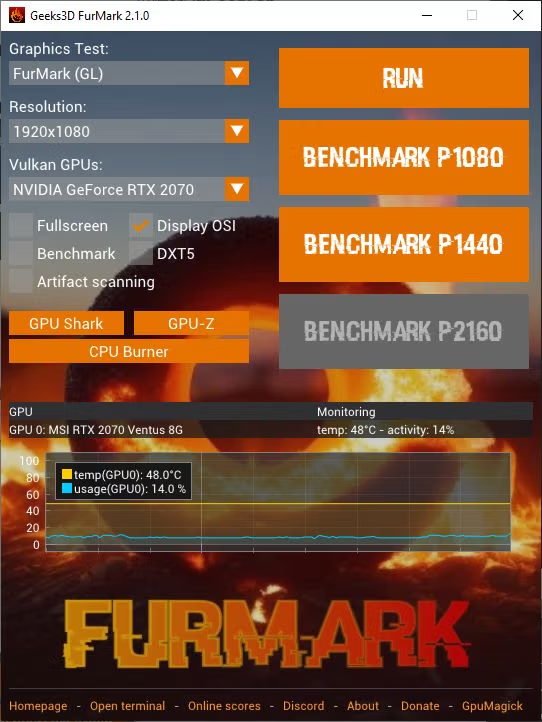
- Set up the test.After opening the program, you will see a settings window with various options such as resolution, rendering level, and speed level, which you can adjust to your needs.
- Start testing.Once the settings are complete, click the "Run" button to start the test. FurMark will create high-level, demanding graphics tasks to test the performance of your graphics card.
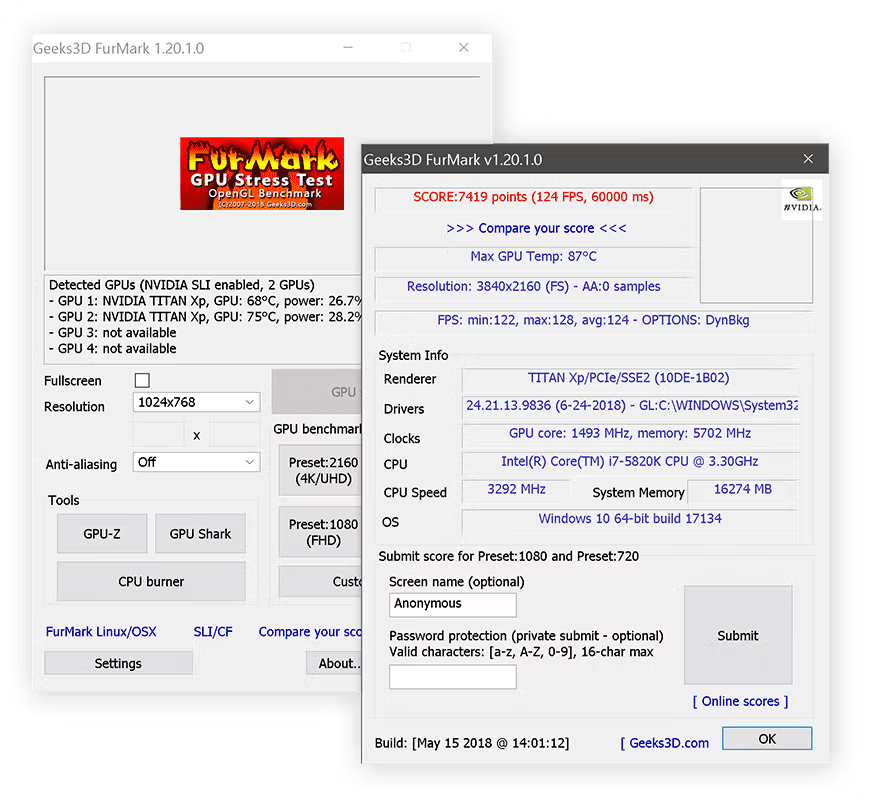
- Check the results.Once the test is complete, you will receive results regarding the performance and capabilities of your graphics card. You can also monitor information about the temperature and performance of your graphics card during the test.
What's new?
version 2.10.2.0 - 2025.10.26
- fixed a bug in Vulkan plugin for Radeon RX 7000 Series
  and RX 6000 Series. RX 9070 / 9060 GPUs were not impacted by this bug.
- updated with GeeXLab 0.66.2 libs.
Version 1.39.3.0 - 2025.10.08
+ added support of AMD Radeon RX 7700, Radeon RX 7400 and Radeon PRO W7400. + added support of NVIDIA GeForce RTX 5050, RTX PRO 5000 and RTX 5090 D v2. + added support of AMD Radeon RX 9060 XT, Radeon RX 9060, Radeon RX 9070 GRE, Radeon AI PRO R9700. + added logos in benchmark score box for Qualcomm and Moore Threads. ! updated: GPU Shark 0.33.3.0. ! updated: GPU-Z 2.68.0 ! updated: ZoomGPU 1.43.0 (32-bit GPU monitoring library)
File Information
- Operating System: Windows XP / Vista / 7 / 8.1 / 10 / 11
- Developer: Geeks3D
- License: Freeware
- Language: Multilingual
- Size: 3 MB
- File type: *.exe/zip
- Updated: 28/10/2025
- Required Reading: Download Guide
You can still download 3DMark To test gaming PC benchmarks for free.





