Download dBpoweramp Music Converter / CD Ripper Full Version for free. This high-quality audio file converter allows you to rip music from CDs and easily edit song tags. Latest version.
What is dBpoweramp Music Converter?
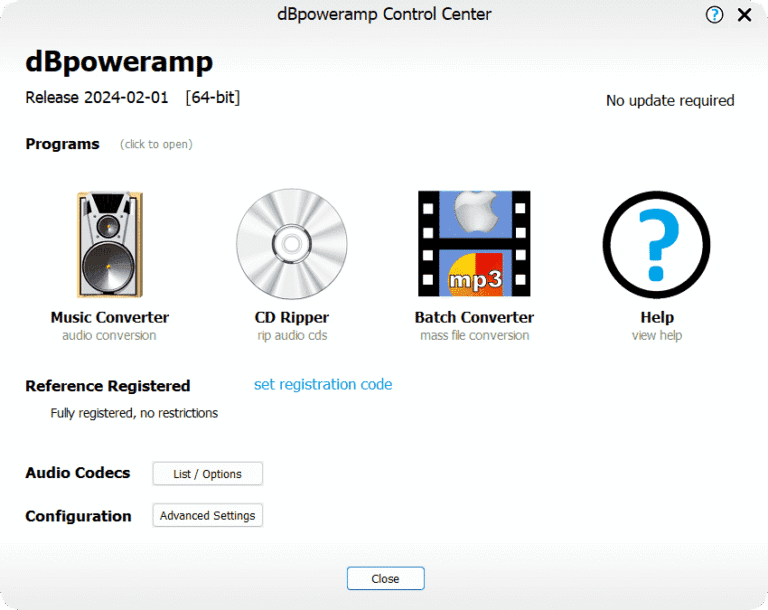
dBpoweramp Music Converter is an audio file conversion program for Windows and macOS that prioritizes accuracy and flexibility over a fancy interface. Whether converting music files from one format to another or ripping music from CDs to your computer, this program does it all in one place, while preserving the original sound quality as best as the destination format allows.
The program supports a wide range of audio formats, from lossless formats like FLAC, WAV, AIFF, and Apple Lossless, to compressed formats like MP3, AAC, Ogg Vorbis, and Opus. This makes it easy for users to convert old music files for playback on newer players or mobile devices. And when converting between lossless formats, the resulting sound quality will be exactly the same. For those who just want a music player to listen to the converted files, this program is also suitable. AIMP It's another program that can be used together.
What sets dBpoweramp apart from typical file converters is its customizable settings. Users can choose the bitrate, sampling rate, number of channels, and volume level. Furthermore, it can convert multiple files simultaneously using its multi-core CPU and can be initiated directly from the right-click menu without needing to open the program first.
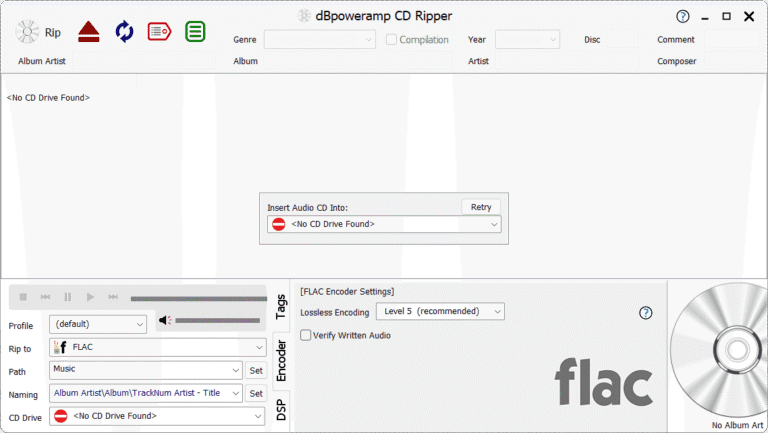
Another important component is the CD Ripper included with the software package. This doesn't just extract music from CDs; it also verifies its accuracy using AccurateRip, which compares the ripped result to a database of users worldwide. If the numbers match, you can be confident that the ripped music is free of any glitches. Song titles, album art, and tags are pulled from PerfectMeta, which aggregates multiple databases simultaneously, resulting in more complete and accurate tags than pulling from a single source.
dBpoweramp also offers DSP effects to customize the sound during file conversion, such as adjusting the volume of all songs to be at the same level with ReplayGain, or removing silence at the beginning and end of a song. Those who like to organize their music library can set these parameters once and let the program automatically manage all files to be consistent.
Overall, dBpoweramp Music Converter is suitable for those who take their music library seriously, from CD collectors who want to keep high-quality audio files for long-term listening to those who need to convert large numbers of files to be playable on all devices. The program emphasizes accuracy, speed, and precise control—what serious music listeners demand most.
Key Features
- It can convert audio files into various formats, such as MP3, FLAC, M4A, AAC, WAV, Apple Lossless, Wavpack, Ogg Vorbis, and DSD.
- The file conversion process uses all CPU cores simultaneously, resulting in fast operation.
- The Batch Converter tool can convert multiple music files simultaneously in a single click.
- Rip music from CDs with precision using AccurateRip technology, ensuring accuracy and completeness.
- Automatically search and retrieve album information, track lists, and high-resolution album cover images from the internet using PerfectMeta, which integrates data from 5 music data providers.
- The ID Tag Editor tool allows for detailed management of audio file metadata.
- Integrates with the Windows Explorer right-click menu for added convenience.
- DSP audio processing effects such as automatic volume adjustment (Volume Normalize), ReplayGain, and HDCD.
- Supports merging audio files using the Concatenate function.
- Preserves the original sound quality perfectly without any loss of detail.
- Supports the latest standard audio encoders including LAME 4.0, FLAC, and Ogg Opus.
What's new
Version 2026.10.19
- Improved sampling rate converters for better audio quality, including ARDFTSRC and SSRC.
- ID Tag Editor. Using the keyboard in conjunction with the pop-up suggestion is more convenient, and the pop-up will appear above the line when the item is at the bottom of the list.
- CD Ripper. Prevents self-emphasis and corrects technical data duplication errors when the disc contains hidden tracks.
- CD Ripper. Fixes the problem of HDCD data disappearing after manually reviewing the metadata.
- AAC decoder. Supports decoding up to 8 channels.
- Arrange Audio. Add the file extension before cleaning up the file names.
- This addresses issues related to bit depth usage with the WMA decoder that might affect the encoder or DSP effects in subsequent steps, as well as resolving resource leaks when WMA decoding fails.
file information
- Operating System: Windows 11 / 10 / 8.1 / 7
- Risk Level :🟡Low Risk (Low Risk)
- Developer: illustrate
- License : Full
- Language: English
- Size: 52.43 MB
- File type : *.rar
- Password : mawto
- Installation method: Yes
- Updated: 24/10/2026
- Need to read: Download Guide