
Download the latest BlueStacks 5 Offline Installer for Windows 11 (full version, direct link). This Android emulator allows you to play games and use various apps on your PC. Latest version.
What is Bluestacks?
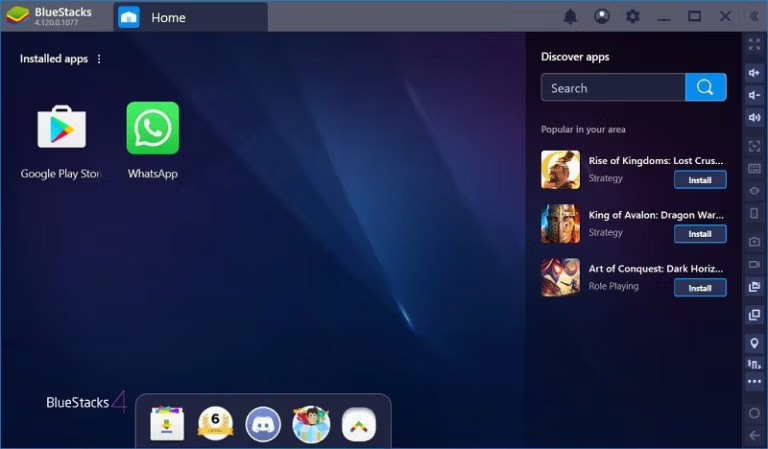
Bluestacks 5 is an Android emulator for PC that allows you to use applications just like on a smartphone. This is useful for those who don't have a smartphone but want to try popular apps, or for app developers who want to test their apps. It offers a wide range of apps and is a very interesting and worthwhile program to try. With over 100 million downloads worldwide, you can play popular games like Angry Birds and Temple Run, download LINE, and use other apps from the Play Store on your desktop PC or iMac. If you're looking for this type of software, this is it – you won't be disappointed.
What's new in BlueStacks 5?
- Improve performance
- A more secure system with two-factor authentication.
- A new design with a more user-friendly interface.
- You can enjoy 3D Android games and applications on your laptop or PC.
- Users can manage the app size according to their desired configuration.
- Live streaming allows users to share their progress on Facebook.
- Users can also capture or record images and videos via the webcam.
- It has a built-in media player for playing video and audio files.
- A chat box for communicating with fellow players.
- Supports GPS to determine your location.
- You can open multiple tabs simultaneously.
- There is a notification bar to inform players about any updates.
- Real-time language translation
- Higher FPS
- High-resolution graphics
- Synchronizing applications between phone and laptop.
System Requirements
- Operating System: Microsoft Windows 7 and above.
- Processor: Intel or AMD Processor.
- RAM: At least 2GB (Hard disk space is not a substitute for RAM).
- HDD: 5GB
- You must be the administrator of the machine.
- Latest graphics drivers
BlueStacks 5 can run on machines that meet the minimum system requirements. However, for optimal performance, we recommend the following requirements:
For those who wish to use the older version 2.5.4.8001, which is already rooted, you can download it here. Bluestacks 2 .
File Information and Downloads
- OS : Windows 7 / 8 and 8.1 / Windows 10 / 11
- Language: Multilingual
- Size: 3.47 GB / 557 MB
- File type: *.exe
- Status: Tested
- Updated: 8/7/2026
- Required Reading: Download Guide
==== BlueStacks 5 ====
==== BlueStacks 4 ====





