

Download Autodesk AutoCAD Civil 3D 2023 (x64) for free, the full, permanent version. This civil engineering design and drafting software allows for CAD, BIM, and topographic data analysis. Installation instructions are included.
About Autodesk Civil 3D 2023
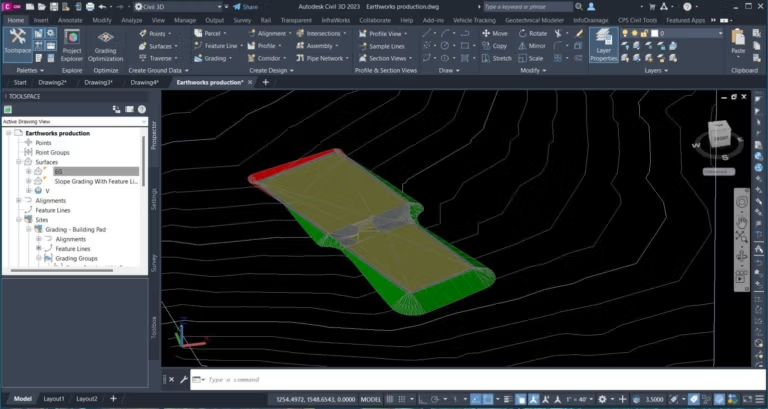
Autodesk AutoCAD Civil 3D 2023 BIM (Building Information Modeling) is a civil engineering design software developed from AutoCAD, focusing on the BIM workflow specifically for civil engineering projects. It's not just a simple drawing program, but a tool for creating models with embedded real-world data. For example, when laying drainage pipes, the program doesn't just know the size or layout, but also stores information about materials, depth, slope, flow rate, and connections to manholes or other structures. When revising the design, all the data updates automatically, significantly reducing repetitive changes.
Another key feature is its ability to manage large and complex datasets, making it ideal for road projects, housing developments, drainage systems, or large-scale infrastructure projects. It can instantly import GIS data, aerial photographs, or point clouds from real-world site scans and integrate them seamlessly with designs. This allows for a precise visualization of the actual site conditions, superimposed on the design model, enabling analysis of issues such as cut and fill levels, work quantities, or potential structural collisions. This allows for analysis on the computer before actual site work begins, reducing errors and rework costs.
Furthermore, Civil 3D integrates seamlessly with other programs in the same field. For example, models can be sent to Autodesk InfraWorks for city and terrain simulation or to check for collisions between systems and structures. Autodesk Navisworks It works immediately, connecting the entire process from design, analysis, and presentation to construction coordination. Simply put, it helps the team work more systematically, look more professional, and manage the project much more accurately.
What's new in Autodesk Civil 3D 2023?
- The Corridor Targets system has been improved to make setting corridor targets more convenient and to provide more flexible setting options.
- Pressure Network performs better in drawing, profiling, and managing pipe collisions and connecting structures.
- Adding Rail Labels and Rail Turnouts allows labels and railway components to display more complete information.
- Improve overall performance, especially when editing sample lines, section views, and handling large amounts of data.
- Improvements to Section Views & Viewport Properties have made drawing views and layouts easier and more stable.
- Project Explorer has new features, including calculating totals in tables and adding options to manage descriptive text directly in reports.
- Subassembly Composer improves the subassembly builder, making it easier to use and offering more options.
- There are tools to import data from CSV and GINT files, along with a configurable field mapping system, before importing them into a project.
- I've adjusted the UI of some features and added a Help Center for Grading Optimization.
System Requirements
- Operating System: Windows 11 or Windows 10 version 1809 or later (64-bit only)
- Central Processing Unit (CPU): Minimum 2.5–2.9 GHz
- Recommended: 3.0 GHz or higher.
- Note: ARM architecture CPUs are not supported.
- Memory (RAM): Minimum 8 GB
- Recommended: 32 GB
- Disk Space: 20 GB
- Graphics Processing Unit (GPU)
- Minimum: 2 GB VRAM
- Recommended: 8 GB VRAM
- Screen resolution: Standard 1920 x 1080 (True Color)
- High-resolution display: Supports resolutions up to 3840 x 2160 (4K).
File Information
- Operating System: Windows 11 / 10 (x64)
- Risk Level: Medium
- Developer: Autodesk
- Language: English
- Size: 8.7 GB
- File type: *rar
- Password: mawto
- Updated: 21/2/2026
- Required Reading: Download Guide
==== Main Download Link ====
==== Backup Link (Please help by downloading to prevent the link from breaking) ====





