
Download Malwarebytes AdwCleaner 2026 for free. This program scans and removes adware, unwanted programs, toolbars, and browser extensions that come bundled with installers. It's ready to use immediately without installation.
What is AdwCleaner?
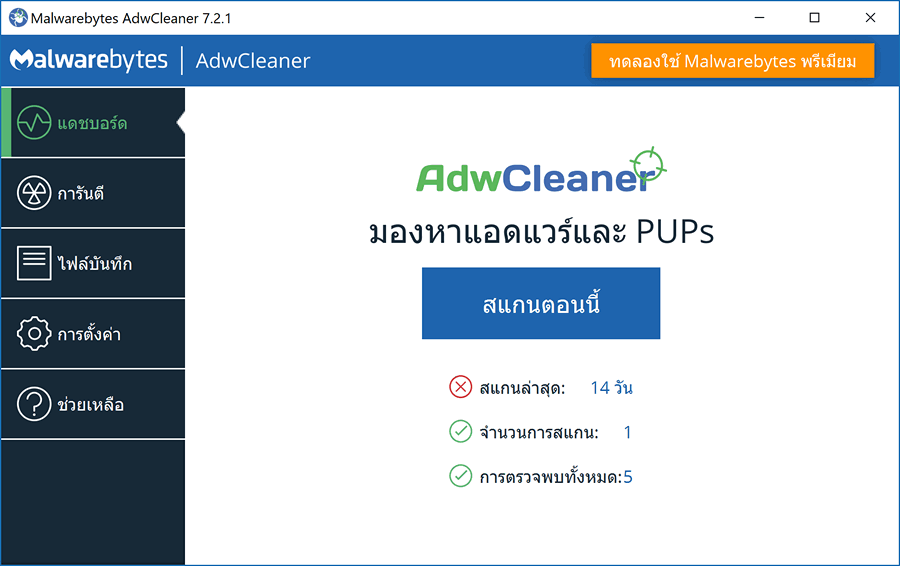
AdwCleaner Malwarebytes is a portable program for finding and managing unwanted items that often come bundled with installers, such as adware, unwanted programs, toolbars, strange extensions, and browser homepage or search engine changers. Its function is quite specialized, so it doesn't require installation and doesn't run constantly. When you suspect pop-up ads, redirects to other web pages, or unwanted extra programs, open the file and click "Scan Now" to scan files, folders, services, scheduled tasks, and related registry values. The results are categorized for easy review before selecting what to remove; it doesn't blindly delete everything. Programs pre-installed from the factory are displayed as a separate confirmation step, reducing the chance of accidentally deleting necessary manufacturer tools.
After the scan is complete, AdwCleaner will allow you to select only the desired items and send them to Quarantine instead of immediately deleting them. If any items are found to be compromised, you can view and restore them. A log of each scan is kept for later review to see which files or values were accessed. During the cleanup, you may need to close open tasks and restart your computer once to ensure the cleaning process is complete. Always download the current version of the file before use, as the detection database is integrated into the program, and newer versions fix security vulnerabilities. This tool is not an antivirus; it does not offer real-time protection and does not address viruses, Trojans, ransomware, or rootkits. If you need to detect those threats and continuously monitor your system, you will need a separate antivirus program. Malwarebytes Premium This is a more comprehensive alternative repair method. The Basic Repair button should only be used when recommended by support, as it resets multiple network and system components.
Key Features
- It can be activated from a single file without needing to be installed on the computer.
- Check for adware that displays ads on your desktop or inserts ads into web pages.
- Find unwanted programs such as Registry Cleaner or Driver Updater that were unintentionally installed.
- Check your browser's homepage changer, search engine, and web browsing path.
- Find unwanted toolbars and browser extensions.
- Separate the pre-installed programs from the factory as a separate verification step.
- The scan results are displayed in categories, allowing you to select only the items you want to manage.
- The items have been moved to Quarantine first, and can be restored later if an error is detected.
- Keep logs of each scanning and cleaning cycle for future reference.
- Check the files, folders, services, tasks, time periods, and related values in the Registry.
- It doesn't constantly monitor the system; it's only turned on when system checks are required.
- Compatible with Windows 11, Windows 10, and Windows 8.1.
How to use AdwCleaner
- Open the downloaded file and click Scan Now.
- Review the items found and select only those you wish to remove.
- Press Next and confirm the separate software program from the manufacturer.
- Save any open tasks before clicking Continue and restart the program when prompted.
- After restarting Windows, open the View Log File to check the results of the cleaning process.
In just a few steps, we might be able to solve problems that initially seemed very difficult. You'll have to test this yourself. It's possible it won't solve the entire 100% problem, but I believe it can significantly reduce the severity of the issue.
AdwCleaner 8.8.1 – May 13, 2026
- Fixed DLL sideloading vulnerabilities - Fixed issues with the SetMe process shutdown scanner.
File Information
- Operating System: Windows 11 / 10 / 8.1
- Developer: Malwarebytes
- License: Freeware
- Size: 9 MB
- File type: *.exe
- Version: 8.8.1
- Updated: 7/9/2026
- Required Reading: Download Guide





