

Download the free, full, permanent Quantifier Pro for SketchUp 2017-2023 plugin. This plugin helps calculate costs and quantities. Available in Thai, with installation instructions. Latest version.
You can still download 1001bit Pro for Sketchup The latest version is available for free!
About Quantifier Pro
Quantifier Pro is a plugin. SketchUp The best for instantly calculating quantity and cost reports from your models, this plugin allows users to quickly and easily measure, count, and analyze quantities in their 3D models. It's specifically designed for architects, engineers, and construction professionals who need to accurately measure the quantity of materials, objects, and areas in their designs.
With this plugin, users can easily measure and count various items such as doors, windows, furniture, and electrical outlets. It also allows users to calculate the quantity of various materials such as concrete, wood, and steel. Furthermore, it offers advanced features such as customizable reports and the ability to export data to other software programs.
Overall, it's a useful tool for anyone looking to improve their measurement and quantification process in SketchUp, saving time and ensuring accuracy in design and construction projects.
Features:
- Calculate the area: Calculate the area of walls, concrete slabs, roofs, floors, building facades, and more. Calculate both projected area (for objects with thickness) and surface area. Instantly generate a materials report showing the calculated surface area of all materials in your SketchUp model.
- Calculate the length: The report also includes the length, width, and height of the group and its components.
- Calculating volume: The more powerful volume calculator than SketchUp's Entity Info window can determine the total volume of groups and components, as well as objects nested within them. It can approximate the volume of waterproof, non-solid objects, used to find the volume of concrete, gravel, topsoil, water tanks, and more.
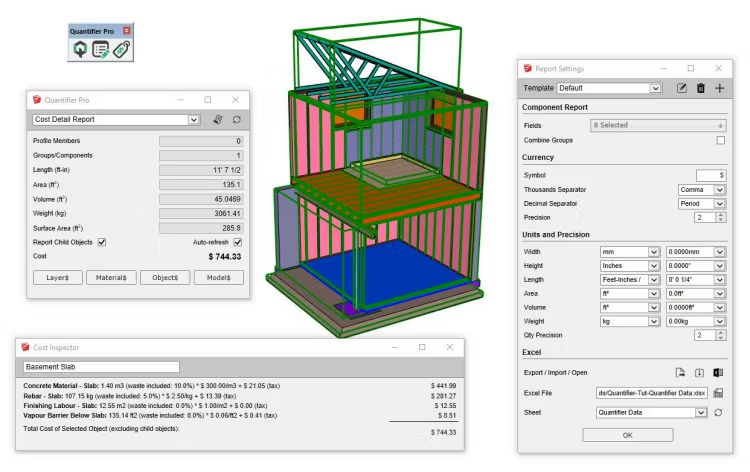
- Calculate the weight: Assigning a unit weight density to an object layer allows you to calculate the weight of objects in your SketchUp model. Weight units can be defined based on volume, area, or length.
- Estimated costs: Export detailed cost calculation reports. Define reusable cost rules by layer, material, object, or entire model. The cost validator tool displays the complete cost calculation for selected objects for verification.
Reporting features
- All reports are model-based and update automatically when the SketchUp model changes.
- A fully customizable volume fluctuation report that can display calculations for volume, length, width, height, projected area, surface area, weight, cost, and more.
- Export a detailed cost estimate report as HTML or CSV.
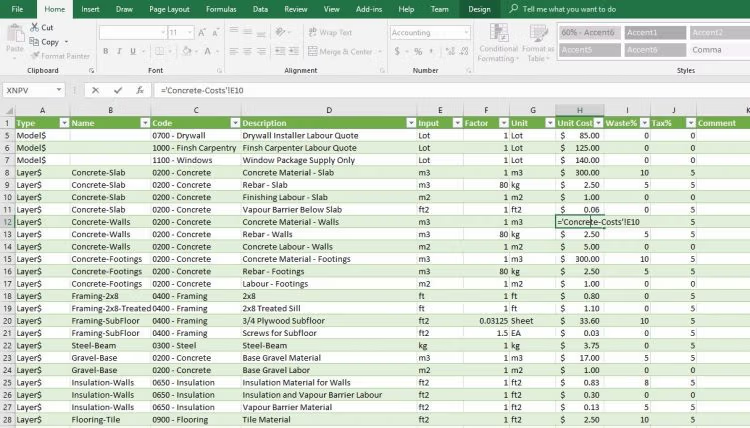
- Use Microsoft Excel (Windows only) to export and import aggregated cost data across multiple SketchUp editions.
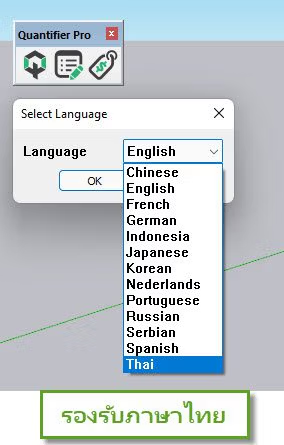
- Supports multiple languages and foreign currencies.
- The control of all units and the accuracy are shown in the report.
- Used with Profile Builder 3 For more power!
File InformationDownload
Operating System: Windows 11 / Windows 10 / 8.1 / 7
Developer: mind.sight.studios
License: Full
Language: English
Size: 6 MB
File type: *.rar
Password: mawto
Status: Tested
Cough medicine: Available
Installation Method: Available
Updated on: March 13, 2023
Required Reading: Download Guide
Note: If the latest version doesn't work, try installing Quantifier Pro 1.1.2 (an older version) instead.





