Download Niagara Launcher Pro APK for free, latest version. Customize your home screen with a minimalist single-list layout, optimized for one-handed use, ad-free, all features unlocked. Change themes, icons, and widgets as you wish. Easy to install.
Getting to know Niagara Launcher
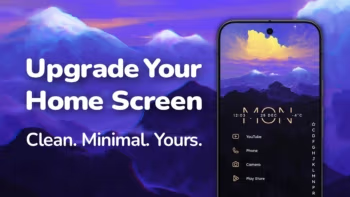
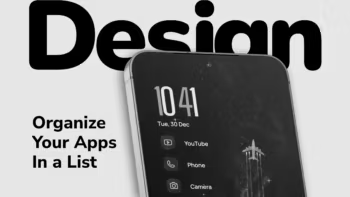
Niagara Launcher is a launcher app for Android designed to make your mobile home screen as simple as possible. Instead of placing app icons in a multi-page grid like typical launchers, it organizes everything into a single, easy-to-read list sorted alphabetically from A to Z. This leaves your home screen with only the app names you actually need—no cluttered icons and no multi-layered folders. Its core concept is to reduce distractions and give back space to focus on what you actually need to do.
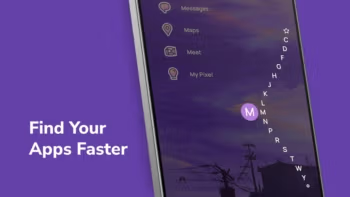
The highlight is the vertical app list that can be scrolled with one finger. You can pin up to 8 frequently used apps at the very top for instant access. All other apps are hidden in the alphabetical list; just slide your finger along the alphabet scrollbar at the edge of the screen, and the desired app will appear. This method makes one-handed use comfortable, eliminating the need to reach for far corners of the screen or remember which page an app is on.
Niagara Launcher also displays notifications directly under the app name. Chat messages, emails, or other notifications appear on the home screen immediately. Tap to expand the message and reply without opening the app. The same applies to music playback; when playing music or podcasts, media controls appear on the home screen automatically and disappear when playback stops, so you don't have to keep a music widget permanently placed.
Regarding customization, the app automatically extracts colors from your wallpaper to match the theme. It supports light and dark modes, icon packs, and allows individual icon changes for each app. You can hide unwanted apps from the list, such as unused system apps, and group related apps under a main app using the pop-up function. Widgets can also be stacked in groups of up to 4 in a single slot, allowing you to swipe left or right to switch between them.
This app is small, lightweight, smooth, ad-free, and requires no account registration. Advanced features like weather widgets, calendars, notification summaries, and additional customizations are available in Niagara Pro, which offers both annual subscriptions and lifetime purchases. It is perfect for those tired of cluttered home screens who want a phone that shows only the essentials, allows fast one-handed app access, and reduces time wasted on mindless scrolling.
If you like a minimalist home screen but still want a grid of icons, try Smart Launcher which offers more detailed customization.
Features:
- Alphabetical vertical app list. The home screen features only app names sorted A to Z, with no cluttered icons or multi-layered folders.
- Wave Alphabet for one-handed use. Slide your finger along the alphabet bar at the edge of the screen to jump to the desired app without reaching for far corners.
- Pin 8 favorite apps. Most frequently used apps stay at the top of the list for instant access.
- Notifications on the home screen. Read chat messages and emails directly under the app name. Tap to expand and reply without opening the app.
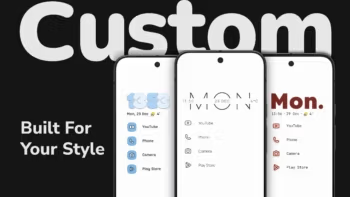
- Customizable themes. Apply themes from the collection with a single tap. Supports Material You, which extracts colors from your wallpaper, as well as light and dark modes.
- Custom app icons. Choose from a wide variety of icon packs or change icons for individual apps.
- Built-in wallpapers. Personalize your home screen with Niagara's own wallpaper collection.
- Clock styles and fonts. Choose from various clock styles and fonts to match your home screen theme.
- Calendar and weather widgets. View your schedule and the latest weather directly from your home screen.
- Stacked widgets. Stack up to 4 widgets in a single slot. Swipe left or right to switch between them and save screen space.
- Pop-up folders. Group related apps under a main app without cluttering your home screen.
- Gestures. Double-tap to turn off the screen and set other gestures as desired.
- Advanced search. Search for contacts, search the web, and perform calculations instantly from your home screen.
- Usage reminders and focus mode. Gently reminds you when you use specific apps too frequently and keeps your home screen minimal to reduce distractions.
- Hide apps and summarize notifications. Hide unused apps from the list and group unimportant notifications together.
- Ad-free and supports data backup. Free to use without ads; easily transfer home screen settings to a new device.
What's new
Version 1.16.39
- Renamed “Favorite” to “Add to Favorites” in the app's long-press menu to make it clearer whether the item is already a favorite.
- Updated translations from the community.
How to install Niagara Launcher.
- Download the .apk file from our link below (make sure the file size matches what is specified in this article).
- Install the downloaded .apk file as usual without needing to root your device.
- Open the app to use.
file information
- Operating system: Android 8.0+
- Developer: Mellowdrop Studio
- Language: Multilingual / Thai
- Size: 15 MB
- File type: apk
- Version: 1.16.39
- Updated on : November 25, 2026
- Need to read: Download Guide
==== v1.16.39 (build 1645, Pro, universal) ====