
Download Facebook MOD APK (Premium Unlocked) for free, latest full version. Hide ads and recommended posts, save videos and photos to your device, unlock AMOLED dark theme, control Reels and feeds in detail. Easy to install without root.
About Facebook APK
FacebooK APK is a social media app developed by Meta to help people easily stay connected, whether with old friends, colleagues, family, or people with shared interests. Create your own profile, add photos and a short bio, then add friends, follow favorite pages, join interest-based groups, and share daily life stories through text posts, photos, videos, or stories that disappear within 24 hours.
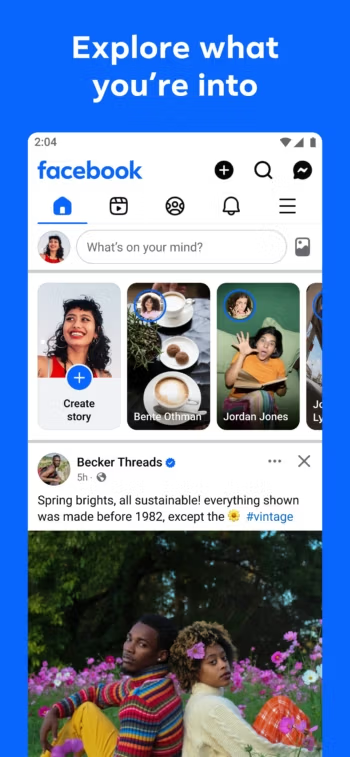
A key highlight of Facebook is the News Feed, which gathers posts from friends, pages, and followed groups in one place. Instantly scroll, like, react, comment, or share. The system learns from your interests and prioritizes content tailored to you, making each user's feed unique. Plus, it features Reels short vertical videos that are engaging to scroll through, and Watch for viewing long videos, funny clips, news, or shows from followed creators.
Facebook also serves as a primary communication tool via integrated Messenger, allowing you to instantly send messages, make voice or video calls, and send photos or stickers. Create group chats with multiple friends or video call distant family without switching apps. For business owners and sellers, it offers business pages, advertising, and Marketplace—a platform to buy and sell goods and second-hand items with location-based search, post listings, chat for negotiations, and arrange direct pickups.
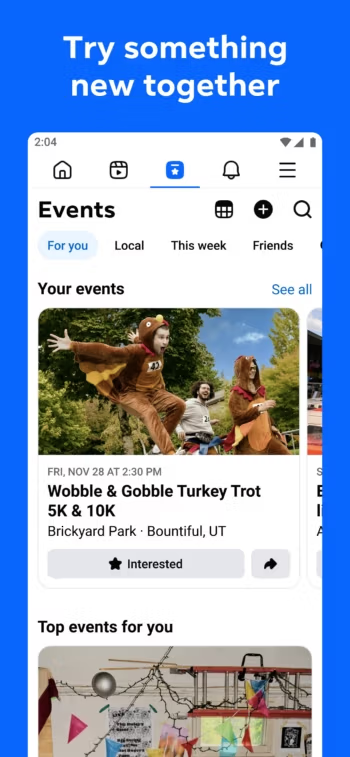
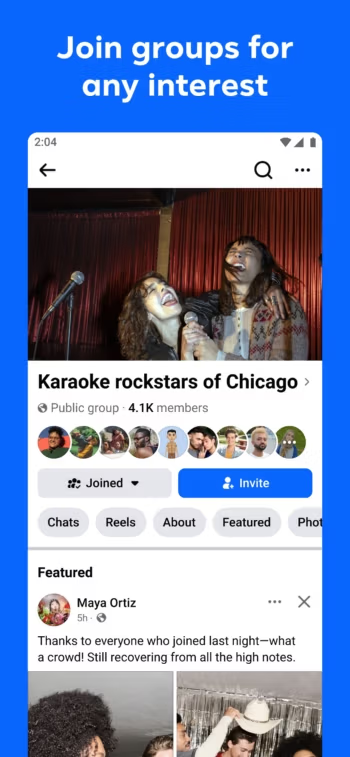
Groups are another feature that sets Facebook apart from other social media. Search for communities of animal lovers, foodies, gamers, or local neighborhoods to ask questions, share experiences, plan activities, or help each other out. Pages for artists, news agencies, organizations, and brands serve as channels to announce news, host events, go live, and gather feedback from followers. Available as a free download on Android and iOS, as well as via web browsers. Log in with a single account and sync across all devices, set privacy controls for who sees your posts, and use two-factor account protection. The heart of the app remains the same: helping people stay connected and providing a space to tell your story and discover new things from others every day.
Clips saved from Facebook can be edited in CapCut for free with no watermark.
Features:
- Hide ads and recommended posts. Cleaner feed without interstitial ads between posts and no recommended posts from unfollowed pages.
- Save videos and photos. Directly download videos, reels, and photos from posts to your device without taking screenshots.
- AMOLED dark theme and accent colors. Adjust the background to true black for AMOLED screens and customize app accent colors to your preference.
- Video and Reel playback control. Background video playback, auto-play next Reel, tap videos in the feed to show pause buttons.
- In-app proxy settings. Route Facebook connections through a custom HTTP proxy, using VLESS or V2Ray via a local port without turning on a full-device VPN.
- Filter feeds by selected words. Hide posts containing specified keywords and link posts, with individual toggle controls for different areas including the home page, Reels tab, groups, profiles, and pages.
- Customizable news feed. Choose to see more or less content from friends, pages, and followed groups based on your interests.
- Reels and Watch. Scroll through vertical short videos and long videos, funny clips, news, or shows from creators you follow.
- Groups. Join interest-based groups to ask questions, share experiences, and coordinate activities with members.
- Marketplace. Marketplace for buying and selling second-hand goods, searching by location, posting items, chatting to negotiate, and arranging direct pickups.
- Built-in Messenger. Send messages, make voice and video calls, share photos or stickers, create chat groups, and video call family members who live far away.
- Stories. Share photos and videos that disappear within 24 hours, complete with stickers and effects.
- Meta AI. Ask questions and get instant answers right from within the app.
- Create reels from templates. Use popular templates and a full suite of editing tools to create your own reels.
- Search all topics. Search for posts, videos, pages, groups, and places on Facebook with interactive results.
- Allow screenshots. Take in-app screenshots without being blocked
What's new
Version 588.0.0.42.55
- Next reels can continue playing in the background. When background playback mode is enabled, the finishing reel will be followed by the preloaded next reel instead of looping the same clip.
- Groups retain the bottom tab bar. Open a group and switch to other tabs directly without pressing back.
- Tap a video in the feed to show a large pause button in the middle of the video instead of popping open Reels.
- Set an in-app proxy to route Facebook connections through a custom HTTP proxy, using VLESS or V2Ray via a local port without turning on a system-wide VPN.
- The feed is centered on tablets or unfolded phones, no longer stretching across the entire screen.
- Hide the reply bar, Up next card, and Follow button in stories.
- All patches are now compatible with Facebook for Android versions 9 and 10, and Morphe Manager must be updated to 2.7.0 or higher before patching.
Mod info:
– AMOLED black theme
– Accent color
– Allow screenshots
– Badge and logo colors
– Block Instant Games ads
– Block ad telemetry
– Block background ad prefetch
– Block background-return feed refresh
– Block promotional notifications
– Block screenshot detection
– Clean up Facebook’s chat list
– Clean up Reels
– Clean up the story viewer
– Comment sheet options
– Default comment order
– Default playback quality
– Disable Audience Network
– Disable Play Store updates
– Don’t save search history
– Don’t send reel watch history
– Double tap to skip
– Download any photo
– Download any reel
– Download any story
– Download any video
– Following feed on Home
– Force dark mode
– Frame step
– GmsCore support
– Hide AI-detected posts
– Hide Menu promotions
– Hide Meta AI comment summaries
– Hide Meta AI in search
– Hide Meta AI questions under posts
– Hide Meta upsells
– Hide Reels in the feed
– Hide Stories tray
– Hide affiliate product links
– Hide carrier data banners
– Hide post prompts
– Hide posts by words
– Hide profile notes
– Hide read receipts
– Hide reel interest prompts
– Hide seen posts
– Hide sponsored Marketplace listings
– Hide sponsored posts
– Hide sponsored profile posts
– Hide sponsored reels
– Hide sponsored search results
– Hide sponsored stories
– Hide suggested and promoted posts
– Hide suggested stories
– Hide tab badges
– Hide tabs
– Hide the Feeds header
– Hide the Get Messenger card
– Hide the Reels tab
– Hide the Reels tab dot
– Hide typing indicator
– Hold a reel for 2x
– Hold back analytics uploads
– Home header text
– Hushfacebook in the Menu
– Hushfacebook settings
– Install beside Meta’s apps
– Keep feed videos muted
– Keep post dates
– Keep the progress bar
– Keep the reel speed
– Local profile counts
– Longer music on photo stories
– Marketplace only
– Material You theme
– Newest reels first
– Open Messenger from the top bar
– Open comments at full height
– Open comments with a gesture
– Open in Facebook from the share menu
– Open links in external browser
– Open on a chosen tab
– Photo carousel
– Picture-in-picture
– Pinch to zoom
– Post action buttons
– Remove the gap above Marketplace listings
– Restore screens on re-signed builds
– Resume long videos
– Round stories tray
– Sanitize sharing links
– Search date range
– Search posts tab
– See who shared
– Send chat photos and videos at original quality
– Share sheet items
– Show View profile on Marketplace sellers
– Show full post text
– Skip silent parts
– Start on x86 devices
– Stop Story auto-advance
– Stop update prompts
– Story viewer taps
– Tab bar at the bottom
– Tag suggestions only after @
– Tap shows the controls
– Tap to play
– Translate posts
– Turn off HDR brightness
– Turn off auto-translation
– Turn off double tap to like
– Turn off haptics
– Turn off screen transitions
– Unlock app icons
– Upload Stories in HD
– Use the phone’s emoji
– Use the system font
– View stories anonymously
➥Credit: Hush patches
❏ Released by SHEUL ᴮᴰ
How to install Facebook
- Download the .apk file from our link below (make sure the file size matches what is specified in this article).
- Install the downloaded .apk file as usual without needing to root your device.
- Open the app to use.

file information
- Operating system: Android 11.0+
- Developer: Meta Platforms, Inc.
- Language: Multilingual / Thai
- Size: 333 MB / 334 MB / 333 MB / 334 MB
- File type: apk
- Version: 588.0.0.42.55
- Updated on : November 25, 2026
- Need to read: Download Guide
==== v588.0.0.42.55 (Normal, universal) ====
==== v588.0.0.42.55 (Material You theme, universal) ====
==== v588.0.0.42.55 (Clone, universal) ====
==== v588.0.0.42.55 (Clone, Material You theme, universal) ====