Download the NewPipe APK app to watch YouTube without ads, no Google account login required, open videos instantly, continue listening to music even with the screen turned off, and download videos to watch offline. The app is lightweight, fast-loading, and compatible with all mobile phone models.
Get to know NewPipe
is an alternative Android mobile application for watching videos and listening to music that serves as a substitute for the main YouTube app. Its standout feature is stripping away unnecessary elements down to the core essence of video watching. Users can open the app, search for videos, and watch them immediately without logging in, signing up for a Google account, or installing Google Play Services on the device. As a result, the app has a small file size, opens quickly, and consumes minimal resources, making it ideal for older phones or low-spec devices where the official app has become too heavy.
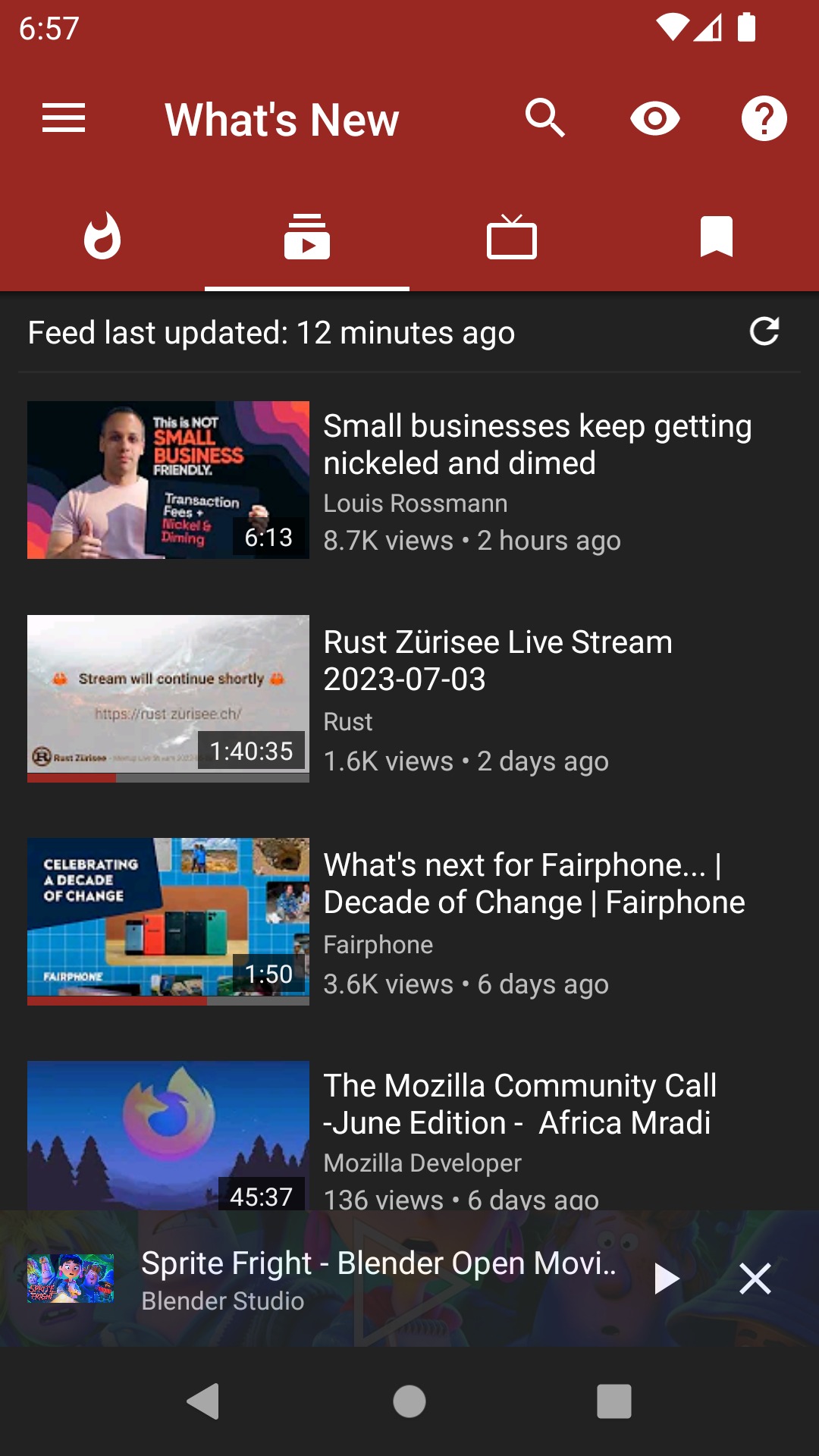
Inside the app, you will find a search bar, a home page featuring trending videos, and an account-free channel subscription system. Users can subscribe to their favorite channels, and new videos from those channels will be compiled on a single page, similar to the YouTube Subscriptions page, but all data is stored locally on the device and never sent to anyone. In addition, existing subscriptions can be imported via an OPML file, allowing users to switch from YouTube to NewPipe without having to re-follow all channels from scratch.
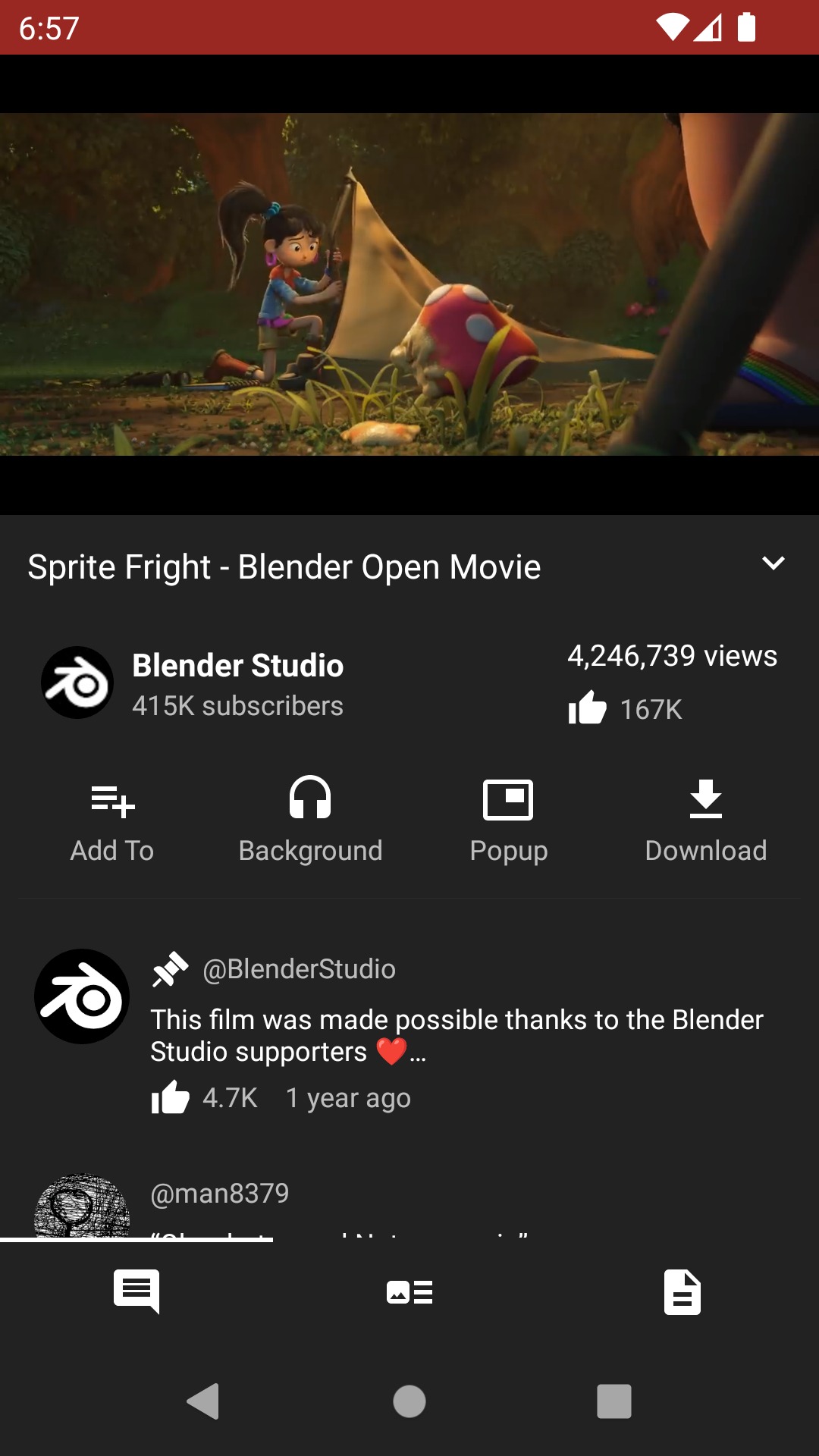
In terms of video playback, NewPipe supports background playback and pop-up window playback over other apps. Users can continue listening to music or podcasts from videos even when turning off the screen or switching to reply to chat messages. It features an audio-only mode that disables the video to save battery and data, and allows selecting video resolution from the lowest to the highest available from the source. For those who want to save videos or audio for offline listening, content can be downloaded directly to the device with the option to download audio only or both video and audio.
NewPipe is not limited to YouTube alone; it can also play videos and audio from SoundCloud, PeerTube, Bandcamp, and media.ccc.de all within a single app. Users can search and create playlists combining music from multiple sources without having to switch back and forth between apps. Developed as open-source software with global contributors auditing the code and reporting issues, it contains no inserted advertisements, no viewing behavior tracking systems, and no features that secretly collect user data.
For regular YouTube viewers who are annoyed by ads, prefer not to link a Google account to their mobile device, or use older phones where the official app starts to lag, NewPipe is a straightforward alternative, similar to apps like Pure Tuber which help cut out advertisements. It does not try to be an app that does everything, but instead focuses on making video and music streaming as lightweight, fast, and private as possible.
What makes NewPipe interesting?
Video and audio playback
- Watch videos in up to 4K resolution. Select resolution based on source availability, ranging from low-bandwidth data-saving video to 4K.
- Background audio playback. Turn off the screen or switch to other apps while audio continues playing, streaming only the audio stream to save data.
- Popup window mode. Minimize videos into a small floating window over other apps, freely movable and resizable.
- Watch live streams. Open live streams from subscribed channels directly within the app.
- Turn subtitles on or off. Choose to display subtitles as needed.
- View or block age-restricted content. Configure whether to show age-restricted content.
Search and browse.
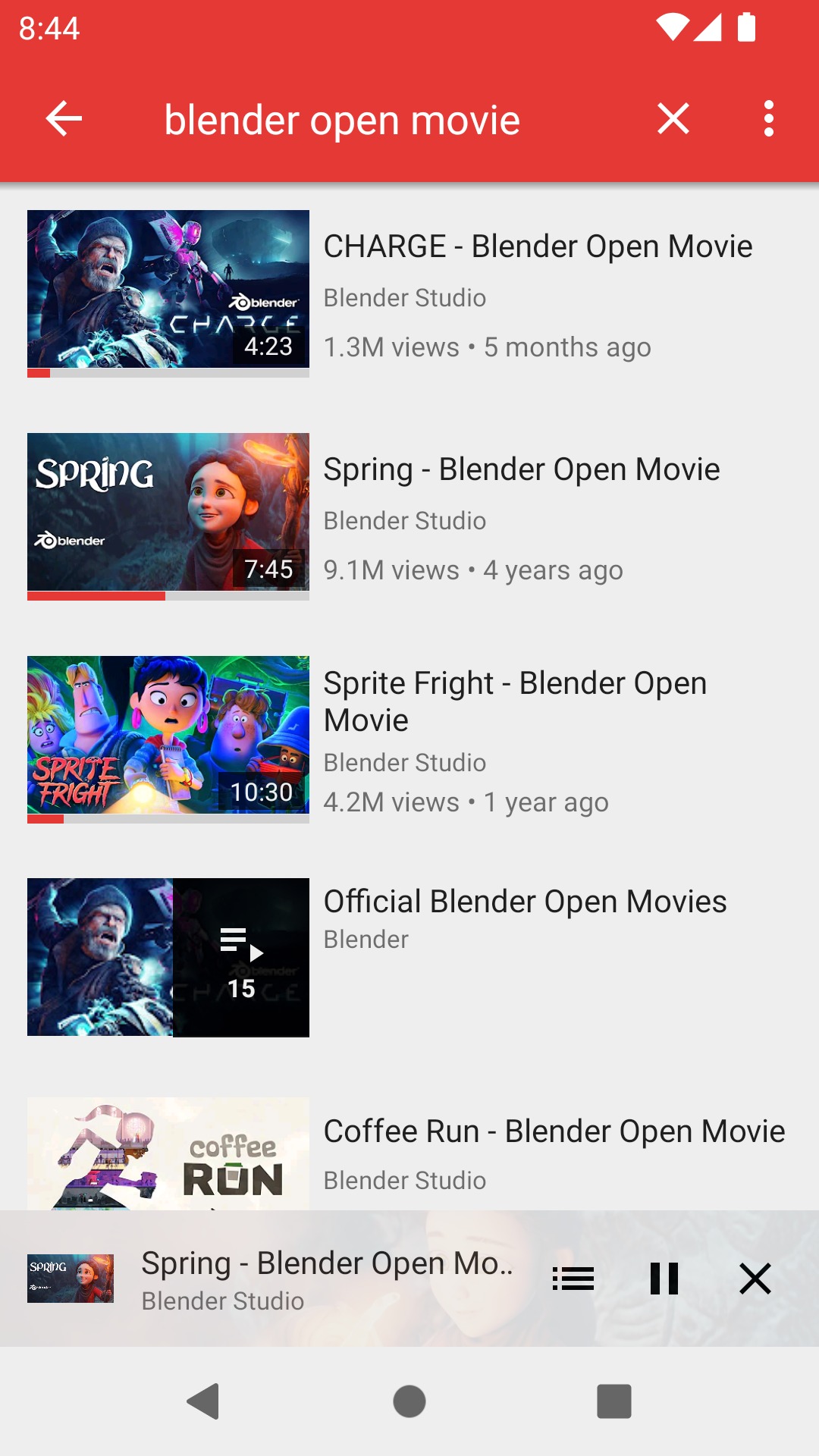
- Search for videos and audio. Type a search query to find both videos and audio, and you can also specify the content language on YouTube.
- Search across all types. Search for videos, audio, channels, playlists, and albums all in a single search bar.
- Browse videos and audio within a channel. Open a channel page to scroll through all of its content.
- Show or hide video information. Choose whether to see video descriptions and tags.
- Show or hide related videos. Choose whether to display the up next video list.
- Show or hide comments. Choose whether to read comments under a clip.
Subscribe to channels and playlists.
- Subscribe to channels without logging in. Easily follow your favorite channels without needing any service account.
- New video notifications. Get notified whenever subscribed channels upload new clips.
- Create and edit channel groups. Organize subscribed channels into favorite categories for easy searching.
- Browse feeds from channel groups. Open the combined feed of a channel group to see new clips from all channels in the group simultaneously.
- View and search watch history. Go back to previously watched clips or search through history.
- Search and view playlists from the source service. Directly open playlists curated by others on that service.
- Create and edit local playlists. Organize your own playlists within the app, independent of any account.
- Add videos to the queue. Queue up clips to watch next and save the queue as a local playlist.
Downloads and more.
- Download videos, audio, and subtitles. Save files to your device for offline viewing, with options for audio-only or both video and audio.
- Open videos in Kodi. Send videos to play on Kodi directly from the app.
- Combine multiple services into a single app. Supports YouTube, YouTube Music, PeerTube, Bandcamp, SoundCloud, and media.ccc.de.
- No Google Play Services required. Works on devices without Google apps installed and requires no Google account.
What's new
Version 0.29.2
- Added YouTube Podcasts and Courses tabs, allowing direct access to podcasts and channel courses.
- The downloader now supports brotli compression.
- The player progress bar is now divided by video chapters, making it easier to skip between chapters.
- Refreshed the search menu layout for a cleaner appearance.
- Updated the list of Piped and Invidious instances to match currently active ones.
- Displays the full name of subtitles when the source service provides it.
- Displays queue progress and total duration in popup and background playback modes.
- Fixed the issue where audio volume dropped automatically when other sounds interrupted, by implementing automatic audio focus management.
- Fixed the brief black screen issue when entering fullscreen mode.
- Fixed the issue where opening links with timestamps did not play from the correct point.
- Fixed the issue where playlists were not cleared when pressing back from the playlist page.
- Fixed the issue where the selected audio track disappeared when resuming downloads.
- Fixed the Bandcamp app freezing issue when rotating the screen or pressing back.
How to install NewPipe
- Download the .apk file from our link below (make sure the file size matches what is specified in this article).
- Install the downloaded .apk file as usual without needing to root your device.
- Open the app to use.
file information
- Operating System: Android 6.0+
- Developer: Team NewPipe
- Languages: 70+ languages
- Size: 17 MB
- File type: apk
- Version: 0.29.2
- Updated on : 9/11/2026
- Need to read: Download Guide
==== v0.29.2 (GitHub) ====
==== v0.29.2 [SponsorBlock] ====