Download the full version of JRiver Media Center 36 (x64), a music, video, and image player and manager with DSP, DSD, Media Network, Theater View, and playlist tools. Watch movies, listen to music, and organize your files all in one place.
What is JRiver Media Center?
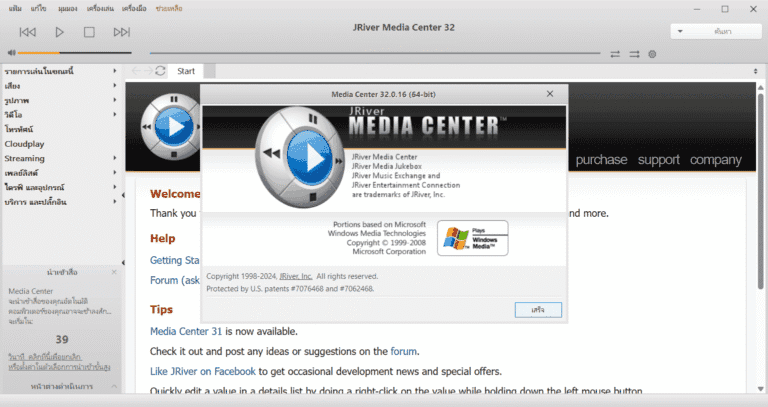
JRiver Media Center It's an all-in-one media management and playback program designed to be a central hub for all your music, movies, photos, and TV files on a single computer. Instead of opening files one by one like typical media players, it organizes large numbers of files into a systematic, easy-to-search, and convenient media library, whether your library contains thousands of songs or hundreds of movies.
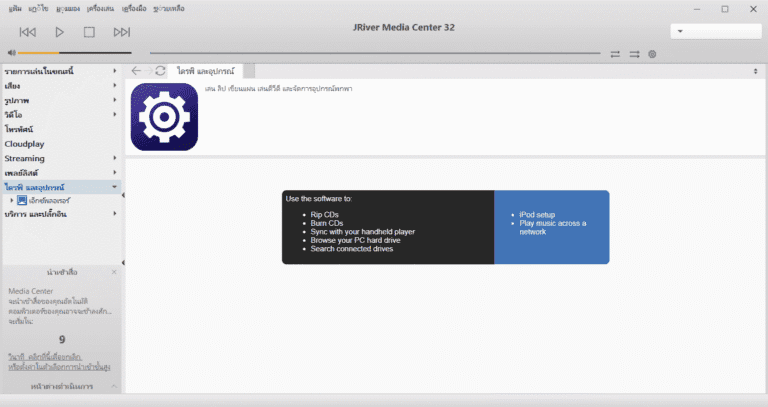
The program's most outstanding feature is its audio capabilities. It supports almost every audio file format, from standard MP3s to high-quality lossless audio like FLAC and DSD. It plays audio directly from the device without any operating system adjustments, resulting in sound that is as close to the original as possible. Furthermore, it includes built-in sound adjustment tools, such as an equalizer and room-based sound correction. Users can also rip music from CDs, convert audio files to other formats, and create smart playlists that curate songs based on genre, release year, or rating. This is ideal for those who primarily focus on listening to music. AIMP That's another option.
In terms of visuals, the program supports playing high-definition movies with subtitles, categorizes series and movies by title, year, or actor, and displays cover art beautifully. Photos can also be organized into albums and slideshows. The Theater View mode transforms the computer screen into a home theater display that can be controlled remotely, ideal for connecting the computer to a television in the living room. And if a TV tuner is installed, you can watch and record TV programs from within the same program.
Another key feature is media sharing over a home network. The program can send music and movies to televisions, network speakers, other computers, or smartphones without copying files back and forth, and allows for remote playback control via a mobile app. This transforms a single-device media library into a resource accessible from anywhere in the home. Users can also customize the appearance and view of the library to find files that match their preferences.
Overall, JRiver Media Center is ideal for people who collect a large number of media files, those who care particularly about sound quality, and those who want a single program to manage music, movies, photos, and TV all in one place, rather than needing multiple separate programs.
Key Features
- Extensive media support: It supports a wide variety of media formats, including MP3, WAV, FLAC, AAC, and more, making it an all-in-one solution for users with diverse media collections.
- Customizable interface: The program offers a highly customizable interface, allowing users to personalize its appearance. Users can choose from various skins, themes, and layout options to create a personalized media center.
- Strong library management: The library management system is designed to efficiently support large media collections. Users can easily import, organize, and manage media files with features such as tagging, sorting, and searching capabilities.
- Gameplay features: This program offers advanced playback options, including gapless playback, crossfading, and support for various display formats. It also features a built-in equalizer and DSP effects to enhance the audio experience.
- Streaming and remote control: It allows users to stream their media to various devices such as smartphones, tablets, and smart TVs. It also features a remote control function, enabling users to control playback remotely using their mobile devices.
- Plugins and extensions: This software supports a wide variety of plugins and extensions, giving users the flexibility to customize the program's functionality according to their needs.
- Seamless integration: This software works seamlessly across various devices, allowing users to easily access and control their media collection from anywhere.
- Supports Native/Bitstream DSD and DoP for compatible audio players.
- DSP Studio features an equalizer, room correction, volume leveling, and real-time sound adjustment tools.
- Media Network is used to share and stream music, videos, and photos to other devices on the network.
- Theater View is designed for convenient remote control and use on a TV screen.
- Create Smartlists and custom views based on file tags, ratings, or conditions.
- Record TV broadcasts from compatible tuners and view the EPG (Electronic Program Guide) directly.
- You can edit photos directly in your gallery, including cropping, rotating, resizing, and adding tags.
- MKV and MP4 videos support chapter functionality and file information display during playback.
What's new
Version 36.0.47 – October 14, 2026
- You can now play and tag Opus audio files stored in MP4 format.
- Opus Encoder can now write Opus-in-MP4 files.
- Opus Encoder adds VBR/CVBR options for selecting audio compression methods.
- Troubleshooting program freezes after exiting Preview mode.
- Locked playlists will no longer appear in the recent "Send to" list.
- Add the "Linked zone allowed drift" option in Options > Audio > Advanced to allow for greater audio zone drift without forcing sync and causing the audio to pause.
- Update all translated text to the latest version from the code.
file information
- Operating System: Windows 11 / 10 / 8.1 (x64)
- Risk Level :🟡Low Risk (Low Risk)
- Developer: JRiver
- License: Shareware
- Language: English
- Size: 83.34 MB
- File type : *.rar
- Password : mawto
- Installation method: Yes
- Updated: 24/10/2026
- Need to read: Download Guide