How to convert PDF files to Word, Excel, and PowerPoint in Thai without text distortion using the latest version of ABBYY software (updated 2020).
First, let me give you some background. How to convert PDF files to Word, Excel, and PowerPoint. There are various ways to do this, and each method will have a different level of completeness in the transformation.
There are three main ways to convert a PDF to Word:
- Convert files online via the website. This method is convenient and fast, requiring no complicated software downloads or installations. It works well for converting English documents, but it's arguably the worst method for converting Thai documents. -> This method is suitable for those who want convenience and speed, need to convert English PDF documents, and don't necessarily need the document to retain its original formatting.
- Convert a PDF file to Word using the copy and paste method. With the program. Adobe Acrobat Pro DC This method works very well with English and preserves document formatting better than online conversion (using the Export > Word menu). However, for Thai, direct conversion doesn't yield good results. Therefore, the method used is to copy the content from the PDF file and paste it directly into Word. This method provides approximately 97-99% of text integrity after conversion (copying) (although some vowels, 'am', and tone marks tend to disappear). -> This method is suitable for people who already have this program installed on their computer and don't have the time or don't want to install other programs.
- Convert PDF to Word using ABBYY software. This is the best method, and the details are as follows:
As mentioned earlier, it can be seen that...Convert a PDF document containing Thai language to Word.Therefore, whether you convert using online conversion methods, the Adobe Acrobat Export menu, or copy & paste techniques, you often encounter problems such as distorted characters, misspelled letters, and missing tone marks. This third method uses a different program, similar to method 2, but it's called... ABBYY PDF Transformer (now called ABBYY FineReader) To convert a PDF file to Word in Thai, which is...The best programWhen converting PDF files to Word in Thai, it is possible to convert text while preserving a significant amount of formatting within the file. 99 -100% Program name ABBYY PDF Transformer+ 12 (There is now a newer and better version available.) ABBYY FineReader 15 )
Here's how to convert a PDF file to Word without distortion:
-
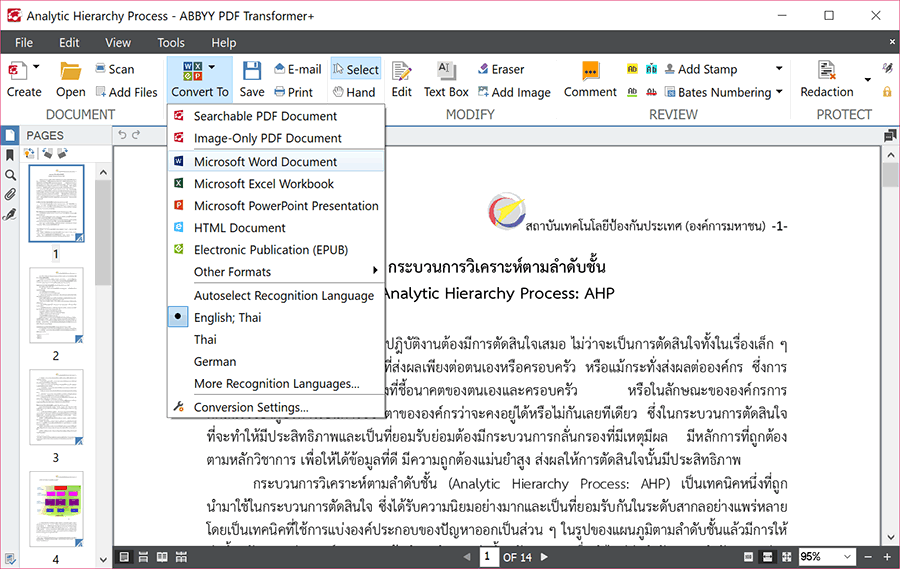
Open the desired PDF file using ABBYY PDF Transformer+ 12 > Click on Convert To > and select Word Document.
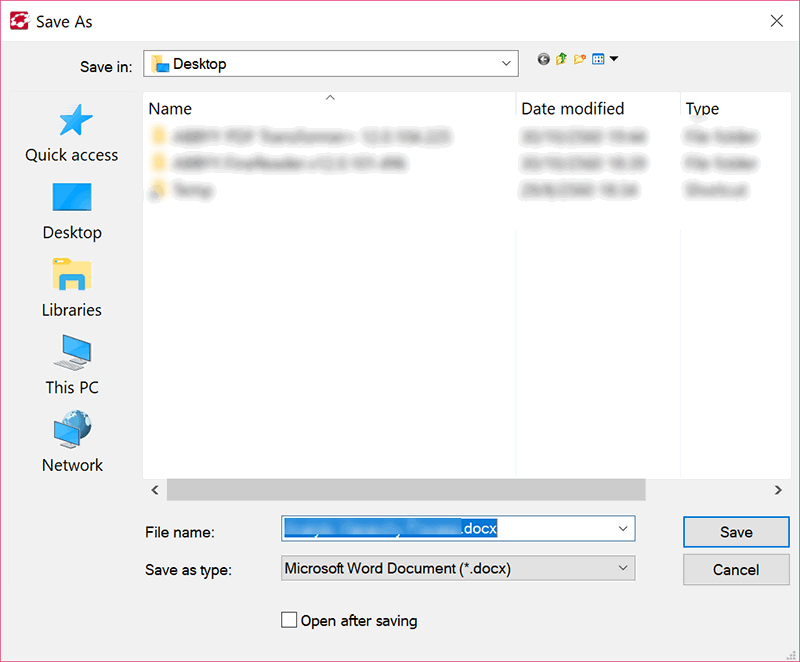
2. A window will pop up prompting you to save the file. Name the file as desired and click Save.
3. Finished. Our PDF file will now be converted to a Word document with virtually no text distortion, while preserving the document's formatting perfectly.
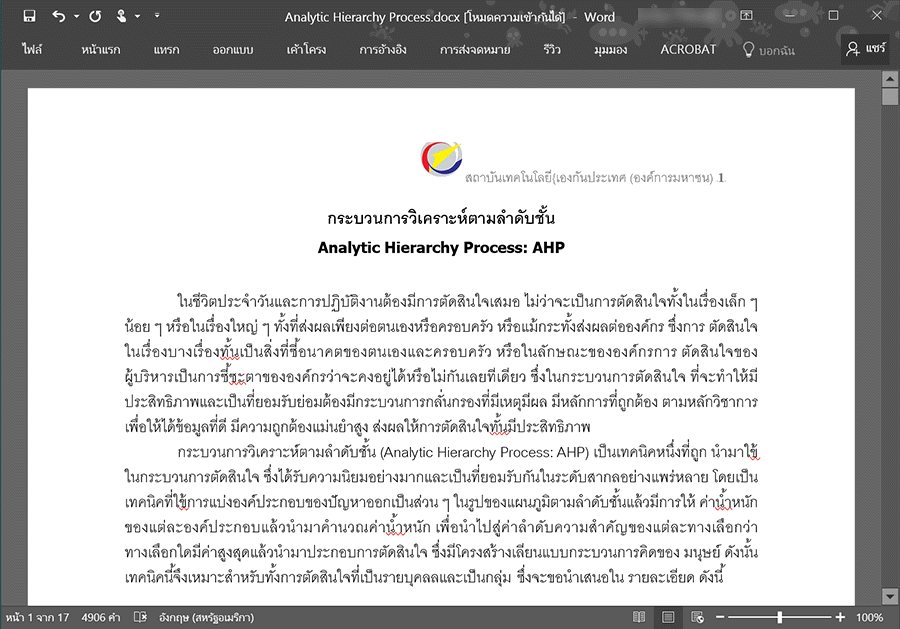
Note:
The degree to which a PDF can be converted to Word depends on the quality of the PDF itself.To what extent has it been compressed? How unusual are the fonts used, and how old is the file? If the PDF is extremely compressed and uses fonts that are not commonly used, the chances of converting the PDF to Word perfectly will be reduced. However, rest assured that this PDF to Word converter program... This document conversion program can convert PDF files containing Thai language into Word files as completely as possible.
The program can be downloaded. ABBYY PDF Transformer+ 12 is available here.
Or, download the newer 2020 version; it's better. ABBYY FineReader 15 (We recommend trying both to compare them yourself.)