About V-Ray 6 for SketchUp
Download V-Ray 6 for SketchUp 2024, 2023, 2022, 2021, 2020, 2019 Full Permanent Version, Graphics Plugin Add-on for SketchUp Program, Latest Version, Free, Complete with Installation Guide
What is V-Ray for SketchUp?
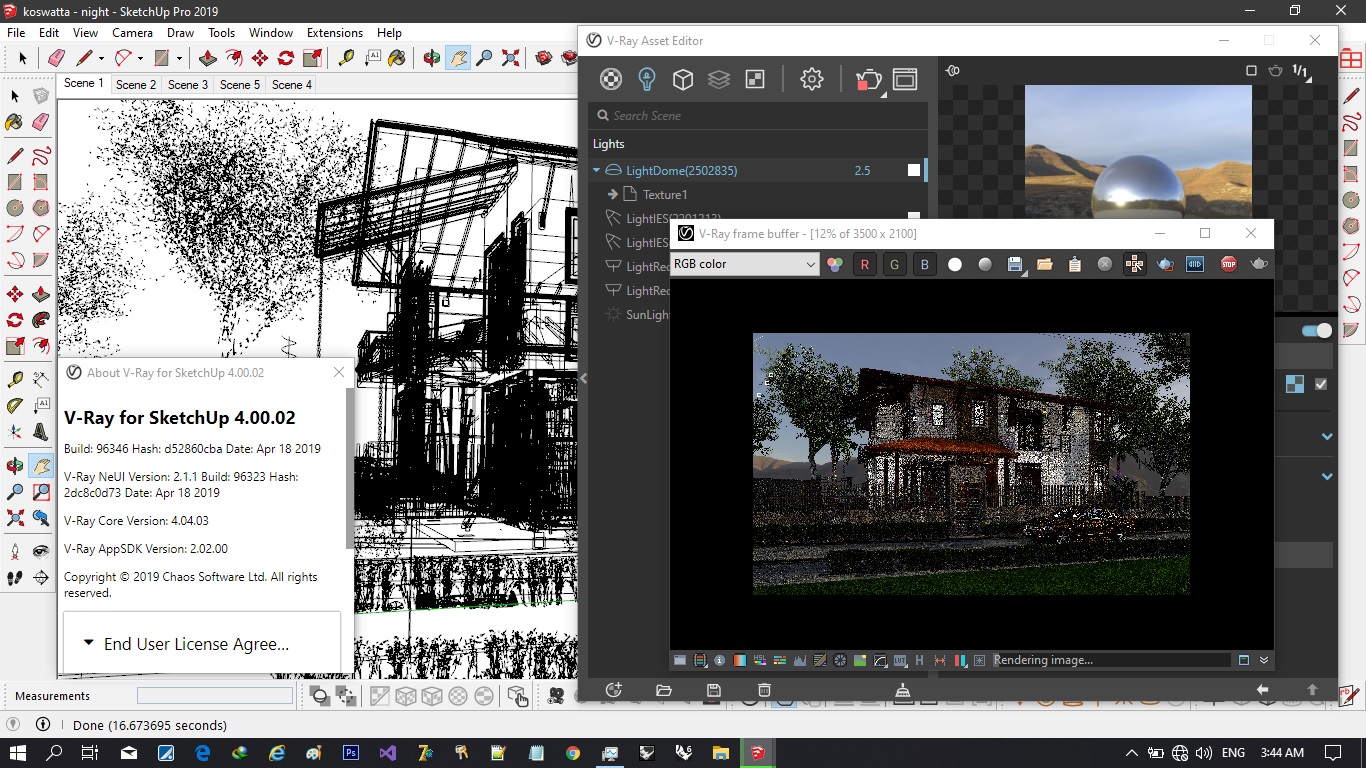
V-Ray for SketchUp This is a rendering plugin for SketchUp Allows you to create high-quality photorealistic images for 3D models, enabling you to adjust lighting, materials, and camera settings to achieve the desired look for rendering. It can also be used to create animations, 360-degree panoramic images, and virtual reality content.
V-Ray 6 for SketchUp delivers the most realistic rendering, making your projects look as real as possible. For any project, you can see exactly how it will turn out, giving you the closest experience to the actual result before construction. It also comes with hundreds of ready-to-render materials that you can apply to any scene.
Overall, V-Ray and SketchUp are a perfect team. SketchUp is the most widely used 3D modeling software in the world for architecture and design, and V-Ray is the world's number one rendering software for architectural visualization. Together, they form the perfect combination to elevate your designs to the next level.
Key Features
- Realistic Lighting: V-Ray offers a wide range of lighting options, including realistic sun and sky, IES light profiles, and HDRI environments, to help you create realistic lighting effects in your scenes.
- Material Editor: V-Ray features a comprehensive Material Editor that allows you to create and customize materials with a wide range of properties, including surface reflection, transparency, and subsurface scattering.
- Camera Settings: V-Ray allows you to adjust various camera settings such as aperture, focal length, and exposure to create the desired look for your render.
- Noise Reduction: V-Ray features an automatic noise reduction capability that eliminates noise from your renders, resulting in cleaner and smoother images.
- Network rendering: V-Ray allows you to set up a computer network to render your scene in parallel, which can significantly speed up the rendering process.
What's New in V-Ray 6 for SketchUp
Compatibility of V-Ray & Enscape
With V-Ray 6, you can transform real-time scenes from Enscape directly and achieve the highest level of realism, as it supports Enscape's materials, objects, and lighting. All design decisions remain intact throughout the various design stages, ensuring seamless collaboration between designers and visualization experts.
Cloud computing
Add the right clouds to any scene without spending hours browsing through HDRI libraries. The new procedural cloud system is a flexible and memory-efficient way to create cloudy skies and animate them for impressive time-lapse presentations.
V-Ray Enmesh
Create complex geometric patterns on the surface of objects to generate panels, fences, fabrics, and more automatically and with memory efficiency.
Limited Dome Light
Enhance the scale and depth of your project's environment with image-based lighting using the new V-Ray Dome Light mode.
Distance Surface
Various effects, such as motion or hair movement based on proximity, create realistic relationships between elements in a scene. This can be used to create footsteps on a lawn or dark spots under a water rail.
Better Translucent Materials
Render translucent materials such as frosted glass or marble faster with the improved V-Ray Materials mode for sub-surface scattering.
Surface treatment for dirt and grime
Place contaminants with greater precision by adding or excluding objects.
Rainbow Material
Create rainbow materials such as soap bubbles, oil spills, and more easily with new thin film options available in V-Ray materials.
More Precise Reflection
Rough metallic and reflective materials can be more accurately represented using new energy-conserving techniques.
Temporarily pause your display.
Pause and resume playback at any time.
Asset Tag
Use the new tagging system in the content editor to organize content and improve staging in complex projects.
ACEScg Color Management
Take advantage of a wider color palette for output rendering with the industry-standard ACEScg color coding system.
System Requirements
- OS: Windows 8.1, Windows 10, Windows 11
- CPU: Intel Pentium IV or compatible processor with SSE4.2 support.
- RAM: 4 GB RAM and 4 GB swap minimum – recommended 8 GB or more RAM, 8 GB or more swap file
- Sketchup: SketchUp 2019, 2021, 2022, 2023
File Information
- Operating System: Windows 8.1 / Windows 11/10 (64-bit only)
- License: Shareware
- Language: English
- Size: 1 GB
- File type: *.rar
- Password: mawto
- Installation Method: Available
- Link updated on: 10/15/2024
- Required Reading: Download Guide
==== V-Ray 6.20.06 ====
==== V-Ray 6.20.04 ====
==== V-Ray 6.20.03 ====