Download Tenorshare 4DDiG 11 (Full) for free. This program recovers deleted or corrupted data from HDD/SSD/USB/SD cards and helps repair documents, photos, and videos. The latest version is ready to use.
What is Tenorshare 4DDiG?
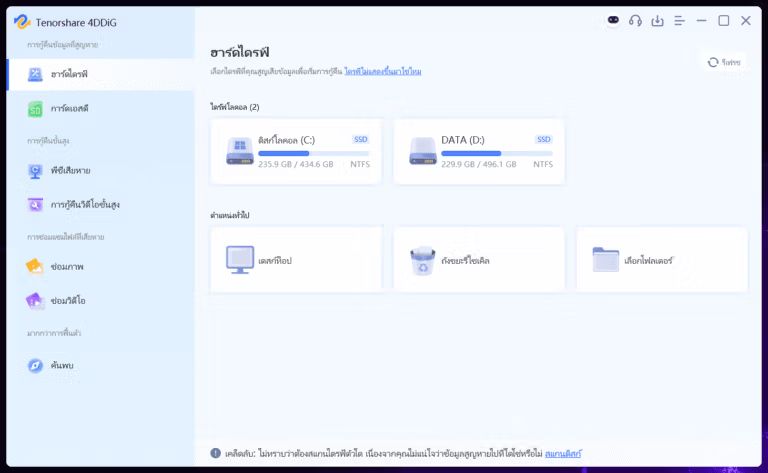
Tenorshare 4DDiG This is a data recovery program that helps locate lost files from computers and various storage media, ranging from accidental deletion, emptying the Recycle Bin, formatting drives, to problematic partitions or unreadable hard drives. The Windows version works with HDDs, SSDs, USBs, SD cards, and external drives, making it ideal for recovering photos, videos, audio, documents, and work files that need to be retrieved quickly. A location selection and filtering window helps you start the search precisely.
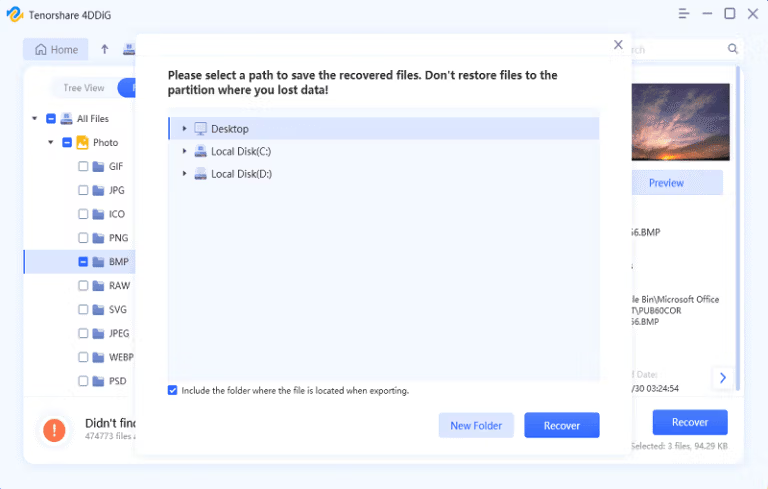
The process starts with a Quick Scan to find recently deleted files. If that doesn't work, proceed to a Deep Scan, which reads the data structure in the lost area in more detail. While waiting for results, you can filter by file type, name, or path, and preview the files to check if they are still intact before actual recovery. Once you find the desired items, choose to save them to a different drive to reduce the chance of overwriting existing data. If the computer won't boot or the drive is severely affected, stop using it and prepare a bootable media supported by the program instead of reinstalling on the same drive.
Besides recovering data from deletion, 4DDiG is also suitable for cases of missing partitions, formatted devices, or files corrupted due to system malfunctions. The key is to scan quickly and avoid copying new files to the original media, as every write operation may overwrite traces needed for recovery. If you recover a PDF document and want to format, convert, or edit the text further, you can refer to... PDFelement Pro This can be used as a supplement in the next step.
Key Features
- Supports FAT16, FAT32, exFAT, and NTFS file systems on Windows.
- It can scan both internal and external HDDs and SSDs, as well as devices connected via USB.
- Recover data from USB flash drives, SD cards, and media from digital cameras.
- Quick Scan quickly finds recently deleted files in a selected location.
- Deep Scan searches for traces of data from drives that have been formatted or partitioned incorrectly.
- Supports over 1,000 file types, including images, videos, audio, and documents.
- Filter the results by file type, filename, or path to find the file exactly where you want it.
- Open Preview to check the contents before actually restoring the files.
- Recover files deleted from the Recycle Bin or permanently deleted using the command.
- Recover data from formatted drives, lost partitions, and corrupted file systems.
- There are ways to recover data from a computer that won't boot using a supported bootable media.
- It can help repair corrupted image and video files, making them openable again in many cases.
What's new?
v11.0.0.16
- No details matching this version have been found from the developer yet.
File Information
- Operating System: Windows 11 / Windows 10 / 8.1
- Risk Level: Medium
- Developer: Tenorshare
- Size: 124.45 MB
- File type: *.rar
- Password: mawto
- Installation Method: Available
- Updated: 13/9/2026
- Required Reading: Download Guide