Download Super Clone (MOD APK, Unlocked) for free, latest version. Clone apps and games to use multiple accounts simultaneously on a single device. Separate work and personal accounts. Lock cloned apps for privacy. Easy to use on Android.
What is Super Clone
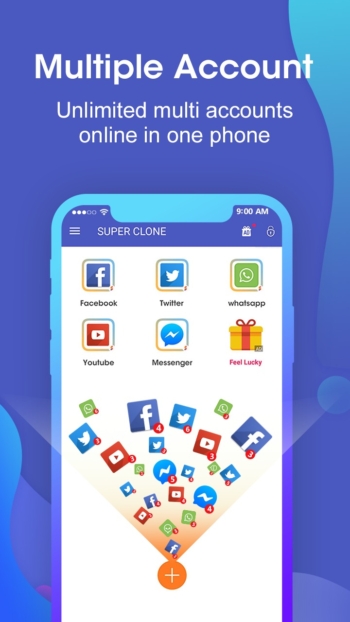
Super Clone is an app for cloning applications on Android that allows you to install and use multiple instances of the same app on a single phone. Each instance separates data independently, as if there were a duplicate of that app on the device. This allows you to log in with different accounts simultaneously without having to switch back and forth. The core concept of the app is to create a virtual space within the device so that cloned apps run in their own environment. Login data, messages, and settings for each account do not mix.
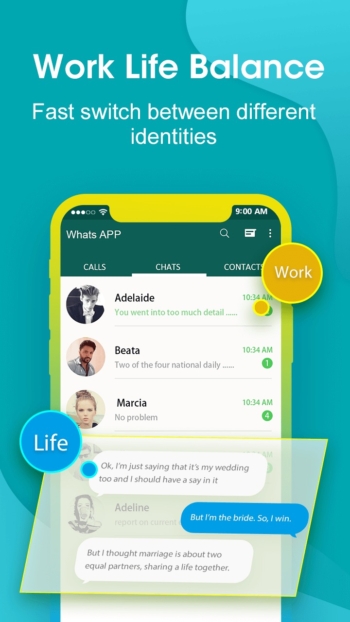
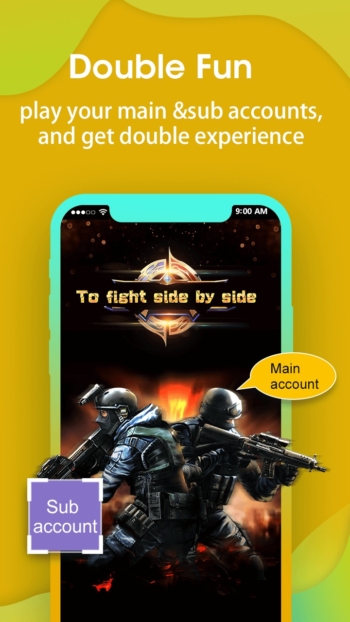
The most popular use case is separating social media and chat accounts, such as using two accounts for WhatsApp, Facebook, Messenger, Instagram, or LINE on one device—one for work and another for personal use. You can receive messages from both sides at all times without missing any contact. Another group that benefits greatly is gamers who want to maintain multiple IDs in the same game; they can switch between primary and secondary IDs without needing multiple phones.
The cloning process can be done directly within Super Clone, similar to cloning apps like DualSpace Pro Simply select the desired app from the list detected on the device. The system will then create a copy and add an icon for the cloned app for easy access. Created copies can be renamed and their icons changed to make it easy to distinguish which icon belongs to which account, reducing confusion during actual use.
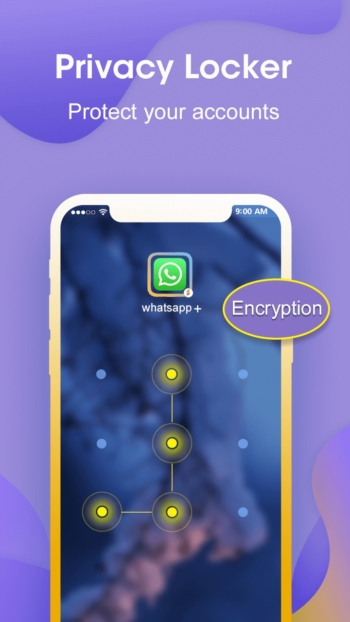
Super Clone includes tools to help manage cloned accounts, such as locking cloned apps with a password for privacy to prevent others who pick up the device from reading messages or accessing important accounts. Notifications for each copy are clearly separated, and unwanted copies can be deleted immediately without affecting the original app or other active accounts.
Super Clone is therefore suitable for people who regularly manage multiple accounts on a single device, whether they are online merchants separating shop accounts from personal ones, professionals separating work from personal life, or gamers with multiple IDs. The advantage is not having to carry two phones and not having to repeatedly log in and out. Limitations include the fact that some apps may not support cloning, and created copies will consume additional storage space and memory.
Key features
- Clone up to 99 accounts. Run multiple accounts of WhatsApp, Instagram, LINE, Messenger, social apps, and games simultaneously on one device. Each account stays online in its own separate space.
- Log in to Google in cloned apps. Each copy can connect its own Google or Facebook account, and Google Play Services supports every account and every copy.
- Privacy Locker. Hide and protect cloned accounts. Data for each account is separated.
- One-tap account switching. Switch between accounts instantly. Each copy has a clear label and icon. Manage notifications for each copy separately and quickly switch back to the most recently used account.
- Change copy icons and names. Customize the icon and label of each cloned app for easy identification.
- Lite mode. Power-saving mode, reduces app power consumption.
What's new
Version 6.2.20.1116
- Full support for Android 17.
- Fixed issues regarding the camera and storage space.
- Fixed cloning stability issues.
❏ Mod Info:
◉ Premium Activated
◉ Debug information removed
➡ Languages: af, am, ar, ar-XB, as, az, be, bg, bn, bs, ca, cs, da, de, el, en-AU, en-CA, en-GB, en-IN, en-XA, en-XC, es, es-US, et, eu, fa, fi, fr, fr-CA, gl, gu, hi, hr, hu, hy, in, is, it, iw, ja, ka, kk, km, kn, ko, ky, lo, lt, lv, mk, ml, mn, mr, ms, my, nb, ne, nl, or, pa, pl, pt, pt-BR, pt-PT, ro, ru, si, sk, sl, sq, sr, sr-Latn, sv, sw, ta, te, th, tl, tr, uk, ur, uz, vi, zh, zh-CN, zh-HK, zh-TW, zu
➡ Screen DPIs: 160dpi, 240dpi, 320dpi, 480dpi, 640dpi
► Credit: NURIK
How to install Super Clone
- Download the .apk file from our link below (make sure the file size matches what is specified in this article).
- Install the downloaded .apk file as usual without needing to root your device.
- Open the app to use.
file information
- Operating system: Android 7.0+
- Developer: Polestar App Cloner Dev.
- Language: Multilingual
- Size: 8 MB
- File type: apk
- Version: 6.2.20.1116
- Updated on : 20/11/2026
- Need to read: Download Guide