Download Parallels Desktop Business Edition 20.3.2.55975 macOS, a program that allows you to install and use Windows 11 and 10 on your Mac. This is the latest version, along with installation instructions.
What is Parallels Desktop?
Parallels Desktop macOS Virtualization is a program that allows you to install and run Windows or other operating systems simultaneously within macOS. It's very popular among users who need to run specific Windows programs, such as accounting or engineering software, that don't have a Mac version. It creates a virtual environment that functions like a real PC.
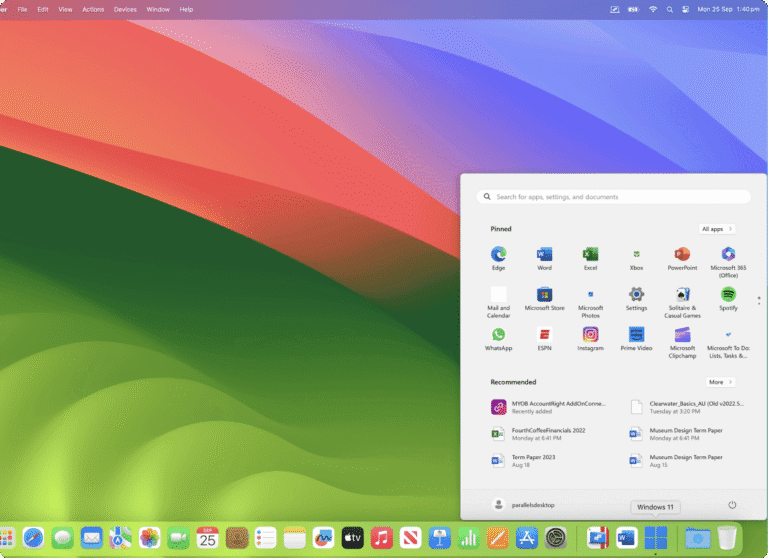
This software features capabilities that facilitate seamless switching between macOS and Windows, such as dragging files from one system to another or opening Windows programs directly on the Mac desktop (via Coherence mode). Parallels Desktop also supports connecting external devices such as USBs, cameras, or printers, and can allocate system resources such as CPU and RAM appropriately, enabling users to work efficiently and conveniently across platforms.
Features:
- Run Windows smoothly on your Mac. – Windows can be installed on a Mac without restarting the machine, and it can be used simultaneously with macOS.
- Coherence mode – Allows Windows applications to display in a window alongside macOS applications as if they were a single application, without showing the entire Windows screen.
- Drag and drop across systems. – Supports easy drag-and-drop of files, text, or images between Windows and macOS.
- Supports hardware and accessories. - USB devices, cameras, printers, and other devices can be used interchangeably between the two systems without any problems.
- Flexible resource allocation - It allows you to optimize the use of CPU, RAM, and storage for each system.
- Supports multiple operating systems. In addition to Windows, you can also install Linux, other versions of macOS, and other systems.
- Supports gaming and graphics. - The Pro and Business editions support DirectX and OpenGL, enabling better gaming and graphics software performance.
- Integration with cloud services and DevOps. – For developers, features include integration with Docker, Vagrant, Visual Studio, and more.
System Requirements
- macOSMonterey 12 or later (supports up to Sequoia 15)
- CPUCompatible with both Apple Silicon (M1/M2/M3/M4) and Intel (Core i5-i9, Core M, Xeon).
- RAMAt least 4 GB is required; 16 GB or more is recommended.
- Storage space600 MB for program installation + at least 16 GB for installing the operating system in the VM (e.g., Windows).
- GraphicsCompatible with Apple Silicon and Intel/AMD/NVIDIA graphics cards.
File Information
- Operating system: macOS Monterey 12.0 or later
- Language: English
- Size: 188 MB
- File type: *zip
- Password: None
- Installation instructions: None
- Updated: 27/6/2025
- Required Reading: Download Guide