
Download NVIDIA GeForce Experience 2024, the software for managing, optimizing, and enhancing your NVIDIA graphics card. Direct link to the latest version.
What is NVIDIA GeForce Experience?
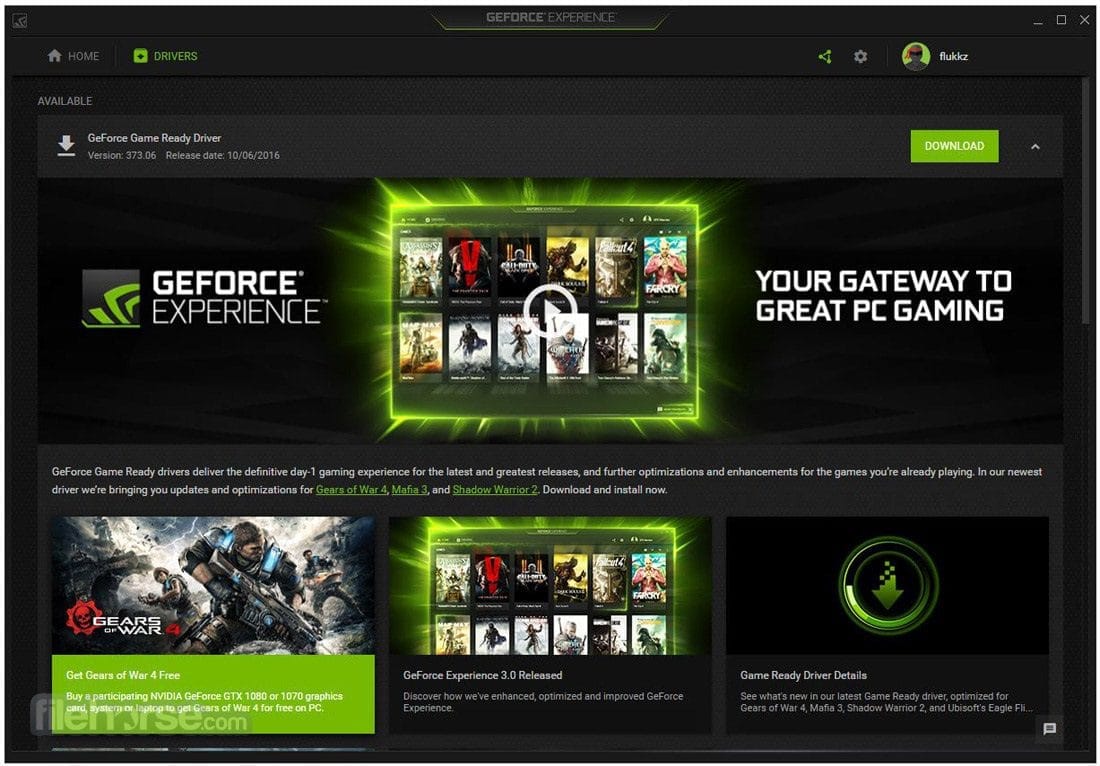
NVIDIA GeForce Experience This program is used to optimize driver performance for games. Those who don't play games might wonder why they need to optimize. PC games differ from games played on gaming consoles because computers have a wide variety of hardware. PC games must be designed to support these differences. Of course, optimizing games will mostly allow them to be playable, but it's not the best possible setting. NVIDIA created GeForce Experience to allow users to optimize games for their specific computer system. If you use an NVIDIA graphics card, you can download and try it out.
GeForce Experience is developed by NVIDIA for GeForce graphics card users to improve gaming experience and optimize graphics card performance. This software offers a variety of features, such as:
- Automatic driver updatesGeForce Experience will monitor and notify you when new drivers for your GeForce graphics card are available, and can automatically download and install them, ensuring your device is running the latest drivers.
- Customize automatic game.The software will scan your computer for installed games and automatically optimize the in-game settings to suit your system, achieving the best balance between graphics quality and performance.
- Recording and sharing videos.It features ShadowPlay, which allows you to easily record your gameplay and stream it to various platforms such as YouTube, Twitch, or Facebook.
- Screen recording and screen capturing.You can easily save or take a screenshot by pressing a shortcut key.
- NVIDIA AnselThis feature allows you to take in-game screenshots from various angles and fine-tune the images to create high-quality images from the games you play.
- GameStreamThis feature allows you to stream games from your computer to an NVIDIA SHIELD device or other compatible game streaming devices over your home network.
Supported hardware
Supported hardware for driver updates:
Desktop GPUs: GeForce 8, 9, 100, 200, 300, 400, 500, 600 Series or higher.
Notebook GPUs: GeForce 8M, 9M, 100M, 200M, 300M, 400M, 500M Series or higher.
Supported hardware for optimal settings:
· GPU: Fermi or Kepler-based GeForce 400, 500, 600, 700 Series or higher (desktop and notebook) GPU
CPU: Intel Core i3/i5/i7 or AMD Phenom II/Athlon II/Phenom X4 or higher (desktop and notebook) CPUs
Display: Any display with 1024×768 to 2560×1600 resolution
File Information and Downloads
Operating System: Windows 7/8 and 8.1 / Windows 11/10
Developer: NVIDIA
Language: Multilingual
Size: 125 MB
File Type: EXE
Status: Tested
Installation method: None
Updated: 13/06/2024
Required Reading: Download Guide