
Download Enscape 3D 4 Full + Assets Offline Library for Revit, SketchUp, Rhino, ArchiCAD, and Vectorworks. This free real-time 3D rendering plugin includes installation instructions.
What is Enscape 3D?
Enscape Enscape is a real-time 3D rendering plugin for design programs like Autodesk Revit, SketchUp, Rhino, ArchiCAD, and Vectorworks. It instantly transforms 3D models into beautiful visuals without processing time. Simply open Enscape alongside your design program, and the image in the Enscape window updates in real-time with every edit – moving walls, changing materials, adjusting lighting – allowing for faster idea testing and design decision-making. The Enscape window is separate from the main program, so you can design on one screen and view the live render on another simultaneously without switching between windows.
Enscape's main selling point is its simplicity. You don't need to be a rendering expert to create high-quality images. The program has an asset library with thousands of ready-to-use models of people, trees, furniture, and materials. Simply drag and drop them into the scene to get vibrant images. The lighting and shadow system calculates in real-time; you can adjust the time of day, sunlight direction, or turn on lights in the scene and see the results instantly. It supports real-time model viewing and can be viewed through VR headsets like Oculus Rift or HTC Vive with a single click. Export is possible as still images, 360-degree panoramas, project introductory videos, or web links for clients to view without needing to install the software.
Enscape has become a standard tool in the architecture, engineering, and construction industries worldwide because it allows for clearer communication with clients and teams than blank sketches or models. We can see the lighting, materials, and actual atmosphere before construction begins, reducing redundant design revisions and saving both time and money. Whether you're an architect, interior designer, or real estate developer, Enscape helps make designs more credible and allows you to present ideas with greater confidence. For projects requiring 3D modeling from scratch before rendering, Enscape can be used... Maxon Cinema 4D Compatible with Enscape.
Features:
- Real-time walkthrough. Instant display
- Virtual reality (VR). Supports Oculus Rift, HTC Vive, and Windows Mixed Reality with a single click.
- Web-based Asset Library. Add ready-to-use Enscape 3D models to your project, including local content.
- Custom Asset Library. Import your own models into Enscape.
- Web Standalone export. Create a link from your project that you're working on without Revit in your browser.
- 360° panoramic views. Supports 360° mobile viewing via Google Cardboard.
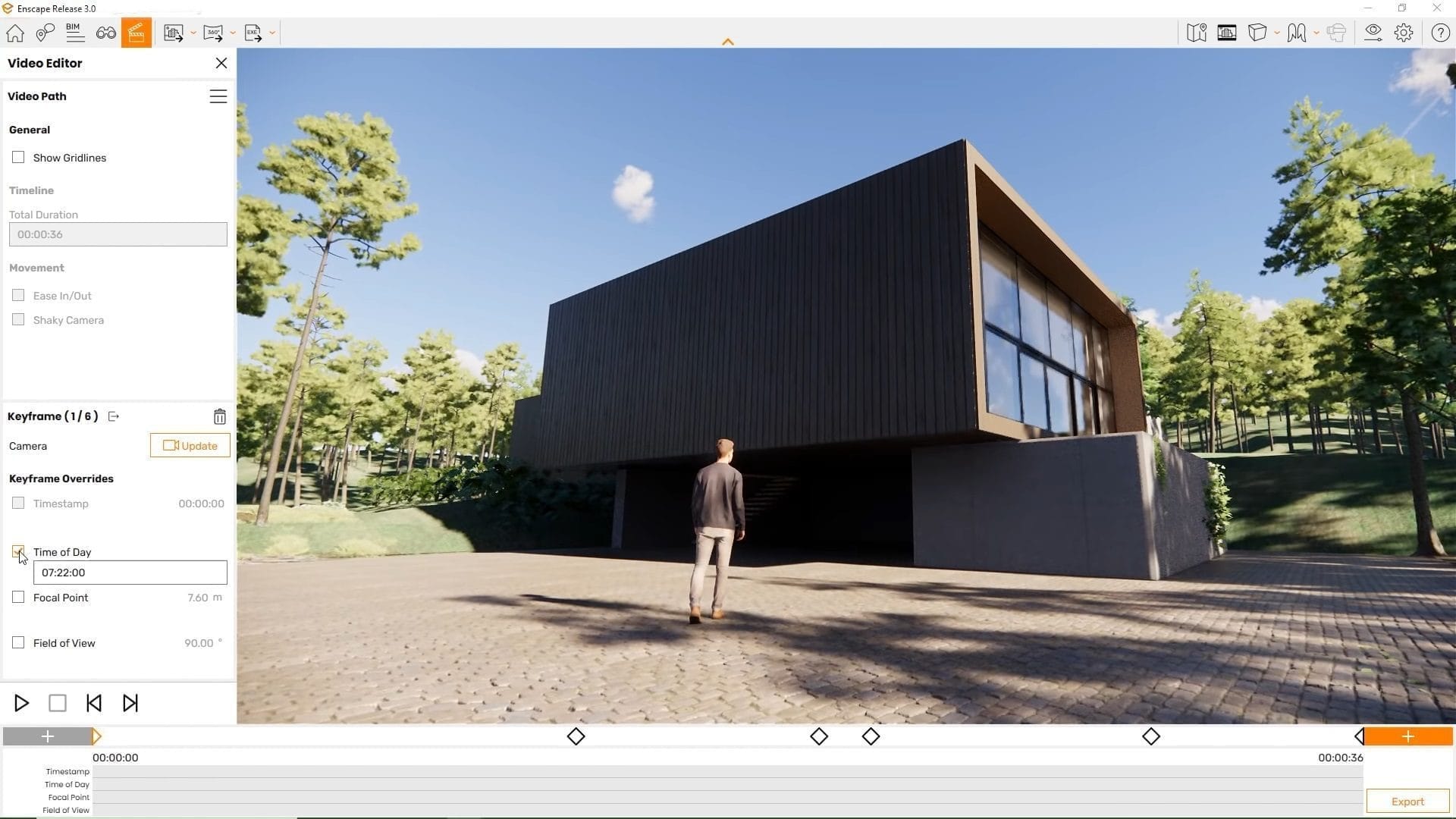
- Video path. There are multiple options for every keyframe.
- Collaborative workflow. Record and communicate feedback with accompanying explanations.
- Displacement Maps. Enhance surface clarity with higher levels of detail.
- Video textures. Combine moving surfaces.
- User-friendly UI. Enhanced design experience
System Requirements
- Windows 10 64-bit or higher
- 4GB VRAM, NVIDIA GeForce GTX 900 series / Quadro M series or later / AMD Radeon RX 400 series / equivalent Radeon Pro series or later.
- Radeon 6000 mobile GPUs and Intel Integrated Graphics onboard GPUs are not supported.
Compatible with
- Revit 2022, 2023, 2024, and 2025
- SketchUp 2022, 2023 and 2024
- Rhino 7.0 and 8.3 (or later)
- Archicad 24, 25, 26 and 27
- Vectorworks 2022, 2023 (Service Pack 1 or later) and 2024
What's new?
What's new in Enscape version 4.20.0?
- Composition Gridlines. Enabling the grid helps organize elements throughout the viewport, not just in the Video Editor.
- Renderer Reset. Reset renderer status from General Settings, clear shader and pipeline cache, and recover from graphics driver issues without reinstalling.
- Light Management. Teleporting to find lights in orthographic mode moves smoothly, similar to perspective mode.
- Color Management. The rendered image has a standard sRGB profile embedded, ensuring consistent colors during further image editing without needing to adjust the settings manually.
- Revit is faster. Live updates are noticeably faster in medium to large projects because they only pull the elements that are needed.
- Export, overwriting the existing file. Exporting with the same file name allows you to overwrite the existing file without the program adding numbers to the end.
- CAD Communication. The CAD waiting message indicates the app name and suggests checking any open dialogs.
- SketchUp. Fixes materials appearing faded or transparent after updating to Enscape 4.19.
- Asset Library. Fixed a crash when opening a library while the Chaos Cosmos service is stopped, and fixed an empty library on a machine using a proxy.
- Rendering. Fixes rendering of individual images that ignores Synchronize Views value.
- Materials. Fix the program that stops responding when changing materials rapidly.
- Export. Fixes the issue of the custom export path disappearing after closing the Export window.
- Standalone Export. I can't export a project that doesn't have a saved view to a standalone version.
- Installer. Fixes the issue of being unable to install Archicad/Vectorworks plugins when the path contains non-Latin characters.
File Information
- Operating System: Windows 11 / 10 (x64)
- Risk Level: 🟡 Low Risk
- Developer: Enscape
- License: Full
- Language: English
- Size: 792.98 MB / 10 GB
- File type: *.rar
- Password: mawto
- Installation Method: Available
- Link updated on: 26/9/2026
- Required Reading: Download Guide
=== Enscape 3D v4 ===
=== Assets Offline Library v4 ===
=== Enscape 3D v3.5.6.204048 ===