
Download DBeaver Ultimate, a database management program for SQL and cloud-based data. Connect multiple systems in a single window. View tables, edit data, write queries, and manage data files. Version details are available.
What is DBeaver Ultimate?
DBeaver Ultimate This is a desktop database management program that combines database connectivity, SQL writing, data modification, and database structure viewing into a single window. It's ideal for developers, data analysts, and teams that need to manage both on-premises databases and cloud services. The Ultimate version builds upon the Enterprise tools with Cloud Explorer for seamless connectivity between AWS, Google Cloud, and Azure, allowing for easy switching between systems without repeated configuration. For a comparison of GUI-based database management approaches, other options are also available. Navicat Premium It's another option that works with multiple database families as well.
In our daily tasks, we open tables, filter rows, edit data in the Data Editor, and use the SQL Editor to write queries with helpers and formatting. If we need to check table relationships, we can open an ER diagram to get an overview before modifying the schema. Import and export tools help move data between different formats, and the task manager allows us to schedule data exports or imports as needed. Furthermore, we can directly query CSV, XLSX, Parquet, JSON, and XML files without having to import every file into the database first, thus reducing the time and effort required for file review by multiple teams.
The key feature of Ultimate is its ability to work across environments within a single project. Cloud Explorer provides visibility into databases from multiple providers, while Cloud Storage allows access to files in S3, Google Cloud Storage, and Azure Blob directly within the program. Connectivity utilizes SSO and Secret Manager based on organizational standards, eliminating the need to distribute passwords across multiple machines. The current version also includes a Multi-Source Database driver for querying data from different database systems, ideal for reports requiring data aggregation from multiple sources. However, access rights and query results should still be checked before deployment.
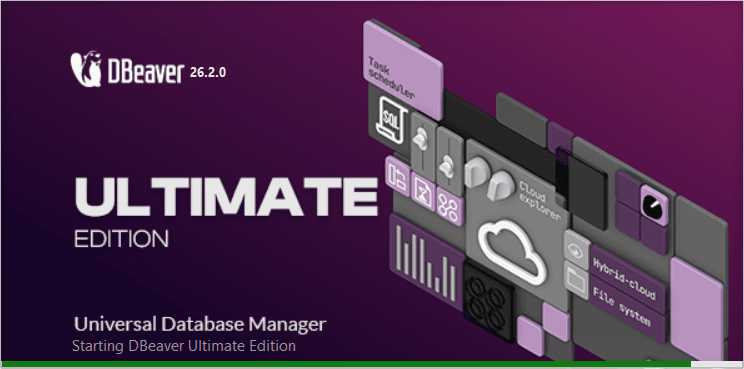
Key Features
- Cloud Explorer displays and manages database connections on AWS, Google Cloud, and Azure from a single window.
- It can connect on-premises and cloud databases simultaneously, ideal for tasks that require switching between multiple environments.
- SQL Editor includes answer helpers, statement templates, and SQL formatting tools to make writing and reading queries easier.
- The Data Editor opens, filters, and edits data in tables, while displaying query results in an easy-to-examine format.
- Open queries directly with CSV, XLSX, Parquet, JSON, and XML files without needing to import them as tables first.
- Open and manage files in Amazon S3, Google Cloud Storage, and Azure Blob from within the program.
- An ER diagram helps visualize the relationships between tables and design a database structure.
- Import and Export move data between databases and various file formats for backup or data exchange purposes.
- Schedule recurring tasks, such as importing, exporting, and running scripts, through the program's task manager.
- SSO, Secret Manager, and Master Password help manage connection information and access permissions.
- There are additional tools for Kafka and cloud-based data management compared to the Enterprise edition.
- The Multi-Source Database driver allows you to query data across multiple relational databases in a single command.
What's new?
DBeaver Ultimate 26.2 adds methods for querying data across databases and improves AI Chat to ask for clarification when a command is open to multiple interpretations. It also includes Secret Manager options and a more user-friendly data display.
- The Multi-Source Database driver uses Apache Calcite to connect multiple relational databases and combine results into a single query.
- AI Chat asks follow-up questions with options when the request is unclear, helping to reduce misinterpretation of queries.
- You can save multiple sets of AI model settings and select the one that best suits the conversation or task at hand.
- Added integration with Google Secret Manager and Azure Key Vault for storing database credentials.
- Added Product Configuration for defining features before opening the program, and a Data Editor to display HTML previews.
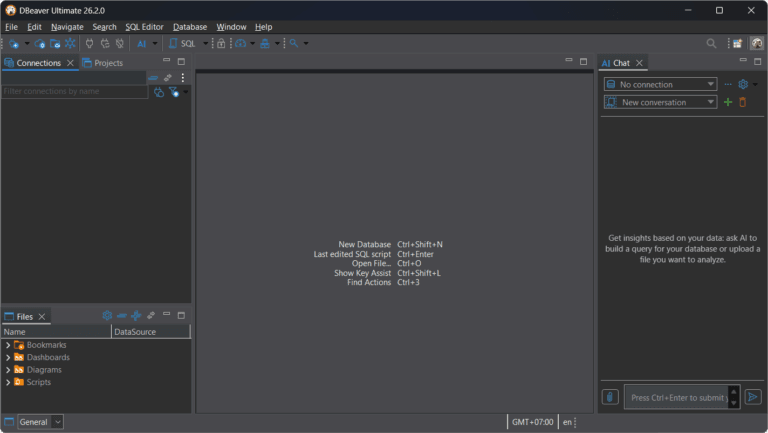
File Information
- Operating System: Windows 10 / 11
- Risk Level: 🟡 Low Risk
- License: Commercial
- Developer: DBeaver
- Language: Multilingual
- Size: 419.82 MB
- File type: *.rar
- Updated: 23/9/2026
- Required Reading: Download Guide