Download Background Eraser APK (AdFree, Premium Unlocked) for free. An app to remove backgrounds from images, quickly cut out desired objects from the background, and save them as transparent background images to immediately create stickers, product photos, or profile pictures.
About Background Eraser APK
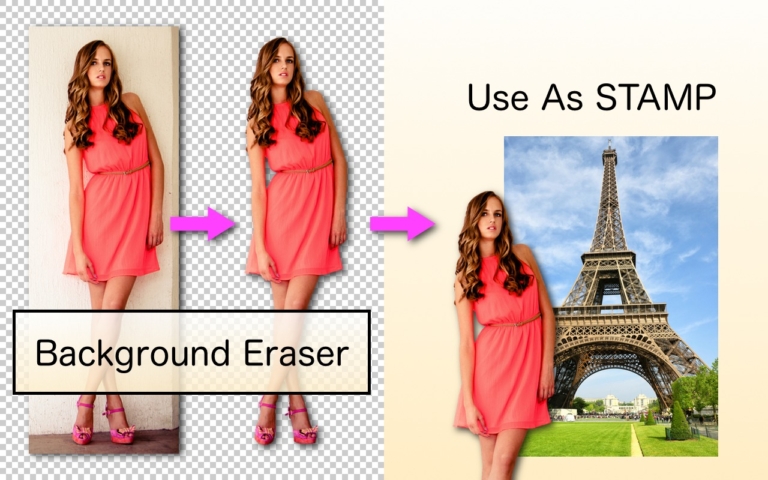
Background Eraser APK is a mobile photo editing and background removal app designed to separate subjects from backgrounds without opening computer software. Simply select a photo from your gallery and crop the desired area, and the app will remove the background leaving only the main object. You can then save it as a transparent or white background PNG file to immediately use for creating stickers, product photos, profile pictures, or overlaying onto other images.
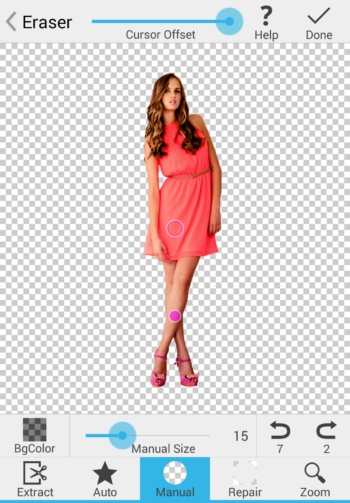
The app's highlight is its multiple background removal modes tailored to image complexity. The Auto or Color mode removes similarly colored pixels in a single tap, ideal for solid backgrounds or those that sharply contrast with the object. The Magic mode automatically detects object edges as you drag your finger, enabling more precise edge retention around hair or fine details. The Manual mode allows freehand erasing, and if you erase past the edge, you can instantly switch to the Repair mode to restore specific areas, complete with zoom and cursor offset adjustment so your finger doesn't block the area being erased.
After finishing the main cutout, tap to adjust the image edge smoothness (Smooth) from 0 to 5, making cutout edges seamless and jagged-free when placed on new images. You can also toggle preview background colors between checkered, black, and white to easily check for remaining leftover edges, making it ideal for online merchants who need clean product die-cuts or content creators making stickers from photos for other photo editing apps. If you want an AI tool to automatically change backgrounds in a single app, check out PhotoRoom More can be added.
With its lightweight file size and straightforward tools, Background Eraser is perfect for quick mobile image die-cutting tasks. It works offline without waiting to upload images to a server, allowing you to send transparent PNG images for composition in other apps like PhotoLayers or general photo editors in just a few steps.
Key Features
- Magic Mode. Automatically detects the edges of the main object as you drag your finger, helping to accurately erase backgrounds along image edges.
- Auto / Color Mode. Tap once to remove all pixels with similar color shades, complete with a color tolerance adjustment slider.
- Manual and Repair Modes. Manually brush away backgrounds in areas requiring detailed work and instantly restore parts accidentally over-erased.
- Smooth Edges. Blend object edges after background removal across multiple levels to reduce jagged lines before overlaying on other images.
- Zoom and Cursor Offset. Zoom in for pixel-level detail viewing and set the Cursor Offset so your finger doesn't obscure the spot being erased.
- Toggle Preview Background Colors. Tap to temporarily switch the background color between transparent, white, and dark to check for residual background debris.
- Export transparent background PNGs. Save as a transparent or white background PNG file, ready to be used as a sticker or for photo collage composition.
- Remove ads in the MOD version. Use all image cutout tools continuously without interruption from banner ads or pop-ups.
What's new
Version 36.0.0
- Fixed minor bugs within the app.
How to install Background Eraser
- Download the .apk file from our link below (make sure the file size matches what is specified in this article).
- Install the downloaded .apk file as usual without needing to root your device.
- Open the app to use.
file information
- Operating system: Android 10 or higher
- Developer: handyCloset Inc.
- Language: Multilingual
- Size: 12 MB
- File type: apk
- Version: 36.0.0
- Updated on : 19/11/2026
- Need to read: Download Guide
==== v36.0.0 (arm64-v8a) ====