
Download Autodesk ReCap Pro 2026 for free. This software scans and processes 3D data from laser scans or photographs to create realistic objects or environments. The latest version is available, along with installation instructions.
About Autodesk ReCap
Autodesk ReCap (Abbreviated as "Reality Capture") is a program that converts data from laser scans and photogrammetry into a 3D data format called a "Point Cloud" or "Mesh Model." This program acts as a bridge between the physical world and the world of digital design, allowing architects, engineers, and professionals in various fields to accurately and quickly import real-world environmental data or objects into a computer. This data serves as a basis for design, modeling, or analyzing real-world conditions.
ReCap's primary function is to process massive amounts of data obtained from 3D scans or drone and digital camera imagery, then arrange and create realistic 3D models. This allows for direct viewing, measurement, editing, and management of this data within the program. Furthermore, files generated by ReCap can be used with other programs such as Revit, AutoCAD, Civil 3D, etc. Inventor To be used for further design, as-built verification, or efficient site improvement planning.
Key Features:
- Import scanned data. Supports data from laser scanners (LiDAR) and numerous photographs to create point clouds and meshes.
- Manage Point Cloud It can clean, crop unwanted sections, and combine multiple scans into a single set.
- Registration Organize and connect scanned data from multiple locations into a single model.
- Create a 3D mesh. Convert point clouds or photographs into usable 3D mesh models.
- Annotation and Measurement You can insert notes, measure distances, angles, area, and volume directly into the model.
- Geo-referencing Set the actual coordinates (GPS/Survey) to match the environment.
- Export files in multiple formats. For example, RCS, RCP, E57, PTS, FBX, OBJ for further use in AutoCAD, Revit, Navisworks, or other software.
- Works with Autodesk Cloud. For example, ReCap Photo (creating a model from aerial/drone photographs).
- Tools for Reality Capture Create realistic 3D models from real-world environments, ideal for architecture, engineering, construction, and surveying.
- Others:
What's new in ReCap Pro 2026?
- Scan to Mesh
Convert point clouds to segmented mesh locally (no cloud required), with a Mesh Editor tool for easily classifying, adjusting, and exporting lightweight models for further use. - Integration with Revit (ReCap Mesh Plugin)
Importing meshes into Revit is convenient, for example, converting them to Revit Families and supporting parameter adjustments, significantly reducing the time and work involved in modeling from scanning. - All in One Photo to 3D Workflow
The ReCap Photo tool is included in ReCap Pro without needing separate installation — it processes images into 3D models directly within the program. - Cloud Collaboration via Autodesk Construction Cloud (ACC)
- Use ReCap Viewer in ACC to view, share, and manage large point clouds and meshes online.
- Save your work and views to Autodesk Docs, Autodesk Drive, or ACC, facilitating team collaboration and coordination.
- Multiple UI enhancement features.
- You can pull objects like ramps or driveways from a point cloud directly through ReCap Viewer on the cloud.
- RealView visualization is presented alongside the overhead view to aid in navigation and work accuracy.
- Set the coordinate system (UCS) with precise numbers.
- Utilizing multiple CPU cores to accelerate processing, particularly speeding up scan import to ~20%.
- Improve UX, such as grouping and scanning.
Added a drag & drop feature to make creating groups (scan groups) in Project Navigator easier. - Hotfixes
Hotfixes have been released to fix various bugs and improve stability, such as issues with mirroring displays and addressing security vulnerabilities.
System Requirements
- Operating System: Microsoft® Windows® 10 (64-bit) or higher
- CPU Type: 2.0 gigahertz (GHz) or faster 64-bit (x64) processor
- Memory: 16 GB or more RAM
- Display Resolution: 1600 x 1050 or higher true color
- Display Card: OpenGL 3.3 capable workstation-class graphics card with 1 GB or greater graphics memory
- Browser: Google Chrome™ – latest version
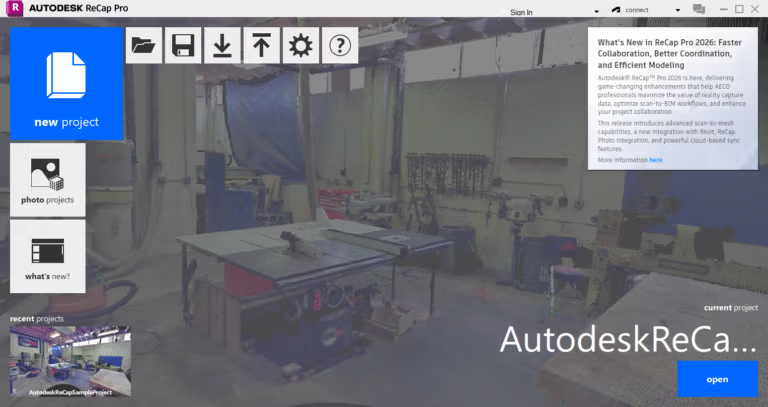
File Information
- Operating System: Windows 11 / 10 (x64)
- Risk Level: Medium
- Language: English
- Size: 2 GB
- File type: *rar
- Password: mawto
- Updated: 4/9/2025
- Required Reading: Download Guide
==== Main Download Link ====
==== Backup Link (Please help by downloading to prevent the link from breaking) ====





