
Download Autodesk AutoCAD Civil 3D 2026 (x64) for free, the full, permanent version. This software is for designing civil engineering infrastructure and includes documentation and installation instructions.
About Autodesk Civil 3D 2026
Autodesk AutoCAD Civil 3D 2026 It's a civil engineering drafting program that's an upgraded version of regular AutoCAD. At its core, it's a BIM (Building Information Modeling) system specifically designed for infrastructure projects, such as roads, drainage systems, or land leveling in housing developments. Its brilliance lies in its ability to link all data together into a single model, allowing us to clearly visualize the project even before construction begins.
One of the key features that engineers love about Civil 3D is its Dynamic Update system, which saves a lot of time. Imagine needing to change a road alignment in a plan; just slightly adjusting a line will automatically recalculate and update the profile/section and earthwork quantity table instantly. No more manually editing each sheet like before, significantly reducing errors caused by forgetting to modify related sections.
Furthermore, it excels at team collaboration through its Data Shortcuts system, allowing one person to create floor plans, another to design pipes, and yet another to build roads simultaneously without having to wait for files. In short, it's a tool that helps complete design work faster, more accurately, and reduces the headaches associated with repetitive revisions.
What's new in Autodesk Civil 3D 2026?
1. Design and analysis of smart drainage systems.
The Drainage Design & Analysis system integrates with Autodesk Civil 3D, utilizing tools from InfoDrainage to design comprehensive drainage systems, from pipes and topsoil to reservoirs, and even provide cloud-based analysis without switching programs.
2. 3D Model Viewer for model inspection.
Added a model-less 3D display window (that doesn't interfere with workflow), allowing you to rotate/view models instantly while working with the actual 2D or 3D model.
3. Project Explorer has been revamped.
Improve project data management, particularly for railway projects, such as supporting curvature values, speeds, and other key parameters that facilitate geometric analysis.
4. Surface & Data Reference Workflows
Instead of referencing the entire surface data, you can choose to reference only the specific areas you need, reducing file size and increasing the speed of managing large areas.
5. Coordinate Transformation Tools
The tool for converting object coordinate systems has been upgraded to be more convenient and accurate, and now supports new coordinate systems.
6. Dynamo for Civil 3D has new features.
Added nodes for handling catchments, feature-line creation, and automatic labeling, helping to speed up repetitive tasks.
7. Further improvements for faster operation.
- Easier surface contour labeling (new surface height labeling option).
- Enhanced corridor transitions and improved pressure network management in road/structure workflow.
System Requirements
- Operating System: Windows 11 or Windows 10 (version 17763 or later), 64-bit only.
- Central Processing Unit (CPU): Minimum 2.5–2.9 GHz
- Recommended: 3.0 GHz or higher (Base) and 4.0 GHz or higher (Turbo).
- Note: ARM architecture CPUs are not supported.
- Memory (RAM): Minimum 8 GB
- Recommended: 32 GB
- Disk Space: 20 GB
- Graphics Processing Unit (GPU)
- Minimum requirements: 2 GB VRAM (Bandwidth 29 GB/s), DirectX 11 compatible.
- Recommended: 8 GB VRAM (Bandwidth 106 GB/s), DirectX 12 compatible.
- Screen resolution: Standard 1920 x 1080 (True Color)
- High-resolution display: Supports resolutions up to 3840 x 2160 (4K).
Additional recommendations If you need to work with point cloud files or highly complex 3D models, we recommend having at least 16 GB of RAM and a workstation-grade graphics card with at least 12 GB of VRAM for smooth operation.
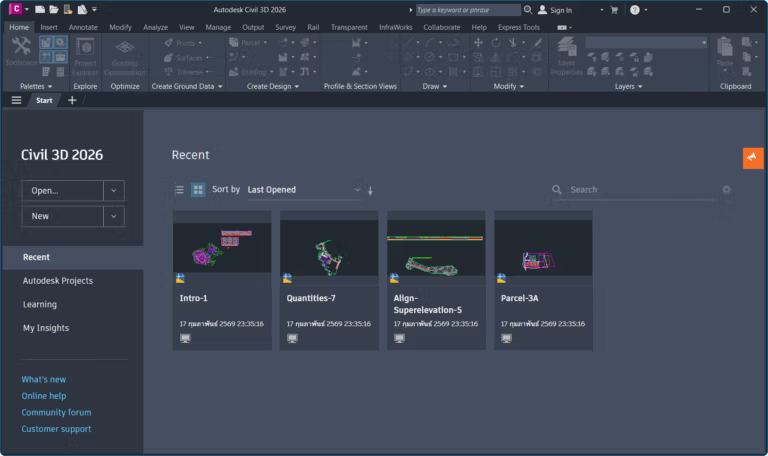
File Information
- Operating System: Windows 11 / 10 (x64)
- Risk Level: Medium
- Developer: Autodesk
- Language: English
- Size: 6.6 GB
- File type: *rar
- Password: mawto
- Updated: 18/2/2026
- Required Reading: Download Guide
==== Main Download Link ====
==== Backup Link (Please help by downloading to prevent the link from breaking) ====





