This article is for informational purposes only.
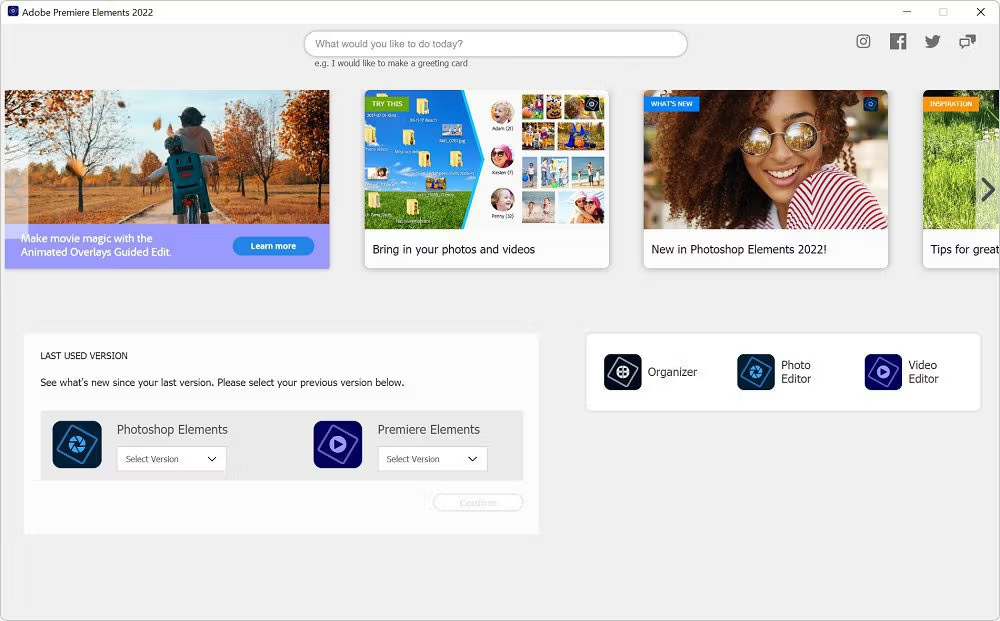
What is Adobe Premiere Elements 2024?
Adobe Premiere Elements 2024 is a mid-range editing program within the Adobe Premiere suite, with the highest-level being… Adobe Premiere Pro And at the very bottom, or most basic, is... Adobe Premiere Rush The program has three different modes:
Quick: The quick mode includes simple tools, including video trimming and merging photos and videos.
Guided: The tutorial mode comes with dedicated tools and tutorials arranged alphabetically by category. For example, if you want to make transitions smoother but don't know how, the "Add transitions between clips" tutorial can guide you through the process in your project.
Expert: The export mode is where you have complete control. You get advanced tools such as text editing, image transitions, and graphics. This mode comes with video and audio tracks.
Key Features
• Premiere Elements 2024 supports VFR, HEIF (macOS), and HEVC (macOS 10.13 and later).
Create realistic photo collages from photos and videos that can be shared on Facebook, YouTube, and other social networks.
• Glass effect
• The sharpening function removes haze from the horizontal plane in seconds.
• Luma gradient
• The length of the music track is automatically adjusted to match the length of the movie, and the remix function provides a natural sound.
• Recording DVDs for Windows OS
• Apply effects to multiple edited clips or an entire movie simultaneously with new step-by-step instructions.
• Face detection automatically focuses on faces and brings them to the foreground, making your movies more memorable. Works in conjunction with automatic cropping, Shift, and Zoom functions for your favorite moments.
• Professional-grade video editing technology, popular among Hollywood film directors.
• Animation Title – Animate text and graphics using built-in templates.
• Supports 4K format.
• Export movies easily and quickly, optimizing for virtually any format: from iPads, iPods, and smartphones to large 4K and HD TVs. You can also create split versions for 4:3 and 16:9 screens.
• Editing process with new suggestions – Emphasize one or more colors and make everything black and white. Add slow-motion and fast-motion effects to make the film more dramatic or fun.
• Eliminate noise and other effects from insufficient light; restore focus; improve image stabilization; correct color and noise balance; and provide other features to compensate for poor shooting conditions.
• SmartSound – Technology for selecting background music and giving films a specific “mood” according to the storyline.
• A separate panel for displaying additional filters and effects.
• View additional video and image files in a separate window.
• Seamlessly integrates with YouTube™
• Choosing a method for presenting video media.
• Integrates with Microsoft Windows Touch technology.
System Requirements:
- Intel 6th Generation or newer processor or AMD equivalent with SSE4.1 support
- Microsoft Windows 10 version 21H1 (version 21H2 recommended); Windows 11 (version 21H2); 64-bit versions only; Windows 7, Windows 8.1 not supported
- 8GB of RAM
- 9GB of available hard-disk space to install application; additional space required for downloading online content; up to 20GB additional space required for temporary files during product installation and usage (cannot install on a volume that uses a case-sensitive file system or on removable flash storage devices)
- 1280×800 display resolution (at 100% scale factor)
- Microsoft DirectX 12 compatible sound and display driver
- Windows Media Player (required if importing Windows Media files)
This article is for informational purposes only.