
Download Adobe GenP 2026 with instructions. This free tool activates Adobe programs, fixes expired versions, and provides copyright notifications. It is compatible with Adobe 2026-2019 and is the latest version.
What is Adobe GenP?
Adobe GenP It is a small tool used to activate cracked versions of various Adobe programs, allowing them to function like genuine software. It supports almost all programs, including Adobe Photoshop, Adobe Illustrator, Adobe Premiere Pro, and more
This tool is used to crack or bypass the license validation verification of Adobe software that requires authentication, allowing users to access and use the software without purchasing a legitimate license.
Additionally, you can fix messages such as "Adobe expired," copyright alerts, whether it's Adobe Genuine Service Alert, "This unlicensed Adobe app will be disabled soon," or fix "This non-genuine Adobe app has been disabled."
Features of GenP:
- Crack and Bypass Identity VerificationAdobe GenP can expertly crack or bypass Adobe software authentication, allowing users to use the software without verifying their identity through Adobe Creative Cloud or entering their password.
- Supports multiple versions.Adobe GenP is frequently updated to support different versions of Adobe software as they are released, including versions from 2019 to 2026. These updates provide support for the latest security enhancements and identity verification systems from Adobe.
- Easy to useFor users with knowledge and understanding of these tools, using Adobe GenP will not be difficult, as it typically provides clear instructions and usage methods for users.
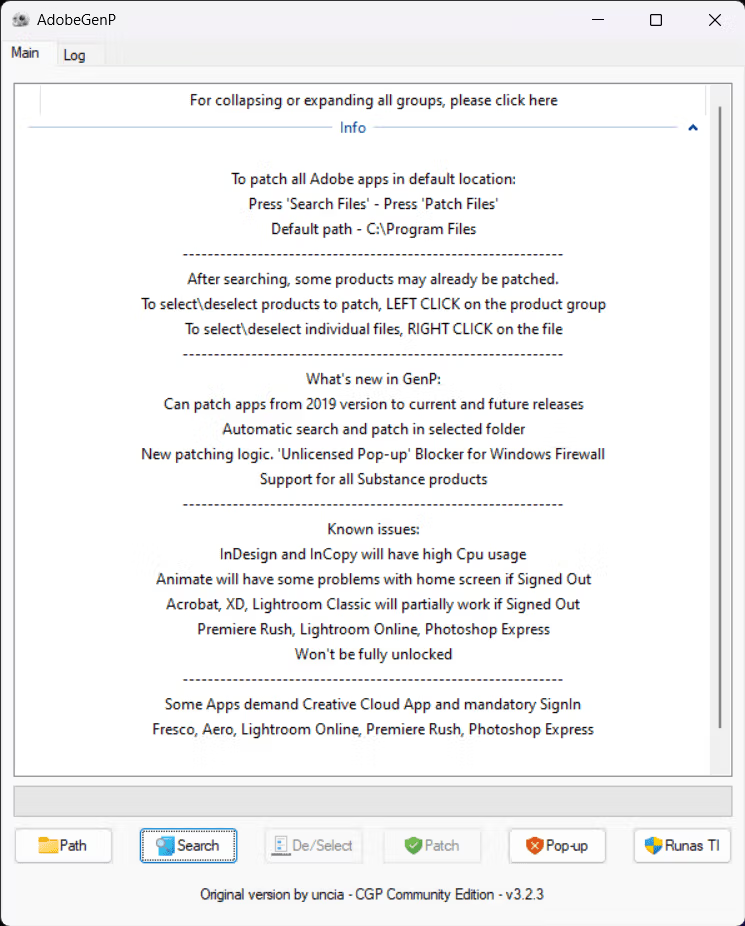
How to Use Adobe GenP:
Usage
- Download Adobe GenP from the link below (direct link from the developer).
- Install the desired Adobe program.
- Open any Adobe program and log in with a free Adobe account to access additional features, such as Neural Filters in Photoshop.
- Temporarily disable your antivirus software or add the file “GenP-v3.x.x.exe” to the scan exceptions of your current antivirus.
- Right-click on the file ”GenP-v3.x.x.exe” > then select “Run as administrator”
- Click the “Pop-up Tools” tab.”
- Click the “Update hosts” button and wait until “Hosts file updated successfully” appears.”
- Click the “Unpack” button (use only with After Effects, Premiere Pro).
- Click the “Main” tab.”
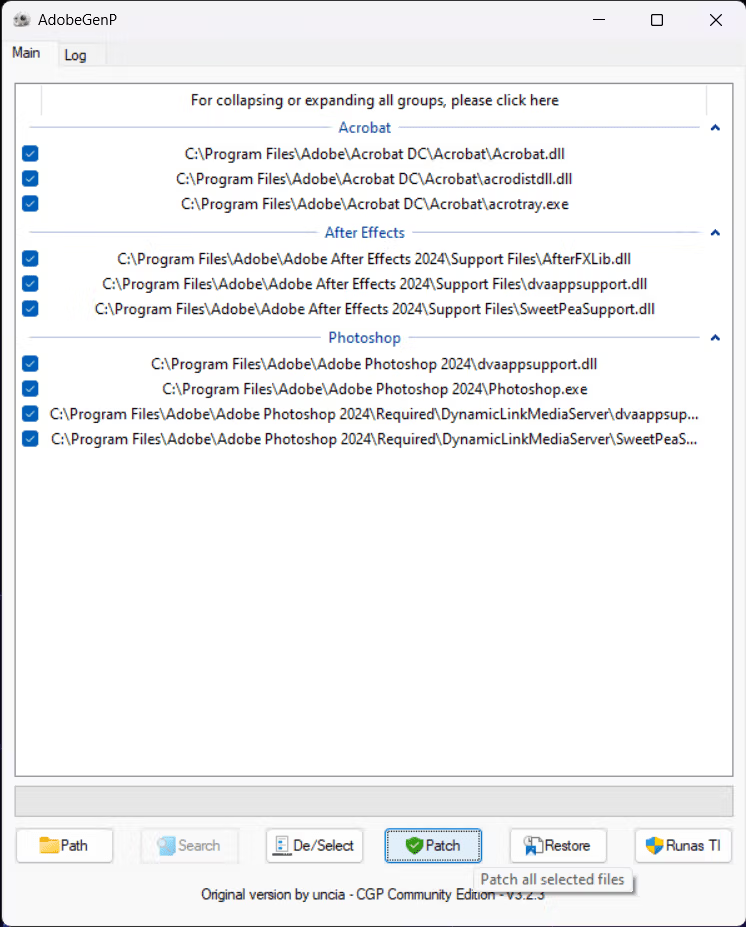
- Click the ”Search” button and wait until it finishes.
- Tick select All Creative Cloud (usually it will be ticked automatically)
- Tick only the checkboxes for the programs you want, such as Photoshop. (You can tick all programs, but this will slow down the patching process.)
- Click the ”Patch” button and wait until it's finished.
- Click the “Pop-up Tools” tab.”
- Open the program.
Problem Solving
If you have successfully cracked the program but encounter a pop-up when you try to use it, the first thing to do is temporarily disconnect from the internet and then reopen the program. Check if it works. If it still doesn't work, it means the crack was unsuccessful. In that case, reinstall the program and use GenP to crack it again.
If the program can be opened after disconnecting the internet, it means the crack has been successful. However, there is still a vulnerability that allows for verification of usage rights. To resolve this, right-click on the file ”GenP-v3.x.x.exe” > then select “Run as administrator” and follow the steps below:
- Click the “Pop-up Tools” tab.”
- Press the “Update hosts” button again to update the Hosts file (requires an internet connection).
- If you receive a notification regarding “Adobe Genuine Services”
- Click the “Remove AGS” button and wait until it is finished.
- If other pop-ups appear that are not “Adobe Genuine Services,” such as a pop-up for Unlicense.
- Click the “Toggle Win Trust” button and press “Trust.”
- Tick the box for the program that displays pop-ups during use > Click “OK”
- Restart the device.
- If the above method does not work, please try the following:
- Click the “Add Rules” button to block the program using Windows Firewall (not recommended).
- Or use it offline first.
- Then try “Update hosts” the next day.
- You can read more instructions and troubleshooting tips at: GenP Guides (English)
Note:
- The AI feature cannot be cracked.Features such as Generative Fill, Firefly, and other AI tools are only available to paying subscribers.
- If you are unable to use Neural Filters even after logging in, please delete the folder “
PluginsStorage”Address in %AppData%\Adobe\UXPRestart Photoshop and sign in again.- If the issue persists after following the steps, please log out of the program > then kill all processes related to Adobe.
- Then open the app, log in again, and try opening an image file. After that, download the Neural Filters.
- Not compatible with ARM architecture: Devices using ARM architecture, such as Qualcomm Snapdragon, cannot use GenP.
What's new?
CHANGELOG
v3.8.0
- Final Release | 27.2+ Photoshop fixes :D
v3.7.1
- Better!
v3.7.0
- Fixed initial v2026 apps
Note: Using Adobe GenP for Adobe software piracy is illegal and unethical. It can cause direct or indirect legal and ethical harm to software developers, other developers, and the general public. Using software as permitted is the correct path and should be followed.
File Information
- Operating System: Windows 11 / Windows 10
- Risk Level: Medium
- Language: English
- Size: 68.32 / 1.3 MB
- File types: .*exe, *.zip
- Updated: 8/7/2026
- Required Reading: Download Guide
==== GenP 4.2.1 (TheMythologist (Github Version)
==== GenP 3.8.0 (Uncia's Version) ====