Download Pixlr AI: Photo & Video Editor APK (Mod, Pro Unlocked) Free AI photo and video editing app with background removal, object removal, face swapping, text-to-video generation, and ready-to-use filters for creating stunning photos ready to share on social media
About Pixlr AI APK
Pixlr AI APK is a photo editing app designed so anyone can create beautiful images without any graphic design background. Developed from the online photo editing tool of the same name, the app is now available on iOS and Android mobile devices, as well as web browsers without requiring additional software installation, allowing users to open and edit photos instantly whether at home or on the go.
Pixlr's standout feature is its comprehensive yet user-friendly toolset, ranging from basic adjustments like cropping, rotating, lighting, color, and sharpness tuning to one-tap pre-made filters and effects that completely transform the mood of an image. It also features an AI-powered auto background remover that separates the subject from the background in seconds, making it ideal for product photography, profile pictures, or promotional posts without manual pixel-by-pixel editing.
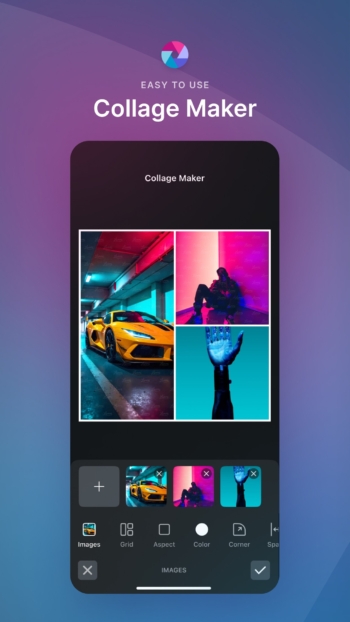
Pixlr also offers features that speed up design work, such as ready-made templates for social media posts, stories, posters, and page covers, where users simply swap images and text for instant use. For those who want further customization, they can add text, stickers, photo frames, or layer multiple images to create collages all within a single app. Unfinished work can even be saved as layers to be edited later.
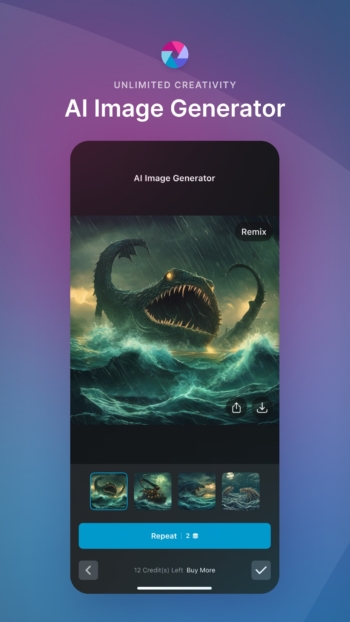
Another aspect that sets Pixlr apart is its AI tools for image creation and editing, such as removing unwanted objects, expanding images, and generating images from text descriptions, enabling users who are not skilled in graphic design to create illustrations or promotional images without starting from scratch. However, AI results may require minor tweaks to match specific requirements.
Pixlr is available for free with ads and essential features sufficient for general tasks. For users seeking an ad-free experience, additional fonts, stickers, templates, and high-resolution image saving, monthly or annual Pixlr Premium subscriptions are available. This makes Pixlr ideal for anyone looking for fast, easy, and anywhere-accessible photo editing, from casual users wanting to enhance social media photos to online merchants who regularly create product images. Meanwhile, those who want more detailed editing, such as point-by-point color grading, can use Lightroom Premium in conjunction with it.
Key features of Pixlr
AI tools
- AI Generative Fill. Brush over an area in the image and let AI seamlessly fill in objects that blend naturally with the original photo.
- AI Remove Object. Remove unwanted objects from the image and let AI automatically fill in the missing background.
- AI Remove Background. Automatic background removal with sharp subject edges without manual cutting.
- AI Face Swap. Instantly swap faces in images, perfect for fun projects or conceptual photos.
- AI Video Generator. Generate videos from text or still images, complete with various style filters.
Photo editing and effects
- Auto Fix. Enhance image colors vibrantly in a single click.
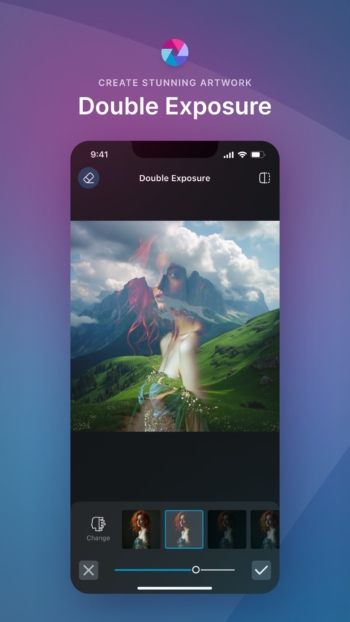
- Double Exposure. ซ้อนภาพสองชั้นเข้าด้วยกัน ปรับความโปร่งใสของแต่ละชั้นได้
- Stylize. เอฟเฟกต์ลายเส้นดินสอ โปสเตอร์ สีน้ำ และอีกหลายสไตล์
- Color Splash และ Focal Blur. เน้นสีเฉพาะจุดในภาพ หรือเบลอพื้นหลังเพื่อสร้างมิติ
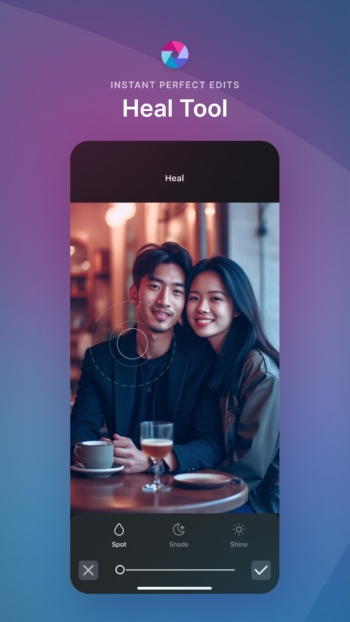
- Retouching tools. ลบรอยสิว ลบตาแดง ปรับผิวให้เนียน หรือทำให้ฟันขาวขึ้น
- เอฟเฟกต์และโอเวอร์เลย์. ชุดเอฟเฟกต์หลายแบบ ปรับโทนภาพให้อุ่น เย็น หรือเหนือจริงได้ตามต้องการ
- ข้อความและขอบภาพ. ใส่ข้อความด้วยฟอนต์หลายแบบ แล้วเลือกสไตล์ขอบภาพให้เข้ากับรูป
- ครอปและปรับขนาด. ครอปภาพและปรับขนาดให้พอดีก่อนบันทึก
- Favorites. บันทึกเอฟเฟกต์และโอเวอร์เลย์ที่ใช้บ่อยไว้เรียกใช้ได้เร็ว
- คลังเอฟเฟกต์เพิ่มเติม. เอฟเฟกต์ โอเวอร์เลย์ และขอบภาพชุดใหม่ ๆ เพิ่มเข้ามาเรื่อย ๆ
คอลลาจและเทมเพลต
- คอลลาจ. ออกแบบคอลลาจจากเลย์เอาต์สำเร็จรูป ปรับตาราง สัดส่วน และพื้นหลังได้ตามใจ
- เทมเพลตโซเชียลมีเดีย. เทมเพลตหลายชั้นสำหรับโพสต์โซเชียล อัปเดตตามฤดูกาล
แชร์
- แชร์ภาพ. ส่งภาพต่อไปยังอีเมล Instagram Facebook TikTok หรือโซเชียลอื่น ๆ ได้จากในแอป
What's new
เวอร์ชัน 3.9.4
- AI Video Generator. สร้างวิดีโอจากข้อความ พร้อมใส่ฟิลเตอร์สไตล์ต่าง ๆ
- Aesthetic Collages. คอลลาจสำเร็จรูปสไตล์ aesthetic เลือกเลย์เอาต์แล้ววางรูปได้เลย
- AI Face Swap. สลับใบหน้าในภาพได้ทันที
- AI Remove Object และ Background. ลบวัตถุหรือพื้นหลังที่ไม่ต้องการออกจากภาพได้ง่าย ๆ
- Bug fixes and performance improvements. แก้ไขข้อผิดพลาดและทำให้การแต่งภาพลื่นขึ้น
❏ Mod Info:
◉ Pro Activated
◉ Debug information removed
➡ Languages: am, ar, az, bg, bn, bs, ca, cs, de, el, en, en-AU, en-CA, en-GB, en-IN, en-XC, es, es-419, es-ES, es-US, et, fa, fi, fr, fr-CA, hi, hu, id, in, it, iw, ja, kk, ko, ml, mr, ms, nl, pa, pl, pt, pt-BR, pt-PT, ro, ru, sk, sq, sv, th, tr, uk, ur, uz, vi, zh, zh-CN, zh-HK, zh-MO, zh-TW
➡ Screen DPIs: 160dpi, 240dpi, 320dpi, 480dpi, 640dpi
► Credit: NURIK
⚠️ Note: AI credits are server side
วิธีติดตั้ง Pixlr
- Download the .apk file from our link below (make sure the file size matches what is specified in this article).
- Install the downloaded .apk file as usual without needing to root your device.
- Open the app to use.
file information
- ระบบปฏิบัติการ : Android 12.1+
- Developer: Pixlr Pte Ltd
- Language: Multilingual
- ขนาด : 81 MB / 78 MB
- File type: apk
- เวอร์ชั่น : 3.9.4
- Updated on : 16/11/2026
- Need to read: Download Guide
==== v3.9.4 (arm64-v8a) ====
==== v3.9.4 (armeabi-v7a) ====